Recently Oracle has announced Autonomous Database (ADB) on Oracle Exadata Cloud @ Customer (Exadata C@C). ADB on Exadata C@C provides the benefits of a self-driving, self-securing, and self-repairing database management system and the security and control offered by having it deployed securely on-premise Customer’s data centre.
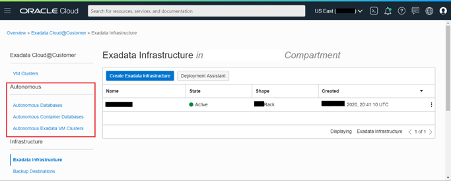
Once you purchase ADB on Exadata C@C, creating, provisioning and activating its Exadata Infrastructure hardware and Oracle Cloud resource, several additional resource types become available in the Exadata C@C section of the Oracle Cloud Infrastructure console: Autonomous Exadata VM Clusters, Autonomous Container Databases and Autonomous Databases. You use these resources to create and manage your secure, on-premise deployment of Oracle Autonomous Database. Here is the screenshot how ADB on Exadata C@C looks like.
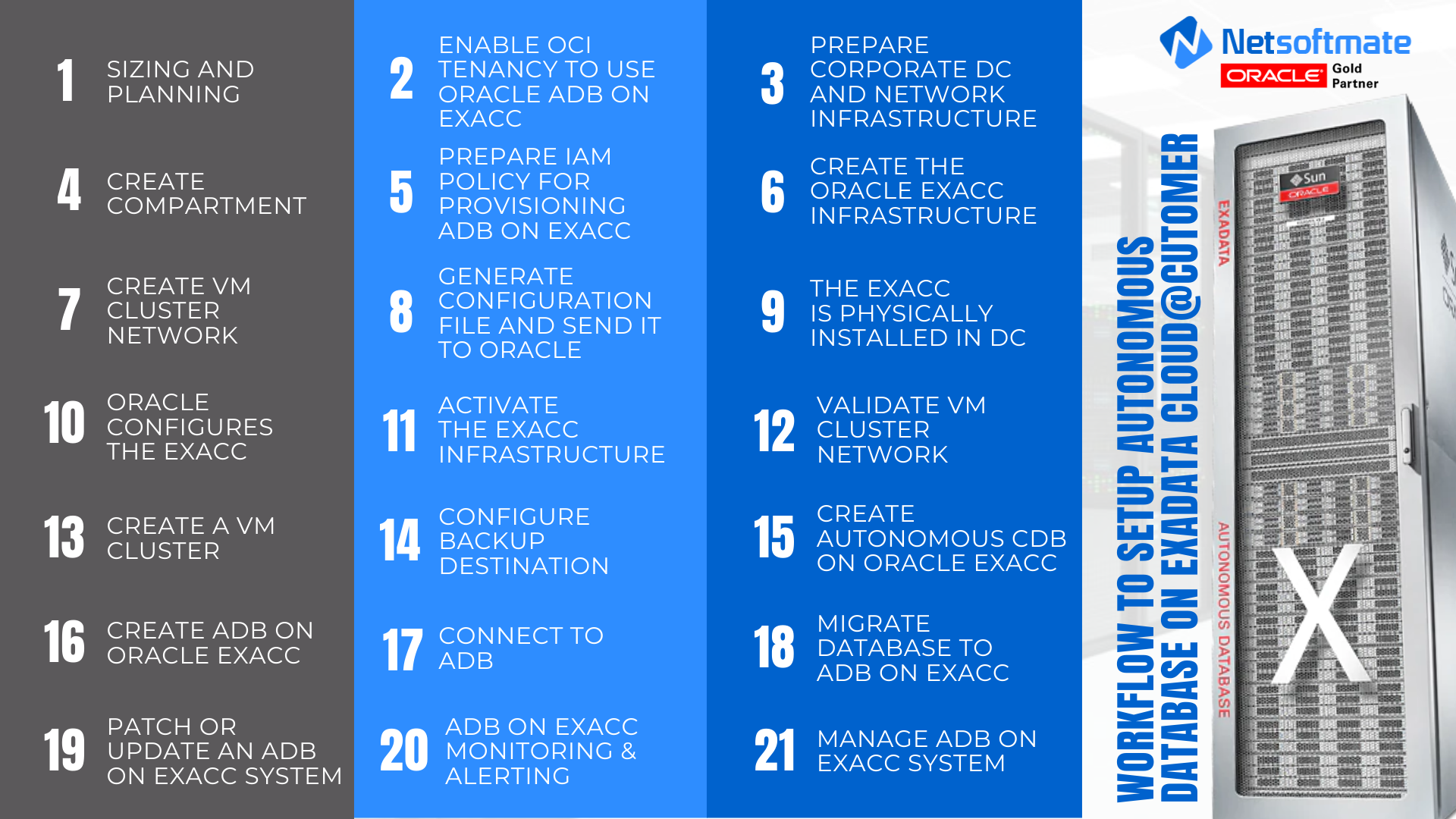
To setup Autonomous Database on Exadata Cloud@Customer, we have created a step-by-step workflow which will help you setup and running in no time –
Stay tuned for the next part on how to provision Autonomous Database on Oracle Exadata Cloud@Customer in our next blog!
Setup your Autonomous Database on Oracle Exadata Cloud@Customer with Netsoftmate’s team of Exadata Engineers:
Leave a Reply