
Tag: Exadata patching

  • 10 Easy Steps To Patch Oracle Exadata X8M RoCE Switch

    10 Easy Steps To Patch Oracle Exadata X8M RoCE Switch

    The Oracle Exadata X8M release implements 100 Gb/sec RoCE network fabric, making the world’s fastest database machine even faster.

    Oracle Exadata Database Machine X8M introduces a brand new high-bandwidth low-latency 100 Gb/sec RDMA over Converged Ethernet (RoCE) Network Fabric that connects all the components inside an Exadata Database Machine. Specialized database networking protocols deliver much lower latency and higher bandwidth than is possible with generic communication protocols for faster response time for OLTP operations and higher throughput for analytic workloads.

    The ORacle Exadata X8M release provides the next generation in ultra-fast cloud scale networking fabric, RDMA over Converged Ethernet (RoCE). RDMA (Remote Direct Memory Access) allows one computer to directly access data from another without Operating System or CPU involvement, for high bandwidth and low latency. The network card directly reads/writes memory with no extra copying or buffering and very low latency.

    RDMA is an integral part of the Exadata high-performance architecture, and has been tuned and enhanced over the past decade, underpinning several Exadata-only technologies such as Exafusion Direct-to-Wire Protocol and Smart Fusion Block Transfer. As the RoCE API infrastructure is identical to InfiniBand’s, all existing Exadata performance features are available on RoCE.


    Oracle Exadata RoCE Switch Image:Oracle Exadata RoCE Switch Front & Back | Netsoftmate
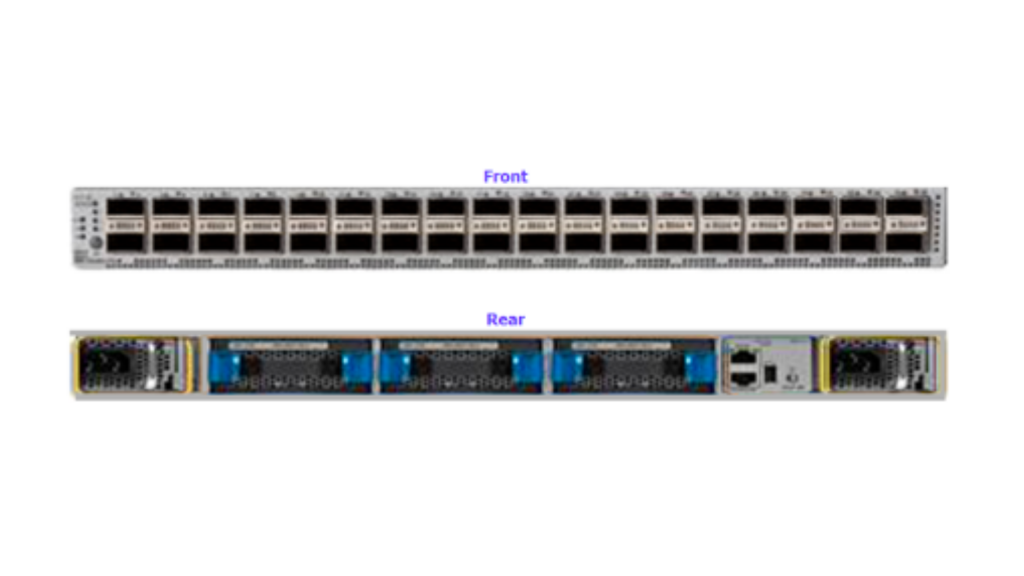
    In this article we see practically how to patch Exadata X8M RoCE Switches


    1. Create a file containing RoCE switch hostname

    [root@dm01dbadm01 ~]# cat roce_list

    dm01sw-rocea01

    dm01sw-roceab1


    2. Get the current RoCE Switch software version

    [root@dm01dbadm01 ~]# ssh admin@dm01sw-rocea01 show version

    User Access Verification

    Cisco Nexus Operating System (NX-OS) Software

    TAC support: http://www.cisco.com/tac

    Copyright (C) 2002-2019, Cisco and/or its affiliates.

    All rights reserved.

    The copyrights to certain works contained in this software are

    owned by other third parties and used and distributed under their own

    licenses, such as open source.  This software is provided “as is,” and unless

    otherwise stated, there is no warranty, express or implied, including but not

    limited to warranties of merchantability and fitness for a particular purpose.

    Certain components of this software are licensed under

    the GNU General Public License (GPL) version 2.0 or

    GNU General Public License (GPL) version 3.0  or the GNU

    Lesser General Public License (LGPL) Version 2.1 or

    Lesser General Public License (LGPL) Version 2.0.

    A copy of each such license is available at

    http://www.opensource.org/licenses/gpl-2.0.php and

    http://opensource.org/licenses/gpl-3.0.html and

    http://www.opensource.org/licenses/lgpl-2.1.php and

    http://www.gnu.org/licenses/old-licenses/library.txt.


    Software

      BIOS: version 05.39

      NXOS: version 7.0(3)I7(6)

      BIOS compile time:  08/30/2019

      NXOS image file is: bootflash:///nxos.7.0.3.I7.6.bin

      NXOS compile time:  3/5/2019 13:00:00 [03/05/2019 22:04:55]


    Hardware

      cisco Nexus9000 C9336C-FX2 Chassis

      Intel(R) Xeon(R) CPU D-1526 @ 1.80GHz with 24571632 kB of memory.

      Processor Board ID FDO23380VQS


      Device name: dm01sw-rocea01

      bootflash:  115805708 kB

    Kernel uptime is 8 day(s), 3 hour(s), 14 minute(s), 49 second(s)


    Last reset at 145297 usecs after Wed Apr  1 09:29:43 2020

      Reason: Reset Requested by CLI command reload

      System version: 7.0(3)I7(6)

      Service:

    plugin

      Core Plugin, Ethernet Plugin


    Active Package(s):

    [root@dm01dbadm01 ~]#  ssh admin@dm01sw-rocea01 show version | grep “System version:”

    User Access Verification

      System version: 7.0(3)I7(6)

    eBook - Oracle Exadata X8M Patching Recipes | Netsoftmate

    3. Download the the RoCE switch software from MOS note 888828.1 and copy it Exadata compute node 1

    [root@dm01dbadm01 ~]# cd /u01/stage/ROCE/


    [root@dm01dbadm01 ROCE]# ls -ltr

    total 2773832

    -rw-r–r– 1 root root 2840400612 Apr  9 00:42 p30893922_193000_Linux-x86-64.zip


    4. Unzip the RoCE patch

    [root@dm01dbadm01 ROCE]# unzip p30893922_193000_Linux-x86-64.zip

    Archive:  p30893922_193000_Linux-x86-64.zip

       creating: patch_switch_19.3.6.0.0.200317/

      inflating: patch_switch_19.3.6.0.0.200317/dcli

      inflating: patch_switch_19.3.6.0.0.200317/exadata.img.hw

      inflating: patch_switch_19.3.6.0.0.200317/sundcs_36p_repository_2.2.7_2.pkg

      inflating: patch_switch_19.3.6.0.0.200317/imageLogger

      inflating:

     patch_switch_19.3.6.0.0.200317/roce_switch_templates/roce_leaf_switch_multi.cfg

      inflating: patch_switch_19.3.6.0.0.200317/sundcs_36p_repository_2.2.14_1.pkg

      inflating: patch_switch_19.3.6.0.0.200317/README.txt


    5. Verify the patch directory content after unzip

    [root@dm01dbadm01 ROCE]# cd patch_switch_19.3.6.0.0.200317/


    [root@dm01dbadm01 patch_switch_19.3.6.0.0.200317]# ls -ltr

    total 2794980

    -r-xr-x— 1 root root      50674 Mar 18 05:48 exadata.img.hw

    -r–r–r– 1 root root       8664 Mar 18 05:48 exadata.img.env

    -r–r–r– 1 root root      45349 Mar 18 05:48 imageLogger

    -r–r—– 1 root root       6133 Mar 18 05:48 ExaXMLNode.pm

    -r–r—– 1 root root      51925 Mar 18 05:48 exadata_img_pylogger.py

    -r-xr-xr-x 1 root root      17482 Mar 18 05:48 libxcp.so.1

    -r-xr-xr-x 1 root root       4385 Mar 18 05:48 kernelupgrade_oldbios.sh

    -r-xr-xr-x 1 root root     176994 Mar 18 05:48 installfw_exadata_ssh

    -r-xr-xr-x 1 root root        426 Mar 18 05:48 fwverify

    -r-xr-xr-x 1 root root       1570 Mar 18 05:48 ExadataSendNotification.pm

    -r-xr-xr-x 1 root root      62499 Mar 18 05:48 ExadataImageNotification.pl

    -r-xr-xr-x 1 root root      51616 Mar 18 05:48 dcli

    -rw-r–r– 1 root root 1011037696 Mar 18 05:48 nxos.7.0.3.I7.6.bin

    -r-xr-xr-x 1 root root      16544 Mar 18 05:48 patchmgr_functions

    -rwxr-xr-x 1 root root      11600 Mar 18 05:48 patch_bug_26678971

    -rw-r–r– 1 root root  975383040 Mar 18 05:48 nxos.7.0.3.I7.7.bin

    -r-xr-xr-x 1 root root  171545108 Mar 18 05:48 sundcs_36p_repository_2.2.13_2.pkg

    -r-xr-xr-x 1 root root  172863012 Mar 18 05:48 sundcs_36p_repository_2.2.14_1.pkg

    -rwxr-xr-x 1 root root  172946493 Mar 18 05:48 sundcs_36p_repository_2.2.7_2.pkg

    -rwxr-xr-x 1 root root  172947929 Mar 18 05:48 sundcs_36p_repository_2.2.7_2_signed.pkg

    -r-xr-xr-x 1 root root      15001 Mar 18 05:48 xcp

    -rwxr-xr-x 1 root root  184111553 Mar 18 05:48 sundcs_36p_repository_upgrade_2.1_to_2.2.7_2.pkg

    -r-xr-xr-x 1 root root     168789 Mar 18 06:05 upgradeIBSwitch.sh

    drwxr-xr-x 2 root root        103 Mar 18 06:05 roce_switch_templates

    drwxr-xr-x 2 root root         98 Mar 18 06:05 roce_switch_api

    drwxr-xr-x 6 root root       4096 Mar 18 06:05 ibdiagtools

    drwxrwxr-x 3 root root         20 Mar 18 06:05 etc

    -r-xr-xr-x 1 root root     457738 Mar 18 06:05 patchmgr

    -rw-rw-r– 1 root root       5156 Mar 18 06:05 md5sum_files.lst

    -rwxrwxrwx 1 root root        822 Mar 18 07:15 README.txt


    6. Navigate to the patch directory and execute the following to get the patch syntax

    [root@dm01dbadm01 patch_switch_19.3.6.0.0.200317]# ./patchmgr -h

    Usage:

    ./patchmgr –roceswitches [roceswitch_list_file]

               –upgrade [–verify-config [yes|no]] [–roceswitch-precheck] [–force]  |

               –downgrade [–verify-config [yes|no]]  [–roceswitch-precheck] [–force]  |

               –verify-config [yes|no]

               [-log_dir <fullpath> ]


    ./patchmgr –ibswitches [ibswitch_list_file]

              <–upgrade | –downgrade> [–ibswitch_precheck] [–unkey] [–force [yes|no]]


    7. Execute the following command to perform configuration verification

    Note:  The patching should be performed by a non-root user. In this case I am using oracle user to perform the patching


    [root@dm01dbadm01 stage]# chown -R oracle:oinstall ROCE/


    [root@dm01dbadm01 stage]# su – oracle

    Last login: Thu Apr  9 16:17:25 +03 2020


    [oracle@dm01dbadm01 ~]$ cd /u01/stage/ROCE/


    [oracle@dm01dbadm01 ROCE]$ ls -ltr

    total 2773836

    -rw-r–r– 1 oracle oinstall 2840400612 Apr  9 00:42 p30893922_193000_Linux-x86-64.zip

    drwxrwxr-x 6 oracle oinstall       4096 Apr  9 16:31 patch_switch_19.3.6.0.0.200317

    [oracle@dm01dbadm01 ROCE]$ cd patch_switch_19.3.6.0.0.200317/


    [oracle@dm01dbadm01 ~]$ vi roce_list

    dm01sw-rocea01

    dm01sw-roceab1


    [oracle@dm01dbadm01 ~]$ cd /u01/stage/ROCE/patch_switch_19.3.6.0.0.200317


    [oracle@dm01dbadm01 patch_switch_19.3.6.0.0.200317]$ ./patchmgr –roceswitches ~/roce_list –verify-config –log_dir /u01/stage/ROCE


    2020-04-09 16:59:52 +0300        :Working: Initiate config verify on RoCE switches from . Expect up to 6 minutes for each switch


    2020-04-09 16:59:53 +0300 1 of 2 :Verifying config on switch dm01sw-rocea01


    2020-04-09 16:59:53 +0300:        [INFO     ] Dumping current running config locally as file: /u01/stage/ROCE/run.dm01sw-rocea01.cfg

    2020-04-09 16:59:54 +0300:        [SUCCESS  ] Backed up switch config successfully

    2020-04-09 16:59:54 +0300:        [INFO     ] Validating running config against template [1/3]: /u01/stage/ROCE/patch_switch_19.3.6.0.0.200317/roce_switch_templates/roce_leaf_switch.cfg

    2020-04-09 16:59:54 +0300:        [INFO     ] Config matches template: /u01/stage/ROCE/patch_switch_19.3.6.0.0.200317/roce_switch_templates/roce_leaf_switch.cfg

    2020-04-09 16:59:54 +0300:        [SUCCESS  ] Config validation successful!


    2020-04-09 16:59:54 +0300 2 of 2 :Verifying config on switch dm01sw-roceb01


    2020-04-09 16:59:54 +0300:        [INFO     ] Dumping current running config locally as file: /u01/stage/ROCE/run.dm01sw-roceb01.cfg

    2020-04-09 16:59:55 +0300:        [SUCCESS  ] Backed up switch config successfully

    2020-04-09 16:59:55 +0300:        [INFO     ] Validating running config against template [1/3]: /u01/stage/ROCE/patch_switch_19.3.6.0.0.200317/roce_switch_templates/roce_leaf_switch.cfg

    2020-04-09 16:59:55 +0300:        [INFO     ] Config matches template: /u01/stage/ROCE/patch_switch_19.3.6.0.0.200317/roce_switch_templates/roce_leaf_switch.cfg

    2020-04-09 16:59:55 +0300:        [SUCCESS  ] Config validation successful!


    2020-04-09 16:59:55 +0300        :SUCCESS: Config check on RoCE switch(es)

    2020-04-09 16:59:56 +0300        :SUCCESS: Completed run of command: ./patchmgr –roceswitches /home/oracle/roce_list –verify-config –log_dir /u01/stage/ROCE

    2020-04-09 16:59:56 +0300        :INFO   : config attempted on nodes in file /home/oracle/roce_list: [dm01sw-rocea01 dm01sw-roceb01]

    2020-04-09 16:59:56 +0300        :INFO   : For details, check the following files in /u01/stage/ROCE:

    2020-04-09 16:59:56 +0300        :INFO   :  – updateRoceSwitch.log

    2020-04-09 16:59:56 +0300        :INFO   :  – updateRoceSwitch.trc

    2020-04-09 16:59:56 +0300        :INFO   :  – patchmgr.stdout

    2020-04-09 16:59:56 +0300        :INFO   :  – patchmgr.stderr

    2020-04-09 16:59:56 +0300        :INFO   :  – patchmgr.log

    2020-04-09 16:59:56 +0300        :INFO   :  – patchmgr.trc

    2020-04-09 16:59:56 +0300        :INFO   : Exit status:0

    2020-04-09 16:59:56 +0300        :INFO   : Exiting.


    8. Execute the following command to perform prerequisite checks.

    Note: During this step it will prompt you setup the SSH between oracle user and RoCE switch. Please enter the admin user password of RoCE switch.


    [oracle@dm01dbadm01 patch_switch_19.3.6.0.0.200317]$ ./patchmgr –roceswitches ~/roce_list –upgrade –roceswitch-precheck –log_dir /u01/stage/ROCE


    [NOTE     ] Password equivalency is NOT setup for user ‘oracle’ to dm01sw-rocea01 from ‘dm01dbadm01.netsoftmate.com’. Set it up? (y/n): y


    enter switch ‘admin’ password:


    checking if ‘dm01sw-rocea01’ is reachable… [OK]

    setting up SSH equivalency for ‘oracle’ from dm01dbadm01.netsoftmate.com to ‘dm01sw-rocea01’… [OK]


    [NOTE     ] Password equivalency is NOT setup for user ‘oracle’ to dm01sw-roceb01 from ‘dm01dbadm01.netsoftmate.com’. Set it up? (y/n): y


    enter switch ‘admin’ password:


    checking if ‘dm01sw-roceb01’ is reachable… [OK]

    setting up SSH equivalency for ‘oracle’ from dm01dbadm01.netsoftmate.com to ‘dm01sw-roceb01’… [OK]

    2020-04-09 16:47:46 +0300        :Working: Initiate pre-upgrade validation check on 2 RoCE switch(es).


    2020-04-09 16:47:47 +0300 1 of 2 :Updating switch dm01sw-rocea01


    2020-04-09 16:47:49 +0300:        [INFO     ] Switch dm01sw-rocea01 will be upgraded from nxos.7.0.3.I7.6.bin to nxos.7.0.3.I7.7.bin

    2020-04-09 16:47:49 +0300:        [INFO     ] Checking for free disk space on switch

    2020-04-09 16:47:50 +0300:        [INFO     ] disk is 96.00% free,  available: 112371744768 bytes

    2020-04-09 16:47:50 +0300:        [SUCCESS  ] There is enough disk space to proceed

    2020-04-09 16:47:52 +0300:        [INFO     ] Copying nxos.7.0.3.I7.7.bin onto dm01sw-rocea01 (eta: 1-5 minutes)

    2020-04-09 16:50:40 +0300:        [SUCCESS  ] Finished copying image to switch

    2020-04-09 16:50:40 +0300:        [INFO     ] Verifying sha256sum of bin file on switch

    2020-04-09 16:50:54 +0300:        [SUCCESS  ] sha256sum matches: dce664f1a90927e9dbd86419681d138d3a7a83c5ea7222718c3f6565488ac6d0

    2020-04-09 16:50:54 +0300:        [INFO     ] Performing FW install pre-check of nxos.7.0.3.I7.7.bin (eta: 2-3 minutes)

    2020-04-09 16:52:55 +0300:        [SUCCESS  ] FW install pre-check completed successfully


    2020-04-09 16:52:55 +0300 2 of 2 :Updating switch dm01sw-roceb01


    2020-04-09 16:58:26 +0300:        [INFO     ] Dumping current running config locally as file: /u01/stage/ROCE/run.dm01sw-roceb01.cfg

    2020-04-09 16:58:27 +0300:        [SUCCESS  ] Backed up switch config successfully

    2020-04-09 16:58:27 +0300:        [INFO     ] Validating running config against template [1/3]: /u01/stage/ROCE/patch_switch_19.3.6.0.0.200317/roce_switch_templates/roce_leaf_switch.cfg

    2020-04-09 16:58:27 +0300:        [INFO     ] Config matches template: /u01/stage/ROCE/patch_switch_19.3.6.0.0.200317/roce_switch_templates/roce_leaf_switch.cfg

    2020-04-09 16:58:27 +0300:        [SUCCESS  ] Config validation successful!


    2020-04-09 16:58:27 +0300        :SUCCESS: Config check on RoCE switch(es)


    2020-04-09 16:58:27 +0300        :SUCCESS: Initiate pre-upgrade validation check on RoCE switch(es).

    2020-04-09 16:58:27 +0300        :SUCCESS: Completed run of command: ./patchmgr –roceswitches /home/oracle/roce_list –upgrade –roceswitch-precheck –log_dir /u01/stage/ROCE

    2020-04-09 16:58:27 +0300        :INFO   : upgrade attempted on nodes in file /home/oracle/roce_list: [dm01sw-rocea01 dm01sw-roceb01]

    2020-04-09 16:58:27 +0300        :INFO   : For details, check the following files in /u01/stage/ROCE:

    2020-04-09 16:58:27 +0300        :INFO   :  – updateRoceSwitch.log

    2020-04-09 16:58:27 +0300        :INFO   :  – updateRoceSwitch.trc

    2020-04-09 16:58:27 +0300        :INFO   :  – patchmgr.stdout

    2020-04-09 16:58:27 +0300        :INFO   :  – patchmgr.stderr

    2020-04-09 16:58:27 +0300        :INFO   :  – patchmgr.log

    2020-04-09 16:58:27 +0300        :INFO   :  – patchmgr.trc

    2020-04-09 16:58:27 +0300        :INFO   : Exit status:0

    • 6:58:27 +0300 :INFO : Exiting.


    9. Execute the following command to patch RoCE switches.


    [oracle@dm01dbadm01 patch_switch_19.3.6.0.0.200317]$ ./patchmgr –roceswitches ~/roce_list –upgrade –log_dir /u01/stage/ROCE


    [NOTE     ] Password equivalency is NOT setup for user ‘oracle’ to dm01sw-rocea01 from ‘dm01dbadm01.netsoftmate.com’. Set it up? (y/n): y


    enter switch ‘admin’ password:


    checking if ‘dm01sw-rocea01’ is reachable… [OK]

    setting up SSH equivalency for ‘oracle’ from dm01dbadm01.netsoftmate.com to ‘dm01sw-rocea01’… [OK]


    [NOTE     ] Password equivalency is NOT setup for user ‘oracle’ to dm01sw-roceb01 from ‘dm01dbadm01.netsoftmate.com’. Set it up? (y/n): y


    enter switch ‘admin’ password:


    checking if ‘dm01sw-roceb01’ is reachable… [OK]

    setting up SSH equivalency for ‘oracle’ from dm01dbadm01.netsoftmate.com to ‘dm01sw-roceb01’… [OK]

    2020-04-09 17:02:26 +0300        :Working: Initiate upgrade of 2 RoCE switches to 7.0(3)I7(7) Expect up to 15 minutes for each switch


    2020-04-09 17:02:26 +0300 1 of 2 :Updating switch dm01sw-rocea01


    2020-04-09 17:02:28 +0300:        [INFO     ] Switch dm01sw-rocea01 will be upgraded from nxos.7.0.3.I7.6.bin to nxos.7.0.3.I7.7.bin

    2020-04-09 17:02:28 +0300:        [INFO     ] Checking for free disk space on switch

    2020-04-09 17:02:28 +0300:        [INFO     ] disk is 95.00% free,  available: 111395401728 bytes

    2020-04-09 17:02:28 +0300:        [SUCCESS  ] There is enough disk space to proceed

    2020-04-09 17:02:29 +0300:        [INFO     ] Found  nxos.7.0.3.I7.7.bin on switch, skipping download

    2020-04-09 17:02:29 +0300:        [INFO     ] Verifying sha256sum of bin file on switch

    2020-04-09 17:02:43 +0300:        [SUCCESS  ] sha256sum matches: dce664f1a90927e9dbd86419681d138d3a7a83c5ea7222718c3f6565488ac6d0

    2020-04-09 17:02:43 +0300:        [INFO     ] Performing FW install pre-check of nxos.7.0.3.I7.7.bin (eta: 2-3 minutes)

    2020-04-09 17:04:44 +0300:        [SUCCESS  ] FW install pre-check completed successfully

    2020-04-09 17:04:44 +0300:        [INFO     ] Performing FW install of nxos.7.0.3.I7.7.bin on dm01sw-rocea01 (eta: 3-7 minutes)

    2020-04-09 17:09:51 +0300:        [SUCCESS  ] FW install completed

    2020-04-09 17:09:51 +0300:        [INFO     ] Waiting for switch to come back online (eta: 6-8 minutes)

    2020-04-09 17:17:51 +0300:        [INFO     ] Verifying if FW install is successful

    2020-04-09 17:17:53 +0300:        [SUCCESS  ] dm01sw-rocea01 has been successfully  upgraded to nxos.7.0.3.I7.7.bin!


    2020-04-09 17:17:53 +0300 2 of 2 :Updating switch dm01sw-roceb01


    2020-04-09 17:17:56 +0300:        [INFO     ] Switch dm01sw-roceb01 will be upgraded from nxos.7.0.3.I7.6.bin to nxos.7.0.3.I7.7.bin

    2020-04-09 17:17:56 +0300:        [INFO     ] Checking for free disk space on switch

    2020-04-09 17:17:57 +0300:        [INFO     ] disk is 95.00% free,  available: 111542112256 bytes

    2020-04-09 17:17:57 +0300:        [SUCCESS  ] There is enough disk space to proceed

    2020-04-09 17:17:58 +0300:        [INFO     ] Found  nxos.7.0.3.I7.7.bin on switch, skipping download

    2020-04-09 17:17:58 +0300:        [INFO     ] Verifying sha256sum of bin file on switch

    2020-04-09 17:18:12 +0300:        [SUCCESS  ] sha256sum matches: dce664f1a90927e9dbd86419681d138d3a7a83c5ea7222718c3f6565488ac6d0

    2020-04-09 17:18:12 +0300:        [INFO     ] Performing FW install pre-check of nxos.7.0.3.I7.7.bin (eta: 2-3 minutes)

    2020-04-09 17:20:12 +0300:        [SUCCESS  ] FW install pre-check completed successfully

    2020-04-09 17:20:12 +0300:        [INFO     ] Checking if previous switch dm01sw-rocea01 is fully up before proceeding (attempt 1 of 3)

    2020-04-09 17:20:13 +0300:        [SUCCESS  ] dm01sw-rocea01 switch is fully up and running

    2020-04-09 17:20:13 +0300:        [INFO     ] Performing FW install of nxos.7.0.3.I7.7.bin on dm01sw-roceb01 (eta: 3-7 minutes)

    2020-04-09 17:23:20 +0300:        [SUCCESS  ] FW install completed

    2020-04-09 17:23:20 +0300:        [INFO     ] Waiting for switch to come back online (eta: 6-8 minutes)

    2020-04-09 17:31:20 +0300:        [INFO     ] Verifying if FW install is successful

    2020-04-09 17:31:22 +0300:        [SUCCESS  ] dm01sw-roceb01 has been successfully  upgraded to nxos.7.0.3.I7.7.bin!

    2020-04-09 17:31:22 +0300        :Working: Initiate config verify on RoCE switches from . Expect up to 6 minutes for each switch


    2020-04-09 17:31:25 +0300 1 of 2 :Verifying config on switch dm01sw-rocea01


    2020-04-09 17:31:25 +0300:        [INFO     ] Dumping current running config locally as file: /u01/stage/ROCE/run.dm01sw-rocea01.cfg

    2020-04-09 17:31:26 +0300:        [SUCCESS  ] Backed up switch config successfully

    2020-04-09 17:31:26 +0300:        [INFO     ] Validating running config against template [1/3]: /u01/stage/ROCE/patch_switch_19.3.6.0.0.200317/roce_switch_templates/roce_leaf_switch.cfg

    2020-04-09 17:31:26 +0300:        [INFO     ] Config matches template: /u01/stage/ROCE/patch_switch_19.3.6.0.0.200317/roce_switch_templates/roce_leaf_switch.cfg

    2020-04-09 17:31:26 +0300:        [SUCCESS  ] Config validation successful!


    2020-04-09 17:31:26 +0300 2 of 2 :Verifying config on switch dm01sw-roceb01


    2020-04-09 17:31:26 +0300:        [INFO     ] Dumping current running config locally as file: /u01/stage/ROCE/run.dm01sw-roceb01.cfg

    2020-04-09 17:31:27 +0300:        [SUCCESS  ] Backed up switch config successfully

    2020-04-09 17:31:27 +0300:        [INFO     ] Validating running config against template [1/3]: /u01/stage/ROCE/patch_switch_19.3.6.0.0.200317/roce_switch_templates/roce_leaf_switch.cfg

    2020-04-09 17:31:27 +0300:        [INFO     ] Config matches template: /u01/stage/ROCE/patch_switch_19.3.6.0.0.200317/roce_switch_templates/roce_leaf_switch.cfg

    2020-04-09 17:31:27 +0300:        [SUCCESS  ] Config validation successful!


    2020-04-09 17:31:27 +0300        :SUCCESS: Config check on RoCE switch(es)


    2020-04-09 17:31:27 +0300        :SUCCESS: upgrade 2 RoCE switch(es) to 7.0(3)I7(7)

    2020-04-09 17:31:27 +0300        :SUCCESS: Completed run of command: ./patchmgr –roceswitches /home/oracle/roce_list –upgrade –log_dir /u01/stage/ROCE

    2020-04-09 17:31:27 +0300        :INFO   : upgrade attempted on nodes in file /home/oracle/roce_list: [dm01sw-rocea01 dm01sw-roceb01]

    2020-04-09 17:31:27 +0300        :INFO   : For details, check the following files in /u01/stage/ROCE:

    2020-04-09 17:31:27 +0300        :INFO   :  – updateRoceSwitch.log

    2020-04-09 17:31:27 +0300        :INFO   :  – updateRoceSwitch.trc

    2020-04-09 17:31:27 +0300        :INFO   :  – patchmgr.stdout

    2020-04-09 17:31:27 +0300        :INFO   :  – patchmgr.stderr

    2020-04-09 17:31:27 +0300        :INFO   :  – patchmgr.log

    2020-04-09 17:31:27 +0300        :INFO   :  – patchmgr.trc

    2020-04-09 17:31:27 +0300        :INFO   : Exit status:0

    2020-04-09 17:31:27 +0300        :INFO   : Exiting.


    10. Verify the new patch version on both RoCE switches

    [oracle@dm01dbadm01 patch_switch_19.3.6.0.0.200317]$  ssh admin@dm01sw-rocea01 show version

    The authenticity of host ‘dm01sw-rocea01 (dm01sw-rocea01)’ can’t be established.

    RSA key fingerprint is SHA256:N3/OT3xe4A8xi1zd+bkTfDyqE6yibk2zVlhXHvCk/Jk.

    RSA key fingerprint is MD5:c4:1f:ef:f5:f5:ab:f1:29:c0:de:42:19:0e:f3:14:8c.

    Are you sure you want to continue connecting (yes/no)? yes

    Warning: Permanently added ‘dm01sw-rocea01’ (RSA) to the list of known hosts.

    User Access Verification

    Password:

    Cisco Nexus Operating System (NX-OS) Software

    TAC support: http://www.cisco.com/tac

    Copyright (C) 2002-2019, Cisco and/or its affiliates.

    All rights reserved.

    The copyrights to certain works contained in this software are

    owned by other third parties and used and distributed under their own

    licenses, such as open source.  This software is provided “as is,” and unless

    otherwise stated, there is no warranty, express or implied, including but not

    limited to warranties of merchantability and fitness for a particular purpose.

    Certain components of this software are licensed under

    the GNU General Public License (GPL) version 2.0 or

    GNU General Public License (GPL) version 3.0  or the GNU

    Lesser General Public License (LGPL) Version 2.1 or

    Lesser General Public License (LGPL) Version 2.0.

    A copy of each such license is available at

    http://www.opensource.org/licenses/gpl-2.0.php and

    http://opensource.org/licenses/gpl-3.0.html and

    http://www.opensource.org/licenses/lgpl-2.1.php and

    http://www.gnu.org/licenses/old-licenses/library.txt.


    Software

      BIOS: version 05.39

      NXOS: version 7.0(3)I7(7)

      BIOS compile time:  08/30/2019

      NXOS image file is: bootflash:///nxos.7.0.3.I7.7.bin

      NXOS compile time:  3/5/2019 13:00:00 [03/05/2019 22:04:55]


    Hardware

      cisco Nexus9000 C9336C-FX2 Chassis

      Intel(R) Xeon(R) CPU D-1526 @ 1.80GHz with 24571632 kB of memory.

      Processor Board ID FDO23380VQS


      Device name: dm01sw-rocea01

      bootflash:  115805708 kB

    Kernel uptime is 8 day(s), 5 hour(s), 1 minute(s), 41 second(s)


    Last reset at 145297 usecs after Wed Apr  1 09:29:43 2020

      Reason: Reset Requested by CLI command reload

      System version: 7.0(3)I7(7)

      Service:


    plugin

      Core Plugin, Ethernet Plugin


    Active Package(s):


    [oracle@dm01dbadm01 patch_switch_19.3.6.0.0.200317]$ ssh admin@dm01sw-rocea01 show version | grep “System version:”

    User Access Verification

    Password:

      System version: 7.0(3)I7(7)


    Conclusion


    In this article we have learned how to patch an Exadata X8M RoCE switches. Oracle continues to use the patchmgr utility to patch the Exadata RoCE switch to simplify the process. The Exadata X8M 100 Gb/sec RoCE network fabric, making the world’s fastest database machine even faster.

    About Netsoftmate: 

    Netsoftmate is an Oracle Gold Partner and a boutique IT services company specializing in installation, implementation and 24/7 support for Oracle Engineered Systems like Oracle Exadata, Oracle Database Appliance, Oracle ZDLRA, Oracle ZFS Storage and Oracle Private Cloud Appliance. Apart from OES, we have specialized teams of  experts providing round the clock remote database administration support for any type of database and cyber security compliance and auditing services.


    Feel free to get in touch with us by signing up on the link below – 

    Priority Suport for Oracle Engineered Systems | Netsoftmate

  • Step-by-step Guide of Exadata Snapshot Based Backup of Compute Node to NFS Share

    Step-by-step Guide of Exadata Snapshot Based Backup of Compute Node to NFS Share


    Backing up file systems on Oracle Exadata compute can be a daunting task if you are unaware of the prerequisites and best practices. To help you backup your file systems effectively and with least discrepancies, we are bringing you this interesting step-by-step guide on how to back up your file system using Oracle Exadata Sanpshot Based Backup of Compute Node to NFS Share    


    It is very important to take file system backup on Oracle Exadata compute nodes before we make any major changes to the operating system or critical software. On Oracle Exadata Compute nodes / (root) and /u01 file systems contains the operating system and GI/DB software respectively. These are the most critical file systems on Oracle Exadata computes.


    By default, the / (root) and /u01 file system are sized 30GB and 100GB respectively.


    Scenarios in which we must take file system backup are:


    • – Operating System Patching or Upgrade
    •  
    • – Grid Infrastructure Patching or Upgrade
    •  
    • – Database Patching or Upgrade
    •  
    • – Operating System configuration changes
    •  
    • – Increasing/decreasing file system size


    In this article, we will demonstrate how to backup file system on Oracle Exadata Compute nodes running Linux Operating System to external storage NFS Share.

    eBook - Oracle Exadata X8M Patching Recipes | Netsoftmate

    Environment Details


    Exadata Model

    X4-2 Half Rack HP 4 TB

    Exadata Components

    4 – Compute nodes, 7 – Storage cells & 2 – IB switches

    Exadata Storage cells

    DBM01CEL01 – DBM01CEL07

    Exadata Compute nodes

    DBM01DB01 – DBM01DB04

    Exadata Software Version

    19.2.3.0

    Exadata DB Version

    11.2.0.4.180717


    Prerequisites


    • – Root user access on Compute nodes
    •  
    • – NFS mount with sufficient storage to storing file system backup

    Current root and /u01 file system sizes


    [root@ip01db01 ~]# df -h / /u01

    Filesystem Size  Used Avail Use% Mounted on

    /dev/mapper/VGExaDb-LVDbSys1   59G   39G   18G  70% /

    /dev/mapper/VGExaDb-LVDbOra1  197G  171G   17G  92% /u01

    NFS share details


    10.10.10.1:/nfs/backup/


    • 1. As root user, log in to the Exadata Compute node you wish to backup


    [root@ip01db01 ~]# id root

    uid=0(root) gid=0(root) groups=0(root),1(bin),2(daemon),3(sys),4(adm),6(disk),10(wheel)


    • 2. Create a mount point to mount NFS share


    [root@dm01db01 ~]# mkdir -p /mnt/backup

    [root@dm01db01 ~]# mount -t nfs -o rw,intr,soft,proto=tcp,nolock 10.10.10.1:/nfs/backup/ /mnt/backup


    3. Determine the file system type extension root and u01 file system


    [root@ip01db01 ~]# mount -l

    sysfs on /sys type sysfs (rw,relatime)

    proc on /proc type proc (rw,relatime)

    devtmpfs on /dev type devtmpfs (rw,nosuid,size=131804372k,nr_inodes=32951093,mode=755)

    securityfs on /sys/kernel/security type securityfs (rw,nosuid,nodev,noexec,relatime)

    tmpfs on /dev/shm type tmpfs (rw,size=264225792k)

    /dev/mapper/VGExaDb-LVDbSys1 on / type ext3 (rw,relatime,errors=continue,barrier=1,data=ordered) [DBSYS]

    /dev/mapper/VGExaDb-LVDbOra1 on /u01 type ext3 (rw,nodev,relatime,errors=continue,barrier=1,data=ordered) [DBORA]

    /dev/sda1 on /boot type ext3 (rw,nodev,relatime,errors=continue,barrier=1,data=ordered) [BOOT]


    4.  Note down the file system type for root and /u01: ext3. Take a snapshot-based of the root and u01 directories, Label the snapshot and Mount the snapshot


    [root@dm01db01 ~]# lvcreate -L5G -s -n root_snap /dev/VGExaDb/LVDbSys1

      Logical volume “root_snap” created.


    [root@dm01db01 ~]# lvcreate -L5G -s -n u01_snap /dev/VGExaDb/LVDbOra1

      Logical volume “u01_snap” created.

    [root@dm01db01 ~]# e2label /dev/VGExaDb/root_snap DBSYS_SNAP

    [root@dm01db01 ~]# e2label /dev/VGExaDb/u01_snap DBORA_SNAP


    [root@dm01db01 ~]# mkdir -p /mnt/snap/root

    [root@dm01db01 ~]# mkdir -p /mnt/snap/u01


    [root@dm01db01 ~]# mount /dev/VGExaDb/root_snap /mnt/snap/root -t ext3

    [root@dm01db01 ~]# mount /dev/VGExaDb/u01_snap /mnt/snap/u01 -t ext3


    [root@dm01db01 ~]# df -h /mnt/snap/root

    [root@dm01db01 ~]# df -h /mnt/snap/u01


    • 5. Change to the directory for the backup and Create the backup file


    [root@dm01db01 ~]#  cd /mnt/backup


    [root@dm01db01 ~]#  tar -pjcvf /mnt/backup/mybackup.tar.bz2 * /boot –exclude /mnt/backup/mybackup.tar.bz2 > /tmp/backup_tar.stdout 2> /tmp/backup_tar.stderr


    • 6. Monitor the /tmp/backup_tar.stderr file for errors. Errors such as failing to tar open sockets can be ignored.


    • 7. Unmount the snapshots and remove the snapshots for the root and /01 directories.


    [root@dm01db01 ~]# cd /


    [root@dm01db01 /]# umount /mnt/snap/u01


    [root@dm01db01 /]# umount /mnt/snap/root


    [root@dm01db01 /]# df -h /mnt/snap/u01

    [root@dm01db01 /]# df -h /mnt/snap/root


    [root@dm01db01 /]# ls -l /mnt/snap


    [root@dm01db01 /]# rm -rf /mnt/snap


    [root@dm01db01 /]# lvremove /dev/VGExaDb/u01_snap

    Do you really want to remove active logical volume u01_snap? [y/n]: y

      Logical volume “u01_snap” successfully removed


    [root@dm01db01 /]# lvremove /dev/VGExaDb/root_snap

    Do you really want to remove active logical volume root_snap? [y/n]: y

      Logical volume “root_snap” successfully removed


    • 8. Unmount the NFS share


    [root@dm01db01 /] umount /mnt/backup


    • Repeat the above steps on the remaining compute nodes to backup root & u01 file system

    We hope this article helps you smoothly backup your file system on Oracle Exadata Compute node running Oracle Linux using NFS Share. Stay tuned for more step-by-step guides on implementing and using Oracle Database Systems exclusively on Netsoftmate

    Netsoftmate provides the best standard services when it comes to Oracle databases management, covering all comples database products. Sign-up for a free 30 minutes call by clicking on the link below –

    Click here and fill the contact us form for a free 30 minutes consultation


  • Step by Step Exadata Compute Node Patching 18c

    Step by Step Exadata Compute Node Patching 18c

    The patchmgr or dbnodeupdate.sh utility can be used for upgrading, rollback and backup Exadata Compute nodes. patchmgr utility can be used for upgrading Compute nodes in a rolling or non-rolling fashion. Compute nodes patches apply operating system, firmware, and driver updates.

    Launch patchmgr from the compute node that is node 1 that has user equivalence setup to all the Compute nodes. Patch all the compute nodes except node 1 and later patch node 1 alone.

    In this article I will demonstrate how to perform upgrade Exadata Compute nodes using patchmgr and dbnodeupdate.sh utilities.

    MOS Notes
    Read the following MOS notes carefully.

    • Exadata Database Machine and Exadata Storage Server Supported Versions (Doc ID 888828.1)
    • Exadata 18.1.12.0.0 release and patch (29194095) (Doc ID 2492012.1)   
    • Oracle Exadata Database Machine exachk or HealthCheck (Doc ID 1070954.1)dbnodeupdate.sh and dbserver.patch.zip: Updating Exadata Database Server Software using the DBNodeUpdate Utility and patchmgr (Doc ID 1553103.1)   


    Software Download
    Download the following patches required for Upgrading Compute nodes.

    • Patch 29181093 – Database server bare metal / domU ULN exadata_dbserver_18.1.12.0.0_x86_64_base OL6 channel ISO image (18.1.12.0.0.190111)
    • Download dbserver.patch.zip as p21634633_12*_Linux-x86-64.zip, which contains dbnodeupdate.zip and patchmgr for dbnodeupdate orchestration via patch 21634633


    Current Environment
    Exadata X4-2 Half Rack (4 Compute nodes, 7 Storage Cells and 2 IB Switches) running ESS version 12.2.1.1.6


    Prerequisites
     
    • Install and configure VNC Server on Exadata compute node 1. It is recommended to use VNC or screen utility for patching to avoid disconnections due network issues.


    • Enable blackout (OEM, crontab and so on)


    • Verify disk space on Compute nodes

    [root@dm01db01 ~]# dcli -g ~/dbs_group -l root ‘df -h /’
    dm01db01: Filesystem            Size  Used Avail Use% Mounted on
    dm01db01: /dev/mapper/VGExaDb-LVDbSys1
    dm01db01: 59G   40G   17G  70% /
    dm01db02: Filesystem            Size  Used Avail Use% Mounted on
    dm01db02: /dev/mapper/VGExaDb-LVDbSys1
    dm01db02: 59G   23G   34G  41% /
    dm01db03: Filesystem            Size  Used Avail Use% Mounted on
    dm01db03: /dev/mapper/VGExaDb-LVDbSys1
    dm01db03: 59G   42G   14G  76% /
    dm01db04: Filesystem            Size  Used Avail Use% Mounted on
    dm01db04: /dev/mapper/VGExaDb-LVDbSys1
    dm01db04: 59G   42G   15G  75% /

    [root@dm01db01 ~]# dcli -g ~/dbs_group -l root ‘df -h /u01’
    dm01db01: Filesystem            Size  Used Avail Use% Mounted on
    dm01db01: /dev/mapper/VGExaDb-LVDbOra1
    dm01db01: 197G  112G   76G  60% /u01
    dm01db02: Filesystem            Size  Used Avail Use% Mounted on
    dm01db02: /dev/mapper/VGExaDb-LVDbOra1
    dm01db02: 197G   66G  122G  36% /u01
    dm01db03: Filesystem            Size  Used Avail Use% Mounted on
    dm01db03: /dev/mapper/VGExaDb-LVDbOra1
    dm01db03: 197G   77G  111G  41% /u01
    dm01db04: Filesystem            Size  Used Avail Use% Mounted on
    dm01db04: /dev/mapper/VGExaDb-LVDbOra1
    dm01db04: 197G   61G  127G  33% /u01
     

    • Run Exachk before starting the actual patching. Correct any Critical issues and Failure that conflict with patching.


    • Verify hardware failure. Make sure there are no hardware failures before patching

    [root@dm01db01 ~]# dcli -g ~/dbs_group -l root ‘dbmcli -e list physicaldisk where status!=normal’

    [root@dm01db01 ~]# dcli -g ~/dbs_group -l root ‘ipmitool sunoem cli “show -d properties -level all /SYS fault_state==Faulted”‘
     

    • Clear or acknowledge alerts on db and cell nodes

    [root@dm01db01 ~]# dcli -l root -g ~/dbs_group “dbmcli -e  drop alerthistory all”
     

    • Download patches and copy them to the compute node 1 under staging directory

    Stage Directory: /u01/app/oracle/software/exa_patches
    p21634633_191200_Linux-x86-64.zip
    p29181093_181000_Linux-x86-64.zip


    • Read the readme file and document the steps for storage cell patching.

    eBook - Oracle Exadata X8M Patching Recipes | Netsoftmate


    Steps to Upgrade Exadata Compute nodes


    • Copy the compute node patches to all the nodes

    [root@dm01db01 exa_patches]# dcli -g ~/dbs_group -l root ‘mkdir -p /u01/app/oracle/software/exa_patches/dbnode’

    [root@dm01db01 exa_patches]# cp p21634633_191200_Linux-x86-64.zip p29181093_181000_Linux-x86-64.zip dbnode/

    [root@dm01db01 dbnode]# dcli -g ~/dbs_group -l root -d /u01/app/oracle/software/exa_patches/dbnode -f p21634633_191200_Linux-x86-64.zip

    [root@dm01db01 dbnode]# dcli -g ~/dbs_group -l root -d /u01/app/oracle/software/exa_patches/dbnode -f p29181093_181000_Linux-x86-64.zip

    [root@dm01db01 dbnode]# dcli -g ~/dbs_group -l root ls -ltr /u01/app/oracle/software/exa_patches/dbnode

    • Unzip tool patch

    [root@dm01db01 dbnode]# unzip p21634633_191200_Linux-x86-64.zip

    [root@dm01db01 dbnode]# ls -ltr

    [root@dm01db01 dbnode]# cd dbserver_patch_19.190204/

    [root@dm01db01 dbserver_patch_19.190204]# ls -ltr

    [root@dm01db01 dbserver_patch_19.190204]# unzip dbnodeupdate.zip

    [root@dm01db01 dbserver_patch_19.190204]# ls -ltr

    NOTE: DO NOT unzip the ISO patch. IT will be extracted automatically by dbnodeupdate.sh utility

    • Umount all external file systems on all Compute nodes

    [root@dm01db01 ~]# dcli -g ~/dbs_group -l root umount /zfssa/dm01/backup1

    • Get the current version

    [root@dm01db01 dbnode]# imageinfo

    Kernel version: 4.1.12-94.7.8.el6uek.x86_64 #2 SMP Thu Jan 11 20:41:01 PST 2018 x86_64
    Image kernel version: 4.1.12-94.7.8.el6uek
    Image version: 12.2.1.1.6.180125.1
    Image activated: 2018-05-15 21:37:09 -0500
    Image status: success
    System partition on device: /dev/mapper/VGExaDb-LVDbSys1

    • Perform pre check on all nodes except node 1.

    [root@dm01db01 dbserver_patch_19.190204]# ./patchmgr -dbnodes  dbs_group-1 -precheck -iso_repo /u01/app/oracle/software/exa_patches/dbnode/p29181093_181000_Linux-x86-64.zip -target_version 18.1.12.0.0.190111

    ************************************************************************************************************
    NOTE    patchmgr release: 19.190204 (always check MOS 1553103.1 for the latest release of dbserver.patch.zip)
    NOTE
    WARNING Do not interrupt the patchmgr session.
    WARNING Do not resize the screen. It may disturb the screen layout.
    WARNING Do not reboot database nodes during update or rollback.
    WARNING Do not open logfiles in write mode and do not try to alter them.
    ************************************************************************************************************
    2019-02-11 04:26:37 -0600        :Working: DO: Initiate precheck on 3 node(s)
    2019-02-11 04:27:29 -0600        :Working: DO: Check free space and verify SSH equivalence for the root user to node(s)
    2019-02-11 04:29:44 -0600        :SUCCESS: DONE: Check free space and verify SSH equivalence for the root user to node(s)
    2019-02-11 04:31:06 -0600        :Working: DO: dbnodeupdate.sh running a precheck on node(s).
    2019-02-11 04:32:53 -0600        :SUCCESS: DONE: Initiate precheck on node(s).

    • Perform compute node backup

    [root@dm01db01 dbserver_patch_19.190204]# ./patchmgr -dbnodes dbs_group-1 -backup -iso_repo /u01/app/oracle/software/exa_patches/dbnode/p29181093_181000_Linux-x86-64.zip -target_version 18.1.12.0.0.190111

    ************************************************************************************************************
    NOTE    patchmgr release: 19.190204 (always check MOS 1553103.1 for the latest release of dbserver.patch.zip)
    NOTE
    WARNING Do not interrupt the patchmgr session.
    WARNING Do not resize the screen. It may disturb the screen layout.
    WARNING Do not reboot database nodes during update or rollback.
    WARNING Do not open logfiles in write mode and do not try to alter them.
    ************************************************************************************************************
    2019-02-11 04:43:16 -0600        :Working: DO: Initiate backup on 3 node(s).
    2019-02-11 04:43:16 -0600        :Working: DO: Check free space and verify SSH equivalence for the root user to node(s)
    2019-02-11 04:45:31 -0600        :SUCCESS: DONE: Check free space and verify SSH equivalence for the root user to node(s)
    2019-02-11 04:46:16 -0600        :Working: DO: dbnodeupdate.sh running a backup on node(s).
    2019-02-11 04:58:03 -0600        :SUCCESS: DONE: Initiate backup on node(s).
    2019-02-11 04:58:03 -0600        :SUCCESS: DONE: Initiate backup on 3 node(s)

    • Execute compute node upgrade

    [root@dm01db01 dbserver_patch_19.190204]# ./patchmgr -dbnodes dbs_group-1 -upgrade -iso_repo /u01/app/oracle/software/exa_patches/dbnode/p29181093_181000_Linux-x86-64.zip -target_version 18.1.12.0.0.190111

    ************************************************************************************************************
    NOTE    patchmgr release: 19.190204 (always check MOS 1553103.1 for the latest release of dbserver.patch.zip)
    NOTE
    NOTE    Database nodes will reboot during the update process.
    NOTE
    WARNING Do not interrupt the patchmgr session.
    WARNING Do not resize the screen. It may disturb the screen layout.
    WARNING Do not reboot database nodes during update or rollback.
    WARNING Do not open logfiles in write mode and do not try to alter them.
    ************************************************************************************************************
    2019-02-11 05:05:24 -0600        :Working: DO: Initiate prepare steps on node(s).
    2019-02-11 05:05:29 -0600        :Working: DO: Check free space and verify SSH equivalence for the root user to node(s)
    2019-02-11 05:07:44 -0600        :SUCCESS: DONE: Check free space and verify SSH equivalence for the root user to node(s)
    2019-02-11 05:09:35 -0600        :SUCCESS: DONE: Initiate prepare steps on node(s).
    2019-02-11 05:09:35 -0600        :Working: DO: Initiate update on 3 node(s).
    2019-02-11 05:09:35 -0600        :Working: DO: dbnodeupdate.sh running a backup on 3 node(s).
    2019-02-11 05:21:06 -0600        :SUCCESS: DONE: dbnodeupdate.sh running a backup on 3 node(s).
    2019-02-11 05:21:06 -0600        :Working: DO: Initiate update on node(s)
    2019-02-11 05:21:11 -0600        :Working: DO: Get information about any required OS upgrades from node(s).
    2019-02-11 05:21:22 -0600        :SUCCESS: DONE: Get information about any required OS upgrades from node(s).
    2019-02-11 05:21:22 -0600        :Working: DO: dbnodeupdate.sh running an update step on all nodes.
    2019-02-11 05:32:58 -0600        :INFO   : dm01db02 is ready to reboot.
    2019-02-11 05:32:58 -0600        :INFO   : dm01db03 is ready to reboot.
    2019-02-11 05:32:58 -0600        :INFO   : dm01db04 is ready to reboot.
    2019-02-11 05:32:58 -0600        :SUCCESS: DONE: dbnodeupdate.sh running an update step on all nodes.
    2019-02-11 05:33:26 -0600        :Working: DO: Initiate reboot on node(s)
    2019-02-11 05:34:13 -0600        :SUCCESS: DONE: Initiate reboot on node(s)
    2019-02-11 05:34:13 -0600        :Working: DO: Waiting to ensure node(s) is down before reboot.
    2019-02-11 05:34:45 -0600        :SUCCESS: DONE: Waiting to ensure node(s) is down before reboot.
    2019-02-11 05:34:45 -0600        :Working: DO: Waiting to ensure node(s) is up after reboot.
    2019-02-11 05:39:51 -0600        :SUCCESS: DONE: Waiting to ensure node(s) is up after reboot.
    2019-02-11 05:39:51 -0600        :Working: DO: Waiting to connect to node(s) with SSH. During Linux upgrades this can take some time.
    2019-02-11 06:02:50 -0600        :SUCCESS: DONE: Waiting to connect to node(s) with SSH. During Linux upgrades this can take some time.
    2019-02-11 06:02:50 -0600        :Working: DO: Wait for node(s) is ready for the completion step of update.
    2019-02-11 06:04:14 -0600        :SUCCESS: DONE: Wait for node(s) is ready for the completion step of update.
    2019-02-11 06:04:30 -0600        :Working: DO: Initiate completion step from dbnodeupdate.sh on node(s)
    2019-02-11 06:24:40 -0600        :ERROR  : Completion step from dbnodeupdate.sh failed on one or more nodes
    2019-02-11 06:24:45 -0600        :SUCCESS: DONE: Initiate completion step from dbnodeupdate.sh on dm01db02
    2019-02-11 06:25:29 -0600        :SUCCESS: DONE: Get information about downgrade version from node.

        SUMMARY OF ERRORS FOR dm01db03:

    2019-02-11 06:25:29 -0600        :ERROR  : There was an error during the completion step on dm01db03.
    2019-02-11 06:25:29 -0600        :ERROR  : Please correct the error and run “/u01/dbnodeupdate.patchmgr/dbnodeupdate.sh -c” on dm01db03 to complete the update.
    2019-02-11 06:25:29 -0600        :ERROR  : The dbnodeupdate.log and diag files can help to find the root cause.
    2019-02-11 06:25:29 -0600        :ERROR  : DONE: Initiate completion step from dbnodeupdate.sh on dm01db03
    2019-02-11 06:25:29 -0600        :SUCCESS: DONE: Initiate completion step from dbnodeupdate.sh on dm01db04
    2019-02-11 06:26:38 -0600        :INFO   : SUMMARY FOR ALL NODES:
    2019-02-11 06:25:28 -0600        :       : dm01db02 has state: SUCCESS
    2019-02-11 06:25:29 -0600        :ERROR  : dm01db03 has state: COMPLETE STEP FAILED
    2019-02-11 06:26:12 -0600        :       : dm01db04 has state: SUCCESS
    2019-02-11 06:26:38 -0600        :FAILED : For details, check the following files in the /u01/app/oracle/software/exa_patches/dbnode/dbserver_patch_19.190204:
    2019-02-11 06:26:38 -0600        :FAILED :  – <dbnode_name>_dbnodeupdate.log
    2019-02-11 06:26:38 -0600        :FAILED :  – patchmgr.log
    2019-02-11 06:26:38 -0600        :FAILED :  – patchmgr.trc
    2019-02-11 06:26:38 -0600        :FAILED : DONE: Initiate update on node(s).

    [INFO     ] Collected dbnodeupdate diag in file: Diag_patchmgr_dbnode_upgrade_110219050516.tbz
    -rw-r–r– 1 root root 10358047 Feb 11 06:26 Diag_patchmgr_dbnode_upgrade_110219050516.tbz

    Note: The compute node upgrade failed for the node 3.

    Review the logs to identify the cause of upgrade failure on node 3.

    [root@dm01db01 dbserver_patch_19.190204]# cd /u01/app/oracle/software/exa_patches/dbnode/dbserver_patch_19.190204

    [root@dm01db01 dbserver_patch_19.190204]# view dm01db03_dbnodeupdate.log

    [1549886671][2019-02-11 06:24:34 -0600][ERROR][/u01/dbnodeupdate.patchmgr/dbnodeupdate.sh][PrintGenError][]  Unable to start stack, see /var/log/cellos/dbnodeupdate.log for more info. Re-run dbnodeupdate.sh -c after resolving the issue. If you wish to skip relinking append an extra ‘-i’ flag. Exiting…

    From the above log file and error message, we can see that the upgrade failed while trying to start the Clusterware.

    Solution: Connect to node 3 and stop the clusterware and execute the command “/u01/dbnodeupdate.patchmgr/dbnodeupdate.sh -c -s” to complete the upgrade on node 3.

    [root@dm01db01 dbserver_patch_19.190204]# ssh dm01db03
    Last login: Mon Feb 11 04:13:00 2019 from dm01db01.netsoftmate.com

    [root@dm01db03 ~]# uptime
     06:34:55 up 35 min,  1 user,  load average: 0.02, 0.11, 0.19

    [root@dm01db03 ~]# /u01/app/11.2.0.4/grid/bin/crsctl check crs
    CRS-4638: Oracle High Availability Services is online
    CRS-4535: Cannot communicate with Cluster Ready Services
    CRS-4530: Communications failure contacting Cluster Synchronization Services daemon
    CRS-4534: Cannot communicate with Event Manager

    [root@dm01db03 ~]# /u01/app/11.2.0.4/grid/bin/crsctl stop crs -f
    CRS-2791: Starting shutdown of Oracle High Availability Services-managed resources on ‘dm01db03’
    CRS-2673: Attempting to stop ‘ora.crf’ on ‘dm01db03’
    CRS-2673: Attempting to stop ‘ora.mdnsd’ on ‘dm01db03’
    CRS-2673: Attempting to stop ‘ora.diskmon’ on ‘dm01db03’
    CRS-2677: Stop of ‘ora.crf’ on ‘dm01db03’ succeeded
    CRS-2673: Attempting to stop ‘ora.gipcd’ on ‘dm01db03’
    CRS-2677: Stop of ‘ora.mdnsd’ on ‘dm01db03’ succeeded
    CRS-2677: Stop of ‘ora.diskmon’ on ‘dm01db03’ succeeded
    CRS-2677: Stop of ‘ora.gipcd’ on ‘dm01db03’ succeeded
    CRS-2673: Attempting to stop ‘ora.gpnpd’ on ‘dm01db03’
    CRS-2677: Stop of ‘ora.gpnpd’ on ‘dm01db03’ succeeded
    CRS-2793: Shutdown of Oracle High Availability Services-managed resources on ‘dm01db03’ has completed
    CRS-4133: Oracle High Availability Services has been stopped.
    [root@dm01db03 ~]# /u01/app/11.2.0.4/grid/bin/crsctl start crs
    CRS-4123: Oracle High Availability Services has been started.

    [root@dm01db03 ~]# /u01/dbnodeupdate.patchmgr/dbnodeupdate.sh -c -s
      (*) 2019-02-11 06:42:42: Initializing logfile /var/log/cellos/dbnodeupdate.log
    ##########################################################################################################################
    #                                                                                                                        #
    # Guidelines for using dbnodeupdate.sh (rel. 19.190204):                                                                 #
    #                                                                                                                        #
    # – Prerequisites for usage:                                                                                             #
    #         1. Refer to dbnodeupdate.sh options. See MOS 1553103.1                                                         #
    #         2. Always use the latest release of dbnodeupdate.sh. See patch 21634633                                        #
    #         3. Run the prereq check using the ‘-v’ flag.                                                                   #
    #         4. Run the prereq check with the ‘-M’ to allow rpms being removed and preupdated to make precheck work.        #
    #                                                                                                                        #
    #   I.e.:  ./dbnodeupdate.sh -u -l /u01/my-iso-repo.zip -v  (may see rpm conflicts)                                      #
    #          ./dbnodeupdate.sh -u -l http://my-yum-repo -v -M (resolved known rpm comflicts)                               #
    #                                                                                                                        #
    # – Prerequisite rpm dependency check failures can happen due to customization:                                          #
    #     – The prereq check detects dependency issues that need to be addressed prior to running a successful update.       #
    #     – Customized rpm packages may fail the built-in dependency check and system updates cannot proceed until resolved. #
    #     – Prereq check may fail because -M flag was not used and known conflicting rpms were not removed.                  #
    #                                                                                                                        #
    #   When upgrading to releases 11.2.3.3.0 or later:                                                                      #
    #      – When ‘exact’ package dependency check fails ‘minimum’ package dependency check will be tried.                   #
    #      – When ‘minimum’ package dependency check fails, conflicting packages should be removed before proceeding.        #
    #                                                                                                                        #
    # – As part of the prereq checks and as part of the update, a number of rpms will be removed.                            #
    #   This removal is required to preserve Exadata functioning. This should not be confused with obsolete packages.        #
    #   Running without -M at prereq time may result in a Yum dependency prereq checks fail                                  #
    #                                                                                                                        #
    # – In case of any problem when filing an SR, upload the following:                                                      #
    #      – /var/log/cellos/dbnodeupdate.log                                                                                #
    #      – /var/log/cellos/dbnodeupdate.<runid>.diag                                                                       #
    #      – where <runid> is the unique number of the failing run.                                                          #
    #                                                                                                                        #
    #                                                                                                                        #
    ##########################################################################################################################
    Continue ? [y/n] y

      (*) 2019-02-11 06:42:45: Unzipping helpers (/u01/dbnodeupdate.patchmgr/dbupdate-helpers.zip) to /opt/oracle.SupportTools/dbnodeupdate_helpers
      (*) 2019-02-11 06:42:48: Collecting system configuration settings. This may take a while…

    Active Image version   : 18.1.12.0.0.190111
    Active Kernel version  : 4.1.12-94.8.10.el6uek
    Active LVM Name        : /dev/mapper/VGExaDb-LVDbSys1
    Inactive Image version : 12.2.1.1.6.180125.1
    Inactive LVM Name      : /dev/mapper/VGExaDb-LVDbSys2
    Current user id        : root
    Action                 : finish-post (validate image status, fix known issues, cleanup, relink and enable crs to auto-start)
    Shutdown stack         : Yes (Currently stack is up)
    Logfile                : /var/log/cellos/dbnodeupdate.log (runid: 110219064242)
    Diagfile               : /var/log/cellos/dbnodeupdate.110219064242.diag
    Server model           : SUN SERVER X4-2
    dbnodeupdate.sh rel.   : 19.190204 (always check MOS 1553103.1 for the latest release of dbnodeupdate.sh)

    The following known issues will be checked for but require manual follow-up:
      (*) – Yum rolling update requires fix for 11768055 when Grid Infrastructure is below 11.2.0.2 BP12

    Continue ? [y/n] y

      (*) 2019-02-11 06:46:55: Verifying GI and DB’s are shutdown
      (*) 2019-02-11 06:46:56: Shutting down GI and db
      (*) 2019-02-11 06:47:39: No rpms to remove
      (*) 2019-02-11 06:47:43: EM agent in /u01/app/oracle/product/Agent12c/core/12.1.0.4.0 stopped
      (*) 2019-02-11 06:47:48: EM agent in /opt/OracleHomes/agent_home/core/12.1.0.4.0 stopped
      (*) 2019-02-11 06:47:48: Relinking all homes
      (*) 2019-02-11 06:47:48: Unlocking /u01/app/11.2.0.4/grid
      (*) 2019-02-11 06:47:57: Relinking /u01/app/11.2.0.4/grid as oracle (with rds option)
      (*) 2019-02-11 06:48:04: Relinking /u01/app/oracle/product/11.2.0.4/dbhome_1 as oracle (with rds option)
      (*) 2019-02-11 06:48:09: Locking and starting Grid Infrastructure (/u01/app/11.2.0.4/grid)
      (*) 2019-02-11 06:50:40: Sleeping another 60 seconds while stack is starting (1/15)
      (*) 2019-02-11 06:50:40: Stack started
      (*) 2019-02-11 06:51:08: TFA Started
      (*) 2019-02-11 06:51:08: Enabling stack to start at reboot. Disable this when the stack should not be starting on a next boot
      (*) 2019-02-11 06:51:21: EM agent in /u01/app/oracle/product/Agent12c/core/12.1.0.4.0 started
      (*) 2019-02-11 06:52:56: EM agent in /opt/OracleHomes/agent_home/core/12.1.0.4.0 started
      (*) 2019-02-11 06:52:56: Purging any extra jdk packages.
      (*) 2019-02-11 06:52:56: No jdk package cleanup needed. Retained jdk package installed: jdk1.8-1.8.0_191.x86_64
      (*) 2019-02-11 06:52:56: Retained the required kernel-transition package: kernel-transition-2.6.32-0.0.0.3.el6
      (*) 2019-02-11 06:53:09: Capturing service status and file attributes. This may take a while…
      (*) 2019-02-11 06:53:09: Service status and file attribute report in: /etc/exadata/reports
      (*) 2019-02-11 06:53:09: All post steps are finished.

    • Monitoring compute node upgrade.

    [root@dm01db01 dbserver_patch_19.190204]# tail -f patchmgr.trc

    • Now patch node 1 using dbnodeupdate.sh or patchmgr. Here we will use the dbnodeupdate.sh utility to patch node 1.

    [root@dm01db01 dbserver_patch_19.190204]# ./dbnodeupdate.sh -u -l /u01/app/oracle/software/exa_patches/dbnode/p29181093_181000_Linux-x86-64.zip -v
      (*) 2019-02-11 06:59:59: Initializing logfile /var/log/cellos/dbnodeupdate.log
    ##########################################################################################################################
    #                                                                                                                        #
    # Guidelines for using dbnodeupdate.sh (rel. 19.190204):                                                                 #
    #                                                                                                                        #
    # – Prerequisites for usage:                                                                                             #
    #         1. Refer to dbnodeupdate.sh options. See MOS 1553103.1                                                         #
    #         2. Always use the latest release of dbnodeupdate.sh. See patch 21634633                                        #
    #         3. Run the prereq check using the ‘-v’ flag.                                                                   #
    #         4. Run the prereq check with the ‘-M’ to allow rpms being removed and preupdated to make precheck work.        #
    #                                                                                                                        #
    #   I.e.:  ./dbnodeupdate.sh -u -l /u01/my-iso-repo.zip -v  (may see rpm conflicts)                                      #
    #          ./dbnodeupdate.sh -u -l http://my-yum-repo -v -M (resolved known rpm comflicts)                               #
    #                                                                                                                        #
    # – Prerequisite rpm dependency check failures can happen due to customization:                                          #
    #     – The prereq check detects dependency issues that need to be addressed prior to running a successful update.       #
    #     – Customized rpm packages may fail the built-in dependency check and system updates cannot proceed until resolved. #
    #     – Prereq check may fail because -M flag was not used and known conflicting rpms were not removed.                  #
    #                                                                                                                        #
    #   When upgrading to releases 11.2.3.3.0 or later:                                                                      #
    #      – When ‘exact’ package dependency check fails ‘minimum’ package dependency check will be tried.                   #
    #      – When ‘minimum’ package dependency check fails, conflicting packages should be removed before proceeding.        #
    #                                                                                                                        #
    # – As part of prereq check without specifying -M flag NO rpms will be removed. This may result in prereq check failing. #
    #        The following file lists the commands that would have been executed for removing rpms when specifying -M flag.  #
    #        File: /var/log/cellos/nomodify_results.110219065959.sh.                                                         #
    #                                                                                                                        #
    # – In case of any problem when filing an SR, upload the following:                                                      #
    #      – /var/log/cellos/dbnodeupdate.log                                                                                #
    #      – /var/log/cellos/dbnodeupdate.<runid>.diag                                                                       #
    #      – where <runid> is the unique number of the failing run.                                                          #
    #                                                                                                                        #
    #      *** This is a verify only run without -M specified, no changes will be made to make prereq check work. ***        #
    #                                                                                                                        #
    ##########################################################################################################################
    Continue ? [y/n] y

      (*) 2019-02-11 07:00:11: Unzipping helpers (/u01/app/oracle/software/exa_patches/dbnode/dbserver_patch_19.190204/dbupdate-helpers.zip) to /opt/oracle.SupportTools/dbnodeupdate_helpers
      (*) 2019-02-11 07:00:14: Collecting system configuration settings. This may take a while…
      (*) 2019-02-11 07:01:01: Validating system settings for known issues and best practices. This may take a while…
      (*) 2019-02-11 07:01:01: Checking free space in /u01/app/oracle/software/exa_patches/dbnode/iso.stage
      (*) 2019-02-11 07:01:01: Unzipping /u01/app/oracle/software/exa_patches/dbnode/p29181093_181000_Linux-x86-64.zip to /u01/app/oracle/software/exa_patches/dbnode/iso.stage, this may take a while
      (*) 2019-02-11 07:01:11: Generating Exadata repository file /etc/yum.repos.d/Exadata-computenode.repo
      (*) 2019-02-11 07:01:50: Validating the specified source location.
      (*) 2019-02-11 07:01:51: Cleaning up the yum cache.
      (*) 2019-02-11 07:01:53: Performing yum package dependency check for ‘exact’ dependencies. This may take a while…
      (*) 2019-02-11 07:02:00: ‘Exact’ package dependency check succeeded.
      (*) 2019-02-11 07:02:00: ‘Minimum’ package dependency check succeeded.

    —————————————————————————————————————————–
    Running in prereq check mode. Flag -M was not specified this means NO rpms will be pre-updated or removed to make the prereq check work.
    —————————————————————————————————————————–
    Active Image version   : 12.2.1.1.6.180125.1
    Active Kernel version  : 4.1.12-94.7.8.el6uek
    Active LVM Name        : /dev/mapper/VGExaDb-LVDbSys1
    Inactive Image version : 12.1.2.3.6.170713
    Inactive LVM Name      : /dev/mapper/VGExaDb-LVDbSys2
    Current user id        : root
    Action                 : upgrade
    Upgrading to           : 18.1.12.0.0.190111 (to exadata-sun-computenode-exact)
    Baseurl                : file:///var/www/html/yum/unknown/EXADATA/dbserver/110219065959/x86_64/ (iso)
    Iso file               : /u01/app/oracle/software/exa_patches/dbnode/iso.stage/exadata_ol6_base_repo_18.1.12.0.0.190111.iso
    Create a backup        : Yes
    Shutdown EM agents     : Yes
    Shutdown stack         : No (Currently stack is up)
    Missing package files  : Not tested.
    RPM exclusion list     : Not in use (add rpms to /etc/exadata/yum/exclusion.lst and restart dbnodeupdate.sh)
    RPM obsolete lists     : /etc/exadata/yum/obsolete_nodeps.lst, /etc/exadata/yum/obsolete.lst (lists rpms to be removed by the update)
                           : RPM obsolete list is extracted from exadata-sun-computenode-18.1.12.0.0.190111-1.noarch.rpm
    Exact dependencies     : No conflicts
    Minimum dependencies   : No conflicts
    Logfile                : /var/log/cellos/dbnodeupdate.log (runid: 110219065959)
    Diagfile               : /var/log/cellos/dbnodeupdate.110219065959.diag
    Server model           : SUN SERVER X4-2
    dbnodeupdate.sh rel.   : 19.190204 (always check MOS 1553103.1 for the latest release of dbnodeupdate.sh)
    Note                   : After upgrading and rebooting run ‘./dbnodeupdate.sh -c’ to finish post steps.

    The following known issues will be checked for but require manual follow-up:
      (*) – Yum rolling update requires fix for 11768055 when Grid Infrastructure is below 11.2.0.2 BP12
       Prereq check finished successfully, check the above report for next steps.
       When needed: run prereq check with -M to remove known rpm dependency failures or execute the commands in dm01db01:/var/log/cellos/nomodify_results.110219065959.sh.

      (*) 2019-02-11 07:02:07: Cleaning up iso and temp mount points

    [root@dm01db01 dbserver_patch_19.190204]# 

    [root@dm01db01 dbserver_patch_19.190204]# ./dbnodeupdate.sh -u -l /u01/app/oracle/software/exa_patches/dbnode/p29181093_181000_Linux-x86-64.zip -s
      (*) 2019-02-11 07:12:44: Initializing logfile /var/log/cellos/dbnodeupdate.log
    ##########################################################################################################################
    #                                                                                                                        #
    # Guidelines for using dbnodeupdate.sh (rel. 19.190204):                                                                 #
    #                                                                                                                        #
    # – Prerequisites for usage:                                                                                             #
    #         1. Refer to dbnodeupdate.sh options. See MOS 1553103.1                                                         #
    #         2. Always use the latest release of dbnodeupdate.sh. See patch 21634633                                        #
    #         3. Run the prereq check using the ‘-v’ flag.                                                                   #
    #         4. Run the prereq check with the ‘-M’ to allow rpms being removed and preupdated to make precheck work.        #
    #                                                                                                                        #
    #   I.e.:  ./dbnodeupdate.sh -u -l /u01/my-iso-repo.zip -v  (may see rpm conflicts)                                      #
    #          ./dbnodeupdate.sh -u -l http://my-yum-repo -v -M (resolved known rpm comflicts)                               #
    #                                                                                                                        #
    # – Prerequisite rpm dependency check failures can happen due to customization:                                          #
    #     – The prereq check detects dependency issues that need to be addressed prior to running a successful update.       #
    #     – Customized rpm packages may fail the built-in dependency check and system updates cannot proceed until resolved. #
    #     – Prereq check may fail because -M flag was not used and known conflicting rpms were not removed.                  #
    #                                                                                                                        #
    #   When upgrading to releases 11.2.3.3.0 or later:                                                                      #
    #      – When ‘exact’ package dependency check fails ‘minimum’ package dependency check will be tried.                   #
    #      – When ‘minimum’ package dependency check fails, conflicting packages should be removed before proceeding.        #
    #                                                                                                                        #
    # – As part of the prereq checks and as part of the update, a number of rpms will be removed.                            #
    #   This removal is required to preserve Exadata functioning. This should not be confused with obsolete packages.        #
    #   Running without -M at prereq time may result in a Yum dependency prereq checks fail                                  #
    #                                                                                                                        #
    # – In case of any problem when filing an SR, upload the following:                                                      #
    #      – /var/log/cellos/dbnodeupdate.log                                                                                #
    #      – /var/log/cellos/dbnodeupdate.<runid>.diag                                                                       #
    #      – where <runid> is the unique number of the failing run.                                                          #
    #                                                                                                                        #
    #      *** This is an update run, changes will be made. ***                                                              #
    #                                                                                                                        #
    ##########################################################################################################################
    Continue ? [y/n] y

      (*) 2019-02-11 07:12:47: Unzipping helpers (/u01/app/oracle/software/exa_patches/dbnode/dbserver_patch_19.190204/dbupdate-helpers.zip) to /opt/oracle.SupportTools/dbnodeupdate_helpers
      (*) 2019-02-11 07:12:49: Collecting system configuration settings. This may take a while…
      (*) 2019-02-11 07:13:38: Validating system settings for known issues and best practices. This may take a while…
      (*) 2019-02-11 07:13:38: Checking free space in /u01/app/oracle/software/exa_patches/dbnode/iso.stage
      (*) 2019-02-11 07:13:38: Unzipping /u01/app/oracle/software/exa_patches/dbnode/p29181093_181000_Linux-x86-64.zip to /u01/app/oracle/software/exa_patches/dbnode/iso.stage, this may take a while
      (*) 2019-02-11 07:13:48: Generating Exadata repository file /etc/yum.repos.d/Exadata-computenode.repo
      (*) 2019-02-11 07:14:27: Validating the specified source location.
      (*) 2019-02-11 07:14:28: Cleaning up the yum cache.
      (*) 2019-02-11 07:14:31: Performing yum package dependency check for ‘exact’ dependencies. This may take a while…
      (*) 2019-02-11 07:14:38: ‘Exact’ package dependency check succeeded.
      (*) 2019-02-11 07:14:38: ‘Minimum’ package dependency check succeeded.

    Active Image version   : 12.2.1.1.6.180125.1
    Active Kernel version  : 4.1.12-94.7.8.el6uek
    Active LVM Name        : /dev/mapper/VGExaDb-LVDbSys1
    Inactive Image version : 12.1.2.3.6.170713
    Inactive LVM Name      : /dev/mapper/VGExaDb-LVDbSys2
    Current user id        : root
    Action                 : upgrade
    Upgrading to           : 18.1.12.0.0.190111 (to exadata-sun-computenode-exact)
    Baseurl                : file:///var/www/html/yum/unknown/EXADATA/dbserver/110219071244/x86_64/ (iso)
    Iso file               : /u01/app/oracle/software/exa_patches/dbnode/iso.stage/exadata_ol6_base_repo_18.1.12.0.0.190111.iso
    Create a backup        : Yes
    Shutdown EM agents     : Yes
    Shutdown stack         : Yes (Currently stack is up)
    Missing package files  : Not tested.
    RPM exclusion list     : Not in use (add rpms to /etc/exadata/yum/exclusion.lst and restart dbnodeupdate.sh)
    RPM obsolete lists     : /etc/exadata/yum/obsolete_nodeps.lst, /etc/exadata/yum/obsolete.lst (lists rpms to be removed by the update)
                           : RPM obsolete list is extracted from exadata-sun-computenode-18.1.12.0.0.190111-1.noarch.rpm
    Exact dependencies     : No conflicts
    Minimum dependencies   : No conflicts
    Logfile                : /var/log/cellos/dbnodeupdate.log (runid: 110219071244)
    Diagfile               : /var/log/cellos/dbnodeupdate.110219071244.diag
    Server model           : SUN SERVER X4-2
    dbnodeupdate.sh rel.   : 19.190204 (always check MOS 1553103.1 for the latest release of dbnodeupdate.sh)
    Note                   : After upgrading and rebooting run ‘./dbnodeupdate.sh -c’ to finish post steps.

    The following known issues will be checked for but require manual follow-up:
      (*) – Yum rolling update requires fix for 11768055 when Grid Infrastructure is below 11.2.0.2 BP12

    Continue ? [y/n] y

      (*) 2019-02-11 07:15:45: Verifying GI and DB’s are shutdown
      (*) 2019-02-11 07:15:45: Shutting down GI and db
      (*) 2019-02-11 07:17:00: Unmount of /boot successful
      (*) 2019-02-11 07:17:00: Check for /dev/sda1 successful
      (*) 2019-02-11 07:17:00: Mount of /boot successful
      (*) 2019-02-11 07:17:00: Disabling stack from starting
      (*) 2019-02-11 07:17:00: Performing filesystem backup to /dev/mapper/VGExaDb-LVDbSys2. Avg. 30 minutes (maximum 120) depends per environment………………………………………………………………………………………………………………………
      (*) 2019-02-11 07:28:38: Backup successful
      (*) 2019-02-11 07:28:39: ExaWatcher stopped successful
      (*) 2019-02-11 07:28:53: EM agent in /u01/app/oracle/product/Agent12c/core/12.1.0.4.0 stopped
      (*) 2019-02-11 07:29:06: EM agent in /opt/OracleHomes/agent_home/core/12.1.0.4.0 stopped
      (*) 2019-02-11 07:29:06: Auto-start of EM agents disabled
      (*) 2019-02-11 07:29:15: Capturing service status and file attributes. This may take a while…
      (*) 2019-02-11 07:29:16: Service status and file attribute report in: /etc/exadata/reports
      (*) 2019-02-11 07:29:27: MS stopped successful
      (*) 2019-02-11 07:29:31: Validating the specified source location.
      (*) 2019-02-11 07:29:33: Cleaning up the yum cache.
      (*) 2019-02-11 07:29:36: Performing yum update. Node is expected to reboot when finished.
      (*) 2019-02-11 07:33:41: Waiting for post rpm script to finish. Sleeping another 60 seconds (60 / 900)

    Remote broadcast message (Mon Feb 11 07:33:50 2019):

    Exadata post install steps started.
      It may take up to 15 minutes.
      (*) 2019-02-11 07:34:41: Waiting for post rpm script to finish. Sleeping another 60 seconds (120 / 900)
      (*) 2019-02-11 07:35:41: Waiting for post rpm script to finish. Sleeping another 60 seconds (180 / 900)
      (*) 2019-02-11 07:36:41: Waiting for post rpm script to finish. Sleeping another 60 seconds (240 / 900)

    Remote broadcast message (Mon Feb 11 07:37:08 2019):

    Exadata post install steps completed.
      (*) 2019-02-11 07:37:41: Waiting for post rpm script to finish. Sleeping another 60 seconds (300 / 900)
      (*) 2019-02-11 07:38:42: All post steps are finished.

      (*) 2019-02-11 07:38:42: System will reboot automatically for changes to take effect
      (*) 2019-02-11 07:38:42: After reboot run “./dbnodeupdate.sh -c” to complete the upgrade
      (*) 2019-02-11 07:39:04: Cleaning up iso and temp mount points
     
      (*) 2019-02-11 07:39:06: Rebooting now…

    WAIT FOR FEW MINUTES SO THE SEVER IS REBOOTED

    OPEN A NEW SESSION AND RUN THE FOLLOWING COMMAND TO COMPLETE THE NODE 1 UPGRADE.

    [root@dm01db01 ~]# cd /u01/app/oracle/software/exa_patches/dbnode/dbserver_patch_19.190204/

    [root@dm01db01 dbserver_patch_19.190204]# ./dbnodeupdate.sh -c -s
      (*) 2019-02-11 09:46:54: Initializing logfile /var/log/cellos/dbnodeupdate.log
    ##########################################################################################################################
    #                                                                                                                        #
    # Guidelines for using dbnodeupdate.sh (rel. 19.190204):                                                                 #
    #                                                                                                                        #
    # – Prerequisites for usage:                                                                                             #
    #         1. Refer to dbnodeupdate.sh options. See MOS 1553103.1                                                         #
    #         2. Always use the latest release of dbnodeupdate.sh. See patch 21634633                                        #
    #         3. Run the prereq check using the ‘-v’ flag.                                                                   #
    #         4. Run the prereq check with the ‘-M’ to allow rpms being removed and preupdated to make precheck work.        #
    #                                                                                                                        #
    #   I.e.:  ./dbnodeupdate.sh -u -l /u01/my-iso-repo.zip -v  (may see rpm conflicts)                                      #
    #          ./dbnodeupdate.sh -u -l http://my-yum-repo -v -M (resolved known rpm comflicts)                               #
    #                                                                                                                        #
    # – Prerequisite rpm dependency check failures can happen due to customization:                                          #
    #     – The prereq check detects dependency issues that need to be addressed prior to running a successful update.       #
    #     – Customized rpm packages may fail the built-in dependency check and system updates cannot proceed until resolved. #
    #     – Prereq check may fail because -M flag was not used and known conflicting rpms were not removed.                  #
    #                                                                                                                        #
    #   When upgrading to releases 11.2.3.3.0 or later:                                                                      #
    #      – When ‘exact’ package dependency check fails ‘minimum’ package dependency check will be tried.                   #
    #      – When ‘minimum’ package dependency check fails, conflicting packages should be removed before proceeding.        #
    #                                                                                                                        #
    # – As part of the prereq checks and as part of the update, a number of rpms will be removed.                            #
    #   This removal is required to preserve Exadata functioning. This should not be confused with obsolete packages.        #
    #   Running without -M at prereq time may result in a Yum dependency prereq checks fail                                  #
    #                                                                                                                        #
    # – In case of any problem when filing an SR, upload the following:                                                      #
    #      – /var/log/cellos/dbnodeupdate.log                                                                                #
    #      – /var/log/cellos/dbnodeupdate.<runid>.diag                                                                       #
    #      – where <runid> is the unique number of the failing run.                                                          #
    #                                                                                                                        #
    #                                                                                                                        #
    ##########################################################################################################################
    Continue ? [y/n] y

      (*) 2019-02-11 09:46:56: Unzipping helpers (/u01/app/oracle/software/exa_patches/dbnode/dbserver_patch_19.190204/dbupdate-helpers.zip) to /opt/oracle.SupportTools/dbnodeupdate_helpers
      (*) 2019-02-11 09:46:59: Collecting system configuration settings. This may take a while…

    Active Image version   : 18.1.12.0.0.190111
    Active Kernel version  : 4.1.12-94.8.10.el6uek
    Active LVM Name        : /dev/mapper/VGExaDb-LVDbSys1
    Inactive Image version : 12.2.1.1.6.180125.1
    Inactive LVM Name      : /dev/mapper/VGExaDb-LVDbSys2
    Current user id        : root
    Action                 : finish-post (validate image status, fix known issues, cleanup, relink and enable crs to auto-start)
    Shutdown stack         : Yes (Currently stack is up)
    Logfile                : /var/log/cellos/dbnodeupdate.log (runid: 110219094654)
    Diagfile               : /var/log/cellos/dbnodeupdate.110219094654.diag
    Server model           : SUN SERVER X4-2
    dbnodeupdate.sh rel.   : 19.190204 (always check MOS 1553103.1 for the latest release of dbnodeupdate.sh)

    The following known issues will be checked for but require manual follow-up:
      (*) – Yum rolling update requires fix for 11768055 when Grid Infrastructure is below 11.2.0.2 BP12

    Continue ? [y/n] y

      (*) 2019-02-11 09:54:33: Verifying GI and DB’s are shutdown
      (*) 2019-02-11 09:54:33: Shutting down GI and db
      (*) 2019-02-11 09:55:27: No rpms to remove
      (*) 2019-02-11 09:55:28: Relinking all homes
      (*) 2019-02-11 09:55:28: Unlocking /u01/app/11.2.0.4/grid
      (*) 2019-02-11 09:55:37: Relinking /u01/app/11.2.0.4/grid as oracle (with rds option)
      (*) 2019-02-11 09:55:52: Relinking /u01/app/oracle/product/11.2.0.4/dbhome_1 as oracle (with rds option)
      (*) 2019-02-11 09:56:06: Locking and starting Grid Infrastructure (/u01/app/11.2.0.4/grid)
      (*) 2019-02-11 09:58:36: Sleeping another 60 seconds while stack is starting (1/15)
      (*) 2019-02-11 09:58:36: Stack started
      (*) 2019-02-11 10:00:14: TFA Started
      (*) 2019-02-11 10:00:14: Enabling stack to start at reboot. Disable this when the stack should not be starting on a next boot
      (*) 2019-02-11 10:00:15: Auto-start of EM agents enabled
      (*) 2019-02-11 10:00:30: EM agent in /u01/app/oracle/product/Agent12c/core/12.1.0.4.0 started
      (*) 2019-02-11 10:00:53: EM agent in /opt/OracleHomes/agent_home/core/12.1.0.4.0 started
      (*) 2019-02-11 10:00:53: Purging any extra jdk packages.
      (*) 2019-02-11 10:00:53: No jdk package cleanup needed. Retained jdk package installed: jdk1.8-1.8.0_191.x86_64
      (*) 2019-02-11 10:00:54: Retained the required kernel-transition package: kernel-transition-2.6.32-0.0.0.3.el6
      (*) 2019-02-11 10:01:07: Capturing service status and file attributes. This may take a while…
      (*) 2019-02-11 10:01:07: Service status and file attribute report in: /etc/exadata/reports
      (*) 2019-02-11 10:01:08: All post steps are finished.

    • Verify the compute nodes new Image version

    [root@dm01db01 ~]# dcli -g dbs_group -l root ‘imageinfo | grep “Image version”‘
    dm01db01: Image version: 18.1.12.0.0.190111
    dm01db02: Image version: 18.1.12.0.0.190111
    dm01db03: Image version: 18.1.12.0.0.190111
    dm01db04: Image version: 18.1.12.0.0.190111


    [root@dm01db01 ~]# /u01/app/11.2.0.4/grid/bin/crsctl stat res -t | more
    ——————————————————————————–
    NAME           TARGET  STATE        SERVER                   STATE_DETAILS
    ——————————————————————————–
    Local Resources
    ——————————————————————————–
    ora.DATA_dm01.dg
                   ONLINE  ONLINE       dm01db01
                   ONLINE  ONLINE       dm01db02
                   ONLINE  ONLINE       dm01db03
                   ONLINE  ONLINE       dm01db04
    ora.DBFS_DG.dg
                   ONLINE  ONLINE       dm01db01
                   ONLINE  ONLINE       dm01db02
                   ONLINE  ONLINE       dm01db03
                   ONLINE  ONLINE       dm01db04
    ora.LISTENER.lsnr
                   ONLINE  ONLINE       dm01db01
                   ONLINE  ONLINE       dm01db02
                   ONLINE  ONLINE       dm01db03
                   ONLINE  ONLINE       dm01db04
    ora.RECO_dm01.dg
                   ONLINE  ONLINE       dm01db01
                   ONLINE  ONLINE       dm01db02
                   ONLINE  ONLINE       dm01db03
                   ONLINE  ONLINE       dm01db04
    ora.asm
                   ONLINE  ONLINE       dm01db01                 Started
                   ONLINE  ONLINE       dm01db02                 Started
                   ONLINE  ONLINE       dm01db03                 Started
                   ONLINE  ONLINE       dm01db04                 Started
    ora.gsd
                   OFFLINE OFFLINE      dm01db01
                   OFFLINE OFFLINE      dm01db02
                   OFFLINE OFFLINE      dm01db03
                   OFFLINE OFFLINE      dm01db04
    ora.net1.network
                   ONLINE  ONLINE       dm01db01
                   ONLINE  ONLINE       dm01db02
                   ONLINE  ONLINE       dm01db03
                   ONLINE  ONLINE       dm01db04
    ora.ons
                   ONLINE  ONLINE       dm01db01
                   ONLINE  ONLINE       dm01db02
                   ONLINE  ONLINE       dm01db03
                   ONLINE  ONLINE       dm01db04
    ora.registry.acfs
                   ONLINE  OFFLINE      dm01db01
                   ONLINE  OFFLINE      dm01db02
                   ONLINE  OFFLINE      dm01db03
                   ONLINE  OFFLINE      dm01db04
    ——————————————————————————–
    Cluster Resources
    ——————————————————————————–
    ora.LISTENER_SCAN1.lsnr
          1        ONLINE  ONLINE       dm01db02
    ora.LISTENER_SCAN2.lsnr
          1        ONLINE  ONLINE       dm01db04
    ora.LISTENER_SCAN3.lsnr
          1        ONLINE  ONLINE       dm01db03
    ora.cvu
          1        ONLINE  ONLINE       dm01db03
    ora.dbm01.db
          1        OFFLINE OFFLINE
          2        OFFLINE OFFLINE
          3        OFFLINE OFFLINE
          4        OFFLINE OFFLINE
    ora.dm01db01.vip
          1        ONLINE  ONLINE       dm01db01
    ora.dm01db02.vip
          1        ONLINE  ONLINE       dm01db02
    ora.dm01db03.vip
          1        ONLINE  ONLINE       dm01db03
    ora.dm01db04.vip
          1        ONLINE  ONLINE       dm01db04
    ora.oc4j
          1        ONLINE  ONLINE       dm01db03
    ora.orcldb.db
          1        ONLINE  ONLINE       dm01db01                 Open
          2        ONLINE  ONLINE       dm01db02                 Open
          3        ONLINE  ONLINE       dm01db03                 Open
          4        ONLINE  ONLINE       dm01db04                 Open
    ora.scan1.vip
          1        ONLINE  ONLINE       dm01db02
    ora.scan2.vip
          1        ONLINE  ONLINE       dm01db04
    ora.scan3.vip
          1        ONLINE  ONLINE       dm01db03


    Conclusion

    In this article we have learned how to perform upgrade Exadata Compute nodes using patchmgr & dbnodeupdate.sh utilities. The patchmgr utility can be used for upgrading, rollback and backup Exadata Compute nodes. patchmgr utility can be used for upgrading Exadata Compute nodes in a rolling or non-rolling fashion. Launch patchmgr from the compute node that is node 1 that has user equivalence setup to all the Compute nodes. Patch all the compute nodes except node 1 and later patch node 1 alone.

  • Step by Step Exadata Infiniband Switch Patching 18c

    Overview

    • The Exadata network grid consists of multiple Sun QDR InfiniBand switches.
    • IB Switches are used for the storage network as well as the Oracle RAC interconnect.
    • Exadata compute nodes and storage cells are configured with dual-port InfiniBand ports and connect to each of the two leaf switches.
    • You can access IB Switches using command line and Web ILOM
    • IB Switches run Linux operating system.

    In this article I will demonstrate how to patch or upgrade Oracle Exadata IB Switches.

    About Infiniband Switch Patching

    • Starting with release 11.2.3.3.0, the patchmgr utility is used to upgrade and downgrade the InfiniBand switches.
    • IB Switch patch is delievered with Exadata storage patch.
    • IB Switch patches are released semi annually to annually.
    • IB Switch can be patched in Rolling fashion only.

    Environment
    • Exadata Half Rack X4-2
    • 4 Compute nodes, 7 Storage cells and 2 IB Switches
    • Current IB Switch Version 2.2.7-1

    Step by Step Infiniband Switch Patching
     

    • Identify the number of switches in clusters.
    [root@dm01dbadm01 ~]# ibswitches
    Switch  : 0x002128469b8aa0a0 ports 36 “SUN DCS 36P QDR dm01sw-iba01 10.209.41.246” enhanced port 0 lid 5 lmc 0
    Switch  : 0x002128469b97a0a0 ports 36 “SUN DCS 36P QDR dm01sw-ibb01 10.209.41.247” enhanced port 0 lid 4 lmc 0


    • Identify the current IB switch software version on all the Switches
    [root@dm01db01 patch_18.1.12.0.0.190111]# ssh dm01sw-iba01 version
    SUN DCS 36p version: 2.2.7-1
    Build time: Aug  4 2017 12:20:53
    SP board info:
    Manufacturing Date: 2014.05.20
    Serial Number: “NCDFxxxxx”
    Hardware Revision: 0x0107
    Firmware Revision: 0x0000
    BIOS version: SUN0R100
    BIOS date: 06/22/2010


    • Log in to Exadata Compute node 1 as root user and navigate the Exadata Storage Software staging area
    [root@dm01dbadm01 ESS_121220]# cd /u01/app/oracle/software/exa_patches/patch_18.1.12.0.0.190111
     
    [root@dm01dbadm01 patch_18.1.12.0.0.190111]# pwd
    /u01/app/oracle/software/exa_patches/patch_18.1.12.0.0.190111


    • Create a file named ibswitches.lst and enter IB switch names one per line as follows:
    [root@dm01dbadm01 patch_18.1.12.0.0.190111]# vi ~/ibswitch_group
    dm01sw-ibb01
    dm01sw-iba01

    [root@dm01dbadm01 patch_18.1.12.0.0.190111]# cat ~/ibswitch_group
    dm01sw-ibb01
    dm01sw-iba01


    • Execute the following to perform the IB Switch precheck
    [root@dm01db01 patch_18.1.12.0.0.190111]# ./patchmgr -ibswitches ~/ibswitch_group -upgrade -ibswitch_precheck

    2019-02-10 03:02:46 -0600 1 of 1 :Working: DO: Initiate pre-upgrade validation check on InfiniBand switch(es).
     —– InfiniBand switch update process started 2019-02-10 03:02:47 -0600 —–
    [NOTE     ] Log file at /u01/app/oracle/software/exa_patches/patch_18.1.12.0.0.190111/upgradeIBSwitch.log

    [INFO     ] List of InfiniBand switches for upgrade: ( dm01sw-ibb01 dm01sw-iba01 )
    [SUCCESS  ] Verifying Network connectivity to dm01sw-ibb01
    [SUCCESS  ] Verifying Network connectivity to dm01sw-iba01
    [SUCCESS  ] Validating verify-topology output
    [INFO     ] Master Subnet Manager is set to “dm01sw-ibb01” in all Switches
    [INFO     ] Upgrade to 2.2.11_2 requires that the InfiniBand switch be at 2.2.7-2. Upgrading dm01sw-ibb01 first to 2.2.7-2

    [INFO     ] ———- Starting with InfiniBand Switch dm01sw-ibb01
    [WARNING  ] Infiniband switch meets minimal version requirements, but downgrade is only available to 2.2.9-3 with the current package.
         To downgrade to other versions:
         – Manually download the InfiniBand switch firmware package to the patch directory
         – Set export variable “EXADATA_IMAGE_IBSWITCH_DOWNGRADE_VERSION” to the appropriate version
         – Run patchmgr command to initiate downgrade.
    [SUCCESS  ] Verify SSH access to the patchmgr host dm01db01.netsoftmate.com from the InfiniBand Switch dm01sw-ibb01.
    [INFO     ] Starting pre-update validation on dm01sw-ibb01
    [SUCCESS  ] Verifying that /tmp has 120M in dm01sw-ibb01, found 246M
    [SUCCESS  ] Verifying that / has 20M in dm01sw-ibb01, found 26M
    [SUCCESS  ] NTP daemon is running on dm01sw-ibb01.
    [SUCCESS  ] opensm.conf passed all validations
    [INFO     ] Manually validate the following entries Date:(YYYY-MM-DD) 2019-02-10 Time:(HH:MM:SS) 03:03:03
    [INFO     ] Validating the current firmware on the InfiniBand Switch
    [SUCCESS  ] Firmware verification on InfiniBand switch dm01sw-ibb01
    [SUCCESS  ] Verifying that the patchmgr host dm01db01.netsoftmate.com is recognized on the InfiniBand Switch dm01sw-ibb01 through getHostByName
    [SUCCESS  ] Execute plugin check for Patch Check Prereq on dm01sw-ibb01
    [INFO     ] Finished pre-update validation on dm01sw-ibb01
    [SUCCESS  ] Pre-update validation on dm01sw-ibb01

    [INFO     ] ———- Starting with InfiniBand Switch dm01sw-ibb01
    [WARNING  ] Infiniband switch meets minimal version requirements, but downgrade is only available to 2.2.9-3 with the current package.
         To downgrade to other versions:
         – Manually download the InfiniBand switch firmware package to the patch directory
         – Set export variable “EXADATA_IMAGE_IBSWITCH_DOWNGRADE_VERSION” to the appropriate version
         – Run patchmgr command to initiate downgrade.
    [SUCCESS  ] Verify SSH access to the patchmgr host dm01db01.netsoftmate.com from the InfiniBand Switch dm01sw-ibb01.
    [INFO     ] Starting pre-update validation on dm01sw-ibb01
    [SUCCESS  ] Verifying that /tmp has 120M in dm01sw-ibb01, found 246M
    [SUCCESS  ] Verifying that / has 20M in dm01sw-ibb01, found 26M
    [SUCCESS  ] NTP daemon is running on dm01sw-ibb01.
    [SUCCESS  ] opensm.conf passed all validations
    [INFO     ] Manually validate the following entries Date:(YYYY-MM-DD) 2019-02-10 Time:(HH:MM:SS) 03:03:34
    [INFO     ] Validating the current firmware on the InfiniBand Switch
    [SUCCESS  ] Firmware verification on InfiniBand switch dm01sw-ibb01
    [SUCCESS  ] Verifying that the patchmgr host dm01db01.netsoftmate.com is recognized on the InfiniBand Switch dm01sw-ibb01 through getHostByName
    [SUCCESS  ] Execute plugin check for Patch Check Prereq on dm01sw-ibb01
    [INFO     ] Finished pre-update validation on dm01sw-ibb01
    [SUCCESS  ] Pre-update validation on dm01sw-ibb01
    [SUCCESS  ] Prereq check on dm01sw-ibb01
    [INFO     ] Upgrade to 2.2.11_2 requires that the InfiniBand switch be at 2.2.7-2. Upgrading dm01sw-iba01 first to 2.2.7-2

    [INFO     ] ———- Starting with InfiniBand Switch dm01sw-iba01
    [WARNING  ] Infiniband switch meets minimal version requirements, but downgrade is only available to 2.2.9-3 with the current package.
         To downgrade to other versions:
         – Manually download the InfiniBand switch firmware package to the patch directory
         – Set export variable “EXADATA_IMAGE_IBSWITCH_DOWNGRADE_VERSION” to the appropriate version
         – Run patchmgr command to initiate downgrade.
    [SUCCESS  ] Verify SSH access to the patchmgr host dm01db01.netsoftmate.com from the InfiniBand Switch dm01sw-iba01.
    [INFO     ] Starting pre-update validation on dm01sw-iba01
    [SUCCESS  ] Verifying that /tmp has 120M in dm01sw-iba01, found 246M
    [SUCCESS  ] Verifying that / has 20M in dm01sw-iba01, found 26M
    [SUCCESS  ] NTP daemon is running on dm01sw-iba01.
    [SUCCESS  ] opensm.conf passed all validations
    [INFO     ] Manually validate the following entries Date:(YYYY-MM-DD) 2019-02-10 Time:(HH:MM:SS) 03:04:06
    [INFO     ] Validating the current firmware on the InfiniBand Switch
    [SUCCESS  ] Firmware verification on InfiniBand switch dm01sw-iba01
    [SUCCESS  ] Verifying that the patchmgr host dm01db01.netsoftmate.com is recognized on the InfiniBand Switch dm01sw-iba01 through getHostByName
    [SUCCESS  ] Execute plugin check for Patch Check Prereq on dm01sw-iba01
    [INFO     ] Finished pre-update validation on dm01sw-iba01
    [SUCCESS  ] Pre-update validation on dm01sw-iba01

    [INFO     ] ———- Starting with InfiniBand Switch dm01sw-iba01
    [WARNING  ] Infiniband switch meets minimal version requirements, but downgrade is only available to 2.2.9-3 with the current package.
         To downgrade to other versions:
         – Manually download the InfiniBand switch firmware package to the patch directory
         – Set export variable “EXADATA_IMAGE_IBSWITCH_DOWNGRADE_VERSION” to the appropriate version
         – Run patchmgr command to initiate downgrade.
    [SUCCESS  ] Verify SSH access to the patchmgr host dm01db01.netsoftmate.com from the InfiniBand Switch dm01sw-iba01.
    [INFO     ] Starting pre-update validation on dm01sw-iba01
    [SUCCESS  ] Verifying that /tmp has 120M in dm01sw-iba01, found 246M
    [SUCCESS  ] Verifying that / has 20M in dm01sw-iba01, found 26M
    [SUCCESS  ] NTP daemon is running on dm01sw-iba01.
    [SUCCESS  ] opensm.conf passed all validations
    [INFO     ] Manually validate the following entries Date:(YYYY-MM-DD) 2019-02-10 Time:(HH:MM:SS) 03:04:36
    [INFO     ] Validating the current firmware on the InfiniBand Switch
    [SUCCESS  ] Firmware verification on InfiniBand switch dm01sw-iba01
    [SUCCESS  ] Verifying that the patchmgr host dm01db01.netsoftmate.com is recognized on the InfiniBand Switch dm01sw-iba01 through getHostByName
    [SUCCESS  ] Execute plugin check for Patch Check Prereq on dm01sw-iba01
    [INFO     ] Finished pre-update validation on dm01sw-iba01
    [SUCCESS  ] Pre-update validation on dm01sw-iba01
    [SUCCESS  ] Prereq check on dm01sw-iba01
    [SUCCESS  ] Overall status

     —– InfiniBand switch update process ended 2019-02-10 03:05:00 -0600 —–
    2019-02-10 03:05:00 -0600 1 of 1 :SUCCESS: DONE: Initiate pre-upgrade validation check on InfiniBand switch(es).


    • Upgrade the IB Switches using the following command:
    [root@dm01db01 patch_18.1.12.0.0.190111]# ./patchmgr -ibswitches ~/ibswitch_group -upgrade

    2019-02-10 03:07:26 -0600 1 of 1 :Working: DO: Initiate upgrade of InfiniBand switches to 2.2.11-2. Expect up to 40 minutes for each switch
                                                      
     —– InfiniBand switch update process started 2019-02-10 03:07:27 -0600 —–
    [NOTE     ] Log file at /u01/app/oracle/software/exa_patches/patch_18.1.12.0.0.190111/upgradeIBSwitch.log

    [INFO     ] List of InfiniBand switches for upgrade: ( dm01sw-ibb01 dm01sw-iba01 )
    [SUCCESS  ] Verifying Network connectivity to dm01sw-ibb01
    [SUCCESS  ] Verifying Network connectivity to dm01sw-iba01
    [SUCCESS  ] Validating verify-topology output
    [INFO     ] Proceeding with upgrade of InfiniBand switches to version 2.2.11_2
    [INFO     ] Master Subnet Manager is set to “dm01sw-ibb01” in all Switches
    [INFO     ] Upgrade to 2.2.11_2 requires that the InfiniBand switch be at 2.2.7-2. Upgrading dm01sw-ibb01 first to 2.2.7-2

    [INFO     ] ———- Starting with InfiniBand Switch dm01sw-ibb01
    [WARNING  ] Infiniband switch meets minimal version requirements, but downgrade is only available to 2.2.9-3 with the current package.
         To downgrade to other versions:
         – Manually download the InfiniBand switch firmware package to the patch directory
         – Set export variable “EXADATA_IMAGE_IBSWITCH_DOWNGRADE_VERSION” to the appropriate version
         – Run patchmgr command to initiate downgrade.
    [SUCCESS  ] Verify SSH access to the patchmgr host dm01db01.netsoftmate.com from the InfiniBand Switch dm01sw-ibb01.
    [INFO     ] Starting pre-update validation on dm01sw-ibb01
    [SUCCESS  ] Verifying that /tmp has 120M in dm01sw-ibb01, found 246M
    [SUCCESS  ] Verifying that / has 20M in dm01sw-ibb01, found 26M
    [SUCCESS  ] Service opensmd is running on InfiniBand Switch dm01sw-ibb01
    [SUCCESS  ] NTP daemon is running on dm01sw-ibb01.
    [SUCCESS  ] opensm.conf passed all validations
    [INFO     ] Manually validate the following entries Date:(YYYY-MM-DD) 2019-02-10 Time:(HH:MM:SS) 03:07:43
    [INFO     ] Validating the current firmware on the InfiniBand Switch
    [SUCCESS  ] Firmware verification on InfiniBand switch dm01sw-ibb01
    [SUCCESS  ] Verifying that the patchmgr host dm01db01.netsoftmate.com is recognized on the InfiniBand Switch dm01sw-ibb01 through getHostByName
    [SUCCESS  ] Execute plugin check for Patch Check Prereq on dm01sw-ibb01
    [INFO     ] Finished pre-update validation on dm01sw-ibb01
    [SUCCESS  ] Pre-update validation on dm01sw-ibb01
    [INFO     ] Package will be downloaded at firmware update time via scp
    [SUCCESS  ] Disable Subnet Manager on dm01sw-ibb01
    [SUCCESS  ] Execute plugin check for Patching on dm01sw-ibb01
    [INFO     ] Starting upgrade on dm01sw-ibb01 to 2.2.7_2. Please give upto 15 mins for the process to complete. DO NOT INTERRUPT or HIT CTRL+C during the upgrade
    [INFO     ] Rebooting dm01sw-ibb01 to complete the firmware update. Wait for 15 minutes before continuing. DO NOT MANUALLY REBOOT THE INFINIBAND SWITCH
    [SUCCESS  ] Load firmware 2.2.7_2 onto dm01sw-ibb01
    [SUCCESS  ] Disable Subnet Manager on dm01sw-ibb01
    [SUCCESS  ] Verify that /conf/configvalid is set to 1 on dm01sw-ibb01
    [INFO     ] Set SMPriority to 5 on dm01sw-ibb01
    [INFO     ] Rebooting dm01sw-ibb01. Wait for 4 minutes before continuing
    [SUCCESS  ] Reboot dm01sw-ibb01
    [SUCCESS  ] SUCCESS
    [INFO     ] Starting post-update validation on dm01sw-ibb01
    [SUCCESS  ] Service opensmd is running on InfiniBand Switch dm01sw-ibb01
    [SUCCESS  ] NTP daemon is running on dm01sw-ibb01.
    [INFO     ] Manually validate the following entries Date:(YYYY-MM-DD) 2019-02-10 Time:(HH:MM:SS) 03:29:11
    [INFO     ] /conf/configvalid is 1
    [INFO     ] Validating the current firmware on the InfiniBand Switch
    [SUCCESS  ] Firmware verification on InfiniBand switch dm01sw-ibb01
    [SUCCESS  ] Execute plugin check for Post Patch on dm01sw-ibb01
    [INFO     ] Finished post-update validation on dm01sw-ibb01
    [SUCCESS  ] Post-update validation on dm01sw-ibb01

    [INFO     ] ———- Starting with InfiniBand Switch dm01sw-ibb01
    [WARNING  ] Infiniband switch meets minimal version requirements, but downgrade is only available to 2.2.9-3 with the current package.
         To downgrade to other versions:
         – Manually download the InfiniBand switch firmware package to the patch directory
         – Set export variable “EXADATA_IMAGE_IBSWITCH_DOWNGRADE_VERSION” to the appropriate version
         – Run patchmgr command to initiate downgrade.
    [SUCCESS  ] Verify SSH access to the patchmgr host dm01db01.netsoftmate.com from the InfiniBand Switch dm01sw-ibb01.
    [INFO     ] Starting pre-update validation on dm01sw-ibb01
    [SUCCESS  ] Verifying that /tmp has 120M in dm01sw-ibb01, found 246M
    [SUCCESS  ] Verifying that / has 20M in dm01sw-ibb01, found 28M
    [SUCCESS  ] Service opensmd is running on InfiniBand Switch dm01sw-ibb01
    [SUCCESS  ] NTP daemon is running on dm01sw-ibb01.
    [INFO     ] Manually validate the following entries Date:(YYYY-MM-DD) 2019-02-10 Time:(HH:MM:SS) 03:29:39
    [INFO     ] Validating the current firmware on the InfiniBand Switch
    [SUCCESS  ] Firmware verification on InfiniBand switch dm01sw-ibb01
    [SUCCESS  ] Verifying that the patchmgr host dm01db01.netsoftmate.com is recognized on the InfiniBand Switch dm01sw-ibb01 through getHostByName
    [SUCCESS  ] Execute plugin check for Patch Check Prereq on dm01sw-ibb01
    [INFO     ] Finished pre-update validation on dm01sw-ibb01
    [SUCCESS  ] Pre-update validation on dm01sw-ibb01
    [INFO     ] Package will be downloaded at firmware update time via scp
    [SUCCESS  ] Disable Subnet Manager on dm01sw-ibb01
    [SUCCESS  ] Execute plugin check for Patching on dm01sw-ibb01
    [INFO     ] Starting upgrade on dm01sw-ibb01 to 2.2.11_2. Please give upto 15 mins for the process to complete. DO NOT INTERRUPT or HIT CTRL+C during the upgrade
    [INFO     ] Rebooting dm01sw-ibb01 to complete the firmware update. Wait for 15 minutes before continuing. DO NOT MANUALLY REBOOT THE INFINIBAND SWITCH
    [SUCCESS  ] Load firmware 2.2.11_2 onto dm01sw-ibb01
    [SUCCESS  ] Disable Subnet Manager on dm01sw-ibb01
    [SUCCESS  ] Verify that /conf/configvalid is set to 1 on dm01sw-ibb01
    [INFO     ] Set SMPriority to 5 on dm01sw-ibb01
    [INFO     ] Rebooting dm01sw-ibb01. Wait for 4 minutes before continuing
    [SUCCESS  ] Reboot dm01sw-ibb01
    [SUCCESS  ] SUCCESS
    [INFO     ] Starting post-update validation on dm01sw-ibb01
    [SUCCESS  ] Service opensmd is running on InfiniBand Switch dm01sw-ibb01
    [SUCCESS  ] NTP daemon is running on dm01sw-ibb01.
    [INFO     ] Manually validate the following entries Date:(YYYY-MM-DD) 2019-02-10 Time:(HH:MM:SS) 03:51:03
    [INFO     ] /conf/configvalid is 1
    [INFO     ] Validating the current firmware on the InfiniBand Switch
    [SUCCESS  ] Firmware verification on InfiniBand switch dm01sw-ibb01
    [SUCCESS  ] Execute plugin check for Post Patch on dm01sw-ibb01
    [INFO     ] Finished post-update validation on dm01sw-ibb01
    [SUCCESS  ] Post-update validation on dm01sw-ibb01
    [SUCCESS  ] Update InfiniBand switch dm01sw-ibb01 to 2.2.11_2
    [INFO     ] Upgrade to 2.2.11_2 requires that the InfiniBand switch be at 2.2.7-2. Upgrading dm01sw-iba01 first to 2.2.7-2
    [INFO     ] ———- Starting with InfiniBand Switch dm01sw-iba01
    [WARNING  ] Infiniband switch meets minimal version requirements, but downgrade is only available to 2.2.9-3 with the current package.
         To downgrade to other versions:
         – Manually download the InfiniBand switch firmware package to the patch directory
         – Set export variable “EXADATA_IMAGE_IBSWITCH_DOWNGRADE_VERSION” to the appropriate version
         – Run patchmgr command to initiate downgrade.
    [SUCCESS  ] Verify SSH access to the patchmgr host dm01db01.netsoftmate.com from the InfiniBand Switch dm01sw-iba01.
    [INFO     ] Starting pre-update validation on dm01sw-iba01
    [SUCCESS  ] Verifying that /tmp has 120M in dm01sw-iba01, found 246M
    [SUCCESS  ] Verifying that / has 20M in dm01sw-iba01, found 26M
    [SUCCESS  ] Service opensmd is running on InfiniBand Switch dm01sw-iba01
    [SUCCESS  ] NTP daemon is running on dm01sw-iba01.
    [SUCCESS  ] opensm.conf passed all validations
    [INFO     ] Manually validate the following entries Date:(YYYY-MM-DD) 2019-02-10 Time:(HH:MM:SS) 03:51:38
    [INFO     ] Validating the current firmware on the InfiniBand Switch
    [SUCCESS  ] Firmware verification on InfiniBand switch dm01sw-iba01
    [SUCCESS  ] Verifying that the patchmgr host dm01db01.netsoftmate.com is recognized on the InfiniBand Switch dm01sw-iba01 through getHostByName
    [SUCCESS  ] Execute plugin check for Patch Check Prereq on dm01sw-iba01
    [INFO     ] Finished pre-update validation on dm01sw-iba01
    [SUCCESS  ] Pre-update validation on dm01sw-iba01
    [INFO     ] Package will be downloaded at firmware update time via scp
    [SUCCESS  ] Disable Subnet Manager on dm01sw-iba01
    [SUCCESS  ] Execute plugin check for Patching on dm01sw-iba01
    [INFO     ] Starting upgrade on dm01sw-iba01 to 2.2.7_2. Please give upto 15 mins for the process to complete. DO NOT INTERRUPT or HIT CTRL+C during the upgrade
    [INFO     ] Rebooting dm01sw-iba01 to complete the firmware update. Wait for 15 minutes before continuing. DO NOT MANUALLY REBOOT THE INFINIBAND SWITCH
    [SUCCESS  ] Load firmware 2.2.7_2 onto dm01sw-iba01
    [SUCCESS  ] Disable Subnet Manager on dm01sw-iba01
    [SUCCESS  ] Verify that /conf/configvalid is set to 1 on dm01sw-iba01
    [INFO     ] Set SMPriority to 5 on dm01sw-iba01
    [INFO     ] Rebooting dm01sw-iba01. Wait for 4 minutes before continuing
    [SUCCESS  ] Reboot dm01sw-iba01
    [SUCCESS  ] SUCCESS
    [INFO     ] Starting post-update validation on dm01sw-iba01
    [SUCCESS  ] Service opensmd is running on InfiniBand Switch dm01sw-iba01
    [SUCCESS  ] NTP daemon is running on dm01sw-iba01.
    [INFO     ] Manually validate the following entries Date:(YYYY-MM-DD) 2019-02-10 Time:(HH:MM:SS) 04:13:06
    [INFO     ] /conf/configvalid is 1
    [INFO     ] Validating the current firmware on the InfiniBand Switch
    [SUCCESS  ] Firmware verification on InfiniBand switch dm01sw-iba01
    [SUCCESS  ] Execute plugin check for Post Patch on dm01sw-iba01
    [INFO     ] Finished post-update validation on dm01sw-iba01
    [SUCCESS  ] Post-update validation on dm01sw-iba01

    [INFO     ] ———- Starting with InfiniBand Switch dm01sw-iba01
    [WARNING  ] Infiniband switch meets minimal version requirements, but downgrade is only available to 2.2.9-3 with the current package.
         To downgrade to other versions:
         – Manually download the InfiniBand switch firmware package to the patch directory
         – Set export variable “EXADATA_IMAGE_IBSWITCH_DOWNGRADE_VERSION” to the appropriate version
         – Run patchmgr command to initiate downgrade.
    [SUCCESS  ] Verify SSH access to the patchmgr host dm01db01.netsoftmate.com from the InfiniBand Switch dm01sw-iba01.
    [INFO     ] Starting pre-update validation on dm01sw-iba01
    [SUCCESS  ] Verifying that /tmp has 120M in dm01sw-iba01, found 246M
    [SUCCESS  ] Verifying that / has 20M in dm01sw-iba01, found 28M
    [SUCCESS  ] Service opensmd is running on InfiniBand Switch dm01sw-iba01
    [SUCCESS  ] NTP daemon is running on dm01sw-iba01.
    [INFO     ] Manually validate the following entries Date:(YYYY-MM-DD) 2019-02-10 Time:(HH:MM:SS) 04:13:35
    [INFO     ] Validating the current firmware on the InfiniBand Switch
    [SUCCESS  ] Firmware verification on InfiniBand switch dm01sw-iba01
    [SUCCESS  ] Verifying that the patchmgr host dm01db01.netsoftmate.com is recognized on the InfiniBand Switch dm01sw-iba01 through getHostByName
    [SUCCESS  ] Execute plugin check for Patch Check Prereq on dm01sw-iba01
    [INFO     ] Finished pre-update validation on dm01sw-iba01
    [SUCCESS  ] Pre-update validation on dm01sw-iba01
    [INFO     ] Package will be downloaded at firmware update time via scp
    [SUCCESS  ] Disable Subnet Manager on dm01sw-iba01
    [SUCCESS  ] Execute plugin check for Patching on dm01sw-iba01
    [INFO     ] Starting upgrade on dm01sw-iba01 to 2.2.11_2. Please give upto 15 mins for the process to complete. DO NOT INTERRUPT or HIT CTRL+C during the upgrade
    [INFO     ] Rebooting dm01sw-iba01 to complete the firmware update. Wait for 15 minutes before continuing. DO NOT MANUALLY REBOOT THE INFINIBAND SWITCH
    [SUCCESS  ] Load firmware 2.2.11_2 onto dm01sw-iba01
    [SUCCESS  ] Disable Subnet Manager on dm01sw-iba01
    [SUCCESS  ] Verify that /conf/configvalid is set to 1 on dm01sw-iba01
    [INFO     ] Set SMPriority to 5 on dm01sw-iba01
    [INFO     ] Rebooting dm01sw-iba01. Wait for 4 minutes before continuing
    [SUCCESS  ] Reboot dm01sw-iba01
    [SUCCESS  ] SUCCESS
    [INFO     ] Starting post-update validation on dm01sw-iba01
    [SUCCESS  ] Service opensmd is running on InfiniBand Switch dm01sw-iba01
    [SUCCESS  ] NTP daemon is running on dm01sw-iba01.
    [INFO     ] Manually validate the following entries Date:(YYYY-MM-DD) 2019-02-10 Time:(HH:MM:SS) 04:35:00
    [INFO     ] /conf/configvalid is 1
    [INFO     ] Validating the current firmware on the InfiniBand Switch
    [SUCCESS  ] Firmware verification on InfiniBand switch dm01sw-iba01
    [SUCCESS  ] Execute plugin check for Post Patch on dm01sw-iba01
    [INFO     ] Finished post-update validation on dm01sw-iba01
    [SUCCESS  ] Post-update validation on dm01sw-iba01
    [SUCCESS  ] Update InfiniBand switch dm01sw-iba01 to 2.2.11_2
    [INFO     ] InfiniBand Switches ( dm01sw-ibb01 dm01sw-iba01 ) updated to 2.2.11_2
    [SUCCESS  ] Overall status

     —– InfiniBand switch update process ended 2019-02-10 04:35:25 -0600 —–
    2019-02-10 04:35:25 -0600 1 of 1 :SUCCESS: DONE: Upgrade InfiniBand switch(es) to 2.2.11-2.


    • Verify that all the IB Switches are upgraded to latest version.
    [root@dm01db01 ~]# ssh dm01sw-ibb01 version
    SUN DCS 36p version: 2.2.11-2
    Build time: Aug 27 2018 11:18:39
    SP board info:
    Manufacturing Date: 2014.05.19
    Serial Number: “NCDFxxxxx”
    Hardware Revision: 0x0107
    Firmware Revision: 0x0000
    BIOS version: SUN0R100
    BIOS date: 06/22/2010
    [root@dm01db01 ~]#

    [root@dm01db01 ~]# ssh dm01sw-iba01 version
    SUN DCS 36p version: 2.2.11-2
    Build time: Aug 27 2018 11:18:39
    SP board info:
    Manufacturing Date: 2014.05.20
    Serial Number: “NCDFxxxxx”
    Hardware Revision: 0x0107
    Firmware Revision: 0x0000
    BIOS version: SUN0R100
    BIOS date: 06/22/2010


    Conclusion
    In this article we have demonstrated how to patch Exadata IB Switches using patchmgr utility. Patching an Exadata IB switch is very straight forward and can be done in rolling fashion without any downtime.

  • Step by Step Exadata Storage Server Patching 18c

    The patchmgr utility can be used for upgrading, rollback and backup Exadata Storage cells. patchmgr utility can be used for upgrading Storage cells in a rolling or non-rolling fashion. Non-Rolling is default. Storage server patches apply operating system, firmware, and driver updates.

    Launch patchmgr from the compute node that is node 1 that has user equivalence setup to all the storage cells.

    In this article I will demonstrate how to perform upgrade Exadata Storage cells using patchmgr utility.

    MOS Notes
    Read the following MOS notes carefully.

    • Exadata Database Machine and Exadata Storage Server Supported Versions (Doc ID 888828.1)
    • Exadata 18.1.12.0.0 release and patch (29194095) (Doc ID 2492012.1)   
    • Oracle Exadata Database Machine exachk or HealthCheck (Doc ID 1070954.1)   


    Software Download

    • Download the following patches required for Upgrading Storage cells.
    • Patch 29194095 – Storage server (18.1.12.0.0.190111) and InfiniBand switch software (2.2.11-2)


    Current Environment

    • Exadata X4-2 Half Rack (4 Compute nodes, 7 Storage Cells and 2 IB Switches) running ESS version 12.2.1.1.6


    Current Image version

    • Execute the “imageinfo” command on one of the Compute nodes to identify the current Exadata Image version

    [root@dm01cel01 ~]# imageinfo

    Kernel version: 4.1.12-94.7.8.el6uek.x86_64 #2 SMP Thu Jan 11 20:41:01 PST 2018 x86_64
    Cell version: OSS_12.2.1.1.6_LINUX.X64_180125.1
    Cell rpm version: cell-12.2.1.1.6_LINUX.X64_180125.1-1.x86_64

    Active image version: 12.2.1.1.6.180125.1
    Active image kernel version: 4.1.12-94.7.8.el6uek
    Active image activated: 2018-05-08 00:42:57 -0500
    Active image status: success
    Active system partition on device: /dev/md6
    Active software partition on device: /dev/md8

    Cell boot usb partition: /dev/sdac1
    Cell boot usb version: 12.2.1.1.6.180125.1

    Inactive image version: 12.1.2.3.6.170713
    Inactive image activated: 2017-10-03 00:57:25 -0500
    Inactive image status: success
    Inactive system partition on device: /dev/md5
    Inactive software partition on device: /dev/md7

    Inactive marker for the rollback: /boot/I_am_hd_boot.inactive
    Inactive grub config for the rollback: /boot/grub/grub.conf.inactive
    Inactive kernel version for the rollback: 2.6.39-400.297.1.el6uek.x86_64
    Rollback to the inactive partitions: Possible

    Prerequisites

    • Install and configure VNC Server on Exadata compute node 1. It is recommended to use VNC or screen utility for patching to avoid disconnections due to network issues.


    • Enable blackout (OEM, crontab and so on)


    • Verify disk space on storage cells

    [root@dm01db01 ~]# dcli -g ~/cell_group -l root ‘df -h /’
    dm01cel01: Filesystem      Size  Used Avail Use% Mounted on
    dm01cel01: /dev/md6        9.8G  4.4G  4.9G  48% /
    dm01cel02: Filesystem      Size  Used Avail Use% Mounted on
    dm01cel02: /dev/md6        9.8G  4.5G  4.8G  49% /
    dm01cel03: Filesystem      Size  Used Avail Use% Mounted on
    dm01cel03: /dev/md6        9.8G  4.5G  4.8G  49% /
    dm01cel04: Filesystem      Size  Used Avail Use% Mounted on
    dm01cel04: /dev/md6        9.8G  4.5G  4.8G  49% /
    dm01cel05: Filesystem      Size  Used Avail Use% Mounted on
    dm01cel05: /dev/md6        9.8G  4.5G  4.8G  49% /
    dm01cel06: Filesystem      Size  Used Avail Use% Mounted on
    dm01cel06: /dev/md6        9.8G  4.6G  4.7G  50% /
    dm01cel07: Filesystem      Size  Used Avail Use% Mounted on
    dm01cel07: /dev/md6        9.8G  4.5G  4.8G  48% /

    • Run Exachk before starting the actual patching. Correct any Critical issues and Failure that can conflict with patching.


    • Verify hardware failure. Make sure there are no hardware failures before patching

    [root@dm01db01 ~]# dcli -g ~/cell_group -l root ‘cellcli -e list physicaldisk where status!=normal’
    [root@dm01db01 ~]# dcli -l root -g ~/cell_group “cellcli -e list physicaldisk where diskType=FlashDisk and status not = normal”
    [root@dm01db01 ~]# dcli -g ~/dbs_group -l root ‘dbmcli -e list physicaldisk where status!=normal’

    [root@dm01db01 ~]# dcli -g ~/dbs_group -l root ‘ipmitool sunoem cli “show -d properties -level all /SYS fault_state==Faulted”‘
    [root@dm01db01 ~]# dcli -g ~/cell_group -l root ‘ipmitool sunoem cli “show -d properties -level all /SYS fault_state==Faulted”‘

    • Clear or acknowledge alerts on db and cell nodes

    [root@dm01db01 ~]# dcli -l root -g ~/cell_group “cellcli -e drop alerthistory all”
    [root@dm01db01 ~]# dcli -l root -g ~/dbs_group “dbmcli -e  drop alerthistory all”

    • Download patches and copy them to the compute node 1 under staging directory

    Patch 29194095 – Storage server software (18.1.12.0.0.190111) and InfiniBand switch software (2.2.11-2)

    • Copy the patches to compute node 1 under staging aread and unzip the patches

    [root@dm01db01 ~]# cd /u01/app/oracle/software/exa_patches
    [root@dm01db01 ~]# unzip p29194095_181000_Linux-x86-64.zip

    • Read the readme file and document the steps for storage cell patching.


    Steps to perform Storage Cell Patching

    • Open VNC Session and login as root user

    • Login as root user

    [root@dm01db01 ~]# id
    uid=0(root) gid=0(root) groups=0(root),1(bin),2(daemon),3(sys),4(adm),6(disk),10(wheel)

    • Check SSH user equivalence

    [root@dm01db01 ~]# dcli -g cell_group -l root uptime
    dm01cel01: 01:46:18 up 194 days, 40 min,  0 users,  load average: 0.17, 0.50, 0.61
    dm01cel02: 01:46:18 up 194 days, 40 min,  0 users,  load average: 0.05, 0.29, 0.45
    dm01cel03: 01:46:18 up 194 days, 40 min,  0 users,  load average: 0.25, 0.64, 0.63
    dm01cel04: 01:46:18 up 194 days, 40 min,  0 users,  load average: 0.12, 0.44, 0.53
    dm01cel05: 01:46:18 up 194 days, 40 min,  0 users,  load average: 0.15, 0.55, 0.65
    dm01cel06: 01:46:18 up 194 days, 40 min,  0 users,  load average: 0.33, 0.48, 0.55
    dm01cel07: 01:46:18 up 194 days, 40 min,  0 users,  load average: 0.09, 0.37, 0.52

    • Adjust the disk_repair_time for Oracle ASM.

    SQL> col value for a40
    SQL> select dg.name,a.value from v$asm_diskgroup dg, v$asm_attribute a where dg.group_number=a.group_number and a.name=’disk_repair_time’;

    NAME                           VALUE
    —————————— ————————–
    DATA_DM01                      3.6H
    RECO_DM01                      3.6h

    • Shut down and stop the Oracle components on each database server using the following commands:

    [root@dm01db01 ~]# dcli -g dbs_group -l root ‘/u01/app/11.2.0.4/grid/bin/crsctl stop cluster -all’
    [root@dm01db01 ~]# dcli -g dbs_group -l root ‘/u01/app/11.2.0.4/grid/bin/crsctl stop crs’

    • Get the current Cell Exadata Storage software version

    [root@dm01cel01 ~]# imageinfo

    Kernel version: 4.1.12-94.7.8.el6uek.x86_64 #2 SMP Thu Jan 11 20:41:01 PST 2018 x86_64
    Cell version: OSS_12.2.1.1.6_LINUX.X64_180125.1
    Cell rpm version: cell-12.2.1.1.6_LINUX.X64_180125.1-1.x86_64

    Active image version: 12.2.1.1.6.180125.1
    Active image kernel version: 4.1.12-94.7.8.el6uek
    Active image activated: 2018-05-08 00:42:57 -0500
    Active image status: success
    Active system partition on device: /dev/md6
    Active software partition on device: /dev/md8

    Cell boot usb partition: /dev/sdac1
    Cell boot usb version: 12.2.1.1.6.180125.1

    Inactive image version: 12.1.2.3.6.170713
    Inactive image activated: 2017-10-03 00:57:25 -0500
    Inactive image status: success
    Inactive system partition on device: /dev/md5
    Inactive software partition on device: /dev/md7

    Inactive marker for the rollback: /boot/I_am_hd_boot.inactive
    Inactive grub config for the rollback: /boot/grub/grub.conf.inactive
    Inactive kernel version for the rollback: 2.6.39-400.297.1.el6uek.x86_64
    Rollback to the inactive partitions: Possible

    • Shut down all cell services on all cells to be updated. Use dcli command to do all cells at the same time:

    [root@dm01db01 ~]# dcli -g cell_group -l root “cellcli -e alter cell shutdown services all”
    dm01cel01:
    dm01cel01: Stopping the RS, CELLSRV, and MS services…
    dm01cel01: The SHUTDOWN of services was successful.
    dm01cel02:
    dm01cel02: Stopping the RS, CELLSRV, and MS services…
    dm01cel02: The SHUTDOWN of services was successful.
    dm01cel03:
    dm01cel03: Stopping the RS, CELLSRV, and MS services…
    dm01cel03: The SHUTDOWN of services was successful.
    dm01cel04:
    dm01cel04: Stopping the RS, CELLSRV, and MS services…
    dm01cel04: The SHUTDOWN of services was successful.
    dm01cel05:
    dm01cel05: Stopping the RS, CELLSRV, and MS services…
    dm01cel05: The SHUTDOWN of services was successful.
    dm01cel06:
    dm01cel06: Stopping the RS, CELLSRV, and MS services…
    dm01cel06: The SHUTDOWN of services was successful.
    dm01cel07:
    dm01cel07: Stopping the RS, CELLSRV, and MS services…
    dm01cel07: The SHUTDOWN of services was successful.

    • Reset the patchmgr state to a known state using the following command:

    [root@dm01db01 patch_18.1.12.0.0.190111]# ./patchmgr -cells ~/cell_group -reset_force

    2019-02-10 01:56:19 -0600        :Working: DO: Force Cleanup
    2019-02-10 01:56:21 -0600        :SUCCESS: DONE: Force Cleanup

    • Clean up any previous patchmgr utility runs using the following command:

    [root@dm01db01 patch_18.1.12.0.0.190111]# ./patchmgr -cells ~/cell_group -cleanup

    2019-02-10 01:57:39 -0600        :Working: DO: Cleanup
    2019-02-10 01:57:40 -0600        :SUCCESS: DONE: Cleanup

    • Verify that the cells meet prerequisite checks using the following command.

    [root@dm01db01 patch_18.1.12.0.0.190111]# ./patchmgr -cells ~/cell_group -patch_check_prereq

    2019-02-10 02:01:53 -0600        :Working: DO: Check cells have ssh equivalence for root user. Up to 10 seconds per cell …
    2019-02-10 02:01:55 -0600        :SUCCESS: DONE: Check cells have ssh equivalence for root user.
    2019-02-10 02:02:00 -0600        :Working: DO: Initialize files. Up to 1 minute …
    2019-02-10 02:02:01 -0600        :Working: DO: Setup work directory
    2019-02-10 02:02:02 -0600        :SUCCESS: DONE: Setup work directory
    2019-02-10 02:02:04 -0600        :SUCCESS: DONE: Initialize files.
    2019-02-10 02:02:04 -0600        :Working: DO: Copy, extract prerequisite check archive to cells. If required start md11 mismatched partner size correction. Up to 40 minutes …
    2019-02-10 02:02:17 -0600        :INFO   : Wait correction of degraded md11 due to md partner size mismatch. Up to 30 minutes.
    2019-02-10 02:02:18 -0600        :SUCCESS: DONE: Copy, extract prerequisite check archive to cells. If required start md11 mismatched partner size correction.
    2019-02-10 02:02:18 -0600        :Working: DO: Check space and state of cell services. Up to 20 minutes …
    2019-02-10 02:03:40 -0600        :SUCCESS: DONE: Check space and state of cell services.
    2019-02-10 02:03:40 -0600        :Working: DO: Check prerequisites on all cells. Up to 2 minutes …
    2019-02-10 02:03:49 -0600        :SUCCESS: DONE: Check prerequisites on all cells.
    2019-02-10 02:03:49 -0600        :Working: DO: Execute plugin check for Patch Check Prereq …
    2019-02-10 02:03:49 -0600        :INFO   : Patchmgr plugin start: Prereq check for exposure to bug 22909764 v1.0.
    2019-02-10 02:03:49 -0600        :INFO   : Details in logfile /u01/app/oracle/software/exa_patches/patch_18.1.12.0.0.190111/patchmgr.stdout.
    2019-02-10 02:03:49 -0600        :INFO   : Patchmgr plugin start: Prereq check for exposure to bug 17854520 v1.3.
    2019-02-10 02:03:49 -0600        :INFO   : Details in logfile /u01/app/oracle/software/exa_patches/patch_18.1.12.0.0.190111/patchmgr.stdout.
    2019-02-10 02:03:49 -0600        :SUCCESS: No exposure to bug 17854520 with non-rolling patching
    2019-02-10 02:03:49 -0600        :INFO   : Patchmgr plugin start: Prereq check for exposure to bug 22468216 v1.0.
    2019-02-10 02:03:49 -0600        :INFO   : Details in logfile /u01/app/oracle/software/exa_patches/patch_18.1.12.0.0.190111/patchmgr.stdout.
    2019-02-10 02:03:49 -0600        :SUCCESS: Patchmgr plugin complete: Prereq check passed for the bug 22468216
    2019-02-10 02:03:49 -0600        :INFO   : Patchmgr plugin start: Prereq check for exposure to bug 24625612 v1.0.
    2019-02-10 02:03:49 -0600        :INFO   : Details in logfile /u01/app/oracle/software/exa_patches/patch_18.1.12.0.0.190111/patchmgr.stdout.
    2019-02-10 02:03:49 -0600        :SUCCESS: Patchmgr plugin complete: Prereq check passed for the bug 24625612
    2019-02-10 02:03:49 -0600        :SUCCESS: No exposure to bug  with non-rolling patching
    2019-02-10 02:03:49 -0600        :INFO   : Patchmgr plugin start: Prereq check for exposure to bug 22651315 v1.0.
    2019-02-10 02:03:49 -0600        :INFO   : Details in logfile /u01/app/oracle/software/exa_patches/patch_18.1.12.0.0.190111/patchmgr.stdout.
    2019-02-10 02:03:51 -0600        :SUCCESS: Patchmgr plugin complete: Prereq check passed for the bug 22651315
    2019-02-10 02:03:51 -0600        :SUCCESS: DONE: Execute plugin check for Patch Check Prereq.
    2019-02-10 02:03:51 -0600        :Working: DO: Check ASM deactivation outcome. Up to 1 minute …
    2019-02-10 02:04:02 -0600        :SUCCESS: DONE: Check ASM deactivation outcome.

    • If the prerequisite checks pass, then start the update process.

    [root@dm01db01 patch_18.1.12.0.0.190111]# ./patchmgr -cells ~/cell_group -patch
    ********************************************************************************
    NOTE Cells will reboot during the patch or rollback process.
    NOTE For non-rolling patch or rollback, ensure all ASM instances using
    NOTE the cells are shut down for the duration of the patch or rollback.
    NOTE For rolling patch or rollback, ensure all ASM instances using
    NOTE the cells are up for the duration of the patch or rollback.

    WARNING Do not interrupt the patchmgr session.
    WARNING Do not alter state of ASM instances during patch or rollback.
    WARNING Do not resize the screen. It may disturb the screen layout.
    WARNING Do not reboot cells or alter cell services during patch or rollback.
    WARNING Do not open log files in editor in write mode or try to alter them.

    NOTE All time estimates are approximate.
    ********************************************************************************

    2019-02-10 02:08:27 -0600        :Working: DO: Check cells have ssh equivalence for root user. Up to 10 seconds per cell …
    2019-02-10 02:08:28 -0600        :SUCCESS: DONE: Check cells have ssh equivalence for root user.
    2019-02-10 02:08:33 -0600        :Working: DO: Initialize files. Up to 1 minute …
    2019-02-10 02:08:34 -0600        :Working: DO: Setup work directory
    2019-02-10 02:09:13 -0600        :SUCCESS: DONE: Setup work directory
    2019-02-10 02:09:15 -0600        :SUCCESS: DONE: Initialize files.
    2019-02-10 02:09:15 -0600        :Working: DO: Copy, extract prerequisite check archive to cells. If required start md11 mismatched partner size correction. Up to 40 minutes …
    2019-02-10 02:09:28 -0600        :INFO   : Wait correction of degraded md11 due to md partner size mismatch. Up to 30 minutes.
    2019-02-10 02:09:30 -0600        :SUCCESS: DONE: Copy, extract prerequisite check archive to cells. If required start md11 mismatched partner size correction.
    2019-02-10 02:09:30 -0600        :Working: DO: Check space and state of cell services. Up to 20 minutes …
    2019-02-10 02:10:05 -0600        :SUCCESS: DONE: Check space and state of cell services.
    2019-02-10 02:10:05 -0600        :Working: DO: Check prerequisites on all cells. Up to 2 minutes …
    2019-02-10 02:10:13 -0600        :SUCCESS: DONE: Check prerequisites on all cells.
    2019-02-10 02:10:13 -0600        :Working: DO: Copy the patch to all cells. Up to 3 minutes …
    2019-02-10 02:12:01 -0600        :SUCCESS: DONE: Copy the patch to all cells.
    2019-02-10 02:12:03 -0600        :Working: DO: Execute plugin check for Patch Check Prereq …
    2019-02-10 02:12:03 -0600        :INFO   : Patchmgr plugin start: Prereq check for exposure to bug 22909764 v1.0.
    2019-02-10 02:12:03 -0600        :INFO   : Details in logfile /u01/app/oracle/software/exa_patches/patch_18.1.12.0.0.190111/patchmgr.stdout.
    2019-02-10 02:12:03 -0600        :INFO   : Patchmgr plugin start: Prereq check for exposure to bug 17854520 v1.3.
    2019-02-10 02:12:03 -0600        :INFO   : Details in logfile /u01/app/oracle/software/exa_patches/patch_18.1.12.0.0.190111/patchmgr.stdout.
    2019-02-10 02:12:03 -0600        :SUCCESS: No exposure to bug 17854520 with non-rolling patching
    2019-02-10 02:12:03 -0600        :INFO   : Patchmgr plugin start: Prereq check for exposure to bug 22468216 v1.0.
    2019-02-10 02:12:03 -0600        :INFO   : Details in logfile /u01/app/oracle/software/exa_patches/patch_18.1.12.0.0.190111/patchmgr.stdout.
    2019-02-10 02:12:03 -0600        :SUCCESS: Patchmgr plugin complete: Prereq check passed for the bug 22468216
    2019-02-10 02:12:03 -0600        :INFO   : Patchmgr plugin start: Prereq check for exposure to bug 24625612 v1.0.
    2019-02-10 02:12:03 -0600        :INFO   : Details in logfile /u01/app/oracle/software/exa_patches/patch_18.1.12.0.0.190111/patchmgr.stdout.
    2019-02-10 02:12:03 -0600        :SUCCESS: Patchmgr plugin complete: Prereq check passed for the bug 24625612
    2019-02-10 02:12:03 -0600        :SUCCESS: No exposure to bug  with non-rolling patching
    2019-02-10 02:12:03 -0600        :INFO   : Patchmgr plugin start: Prereq check for exposure to bug 22651315 v1.0.
    2019-02-10 02:12:03 -0600        :INFO   : Details in logfile /u01/app/oracle/software/exa_patches/patch_18.1.12.0.0.190111/patchmgr.stdout.
    2019-02-10 02:12:05 -0600        :SUCCESS: Patchmgr plugin complete: Prereq check passed for the bug 22651315
    2019-02-10 02:12:06 -0600        :SUCCESS: DONE: Execute plugin check for Patch Check Prereq.
    2019-02-10 02:12:12 -0600 1 of 5 :Working: DO: Initiate patch on cells. Cells will remain up. Up to 5 minutes …
    2019-02-10 02:12:16 -0600 1 of 5 :SUCCESS: DONE: Initiate patch on cells.
    2019-02-10 02:12:16 -0600 2 of 5 :Working: DO: Waiting to finish pre-reboot patch actions. Cells will remain up. Up to 45 minutes …
    2019-02-10 02:13:16 -0600        :INFO   : Wait for patch pre-reboot procedures
    2019-02-10 02:14:34 -0600 2 of 5 :SUCCESS: DONE: Waiting to finish pre-reboot patch actions.
    2019-02-10 02:14:34 -0600        :Working: DO: Execute plugin check for Patching …
    2019-02-10 02:14:34 -0600        :SUCCESS: DONE: Execute plugin check for Patching.
    2019-02-10 02:14:35 -0600 3 of 5 :Working: DO: Finalize patch on cells. Cells will reboot. Up to 5 minutes …
    2019-02-10 02:14:39 -0600 3 of 5 :SUCCESS: DONE: Finalize patch on cells.
    2019-02-10 02:15:41 -0600 4 of 5 :Working: DO: Wait for cells to reboot and come online. Up to 120 minutes …
    2019-02-10 02:16:41 -0600        :INFO   : Wait for patch finalization and reboot
    2019-02-10 02:44:33 -0600 4 of 5 :SUCCESS: DONE: Wait for cells to reboot and come online.
    2019-02-10 02:44:33 -0600 5 of 5 :Working: DO: Check the state of patch on cells. Up to 5 minutes …
    2019-02-10 02:44:52 -0600 5 of 5 :SUCCESS: DONE: Check the state of patch on cells.
    2019-02-10 02:44:52 -0600        :Working: DO: Execute plugin check for Pre Disk Activation …
    2019-02-10 02:44:53 -0600        :SUCCESS: DONE: Execute plugin check for Pre Disk Activation.
    2019-02-10 02:44:53 -0600        :Working: DO: Activate grid disks…
    2019-02-10 02:44:54 -0600        :INFO   : Wait for checking and activating grid disks
    2019-02-10 02:45:00 -0600        :SUCCESS: DONE: Activate grid disks.
    2019-02-10 02:45:03 -0600        :Working: DO: Execute plugin check for Post Patch …
    2019-02-10 02:45:03 -0600        :SUCCESS: DONE: Execute plugin check for Post Patch.
    2019-02-10 02:45:04 -0600        :Working: DO: Cleanup
    2019-02-10 02:45:56 -0600        :SUCCESS: DONE: Cleanup

    • Monitor the log files and cells being updated when e-mail alerts are not setup. open a new session and do a tail on the log file as shown below

    [root@dm01db01 patch_18.1.12.0.0.190111]# tail -f patchmgr.stdout

    • Verify the update status after the patchmgr utility completes as follows:

    [root@dm01cel01 ~]# imageinfo

    Kernel version: 4.1.12-94.8.10.el6uek.x86_64 #2 SMP Sat Dec 22 21:26:11 PST 2018 x86_64
    Cell version: OSS_18.1.12.0.0_LINUX.X64_190111
    Cell rpm version: cell-18.1.12.0.0_LINUX.X64_190111-1.x86_64

    Active image version: 18.1.12.0.0.190111
    Active image kernel version: 4.1.12-94.8.10.el6uek
    Active image activated: 2019-02-10 02:43:36 -0600
    Active image status: success
    Active system partition on device: /dev/md5
    Active software partition on device: /dev/md7

    Cell boot usb partition: /dev/sdac1
    Cell boot usb version: 18.1.12.0.0.190111

    Inactive image version: 12.2.1.1.6.180125.1
    Inactive image activated: 2018-05-16 00:58:24 -0500
    Inactive image status: success
    Inactive system partition on device: /dev/md6
    Inactive software partition on device: /dev/md8

    Inactive marker for the rollback: /boot/I_am_hd_boot.inactive
    Inactive grub config for the rollback: /boot/grub/grub.conf.inactive
    Inactive usb grub config for the rollback: /boot/grub/grub.conf.usb.inactive
    Inactive kernel version for the rollback: 4.1.12-94.7.8.el6uek.x86_64
    Rollback to the inactive partitions: Possible

    • Check the imagehistory

    [root@dm01cel01 ~]# imagehistory
    Version                              : 12.1.1.1.1.140712
    Image activation date                : 2014-11-23 00:34:06 -0800
    Imaging mode                         : fresh
    Imaging status                       : success

    Version                              : 12.1.1.1.2.150411
    Image activation date                : 2015-05-28 21:40:16 -0500
    Imaging mode                         : out of partition upgrade
    Imaging status                       : success

    Version                              : 12.1.2.3.2.160721
    Image activation date                : 2016-10-14 02:45:04 -0500
    Imaging mode                         : out of partition upgrade
    Imaging status                       : success

    Version                              : 12.1.2.3.4.170111
    Image activation date                : 2017-04-04 00:25:08 -0500
    Imaging mode                         : out of partition upgrade
    Imaging status                       : success

    Version                              : 12.1.2.3.6.170713
    Image activation date                : 2017-10-19 03:40:28 -0500
    Imaging mode                         : out of partition upgrade
    Imaging status                       : success

    Version                              : 12.2.1.1.6.180125.1
    Image activation date                : 2018-05-16 00:58:24 -0500
    Imaging mode                         : out of partition upgrade
    Imaging status                       : success

    Version                              : 18.1.12.0.0.190111
    Image activation date                : 2019-02-10 02:43:36 -0600
    Imaging mode                         : out of partition upgrade
    Imaging status                       : success

    • Verify the image on all cells

    [root@dm01db01 ~]# dcli -g cell_group -l root ‘imageinfo | grep “Active image version”‘
    dm01cel01: Active image version: 18.1.12.0.0.190111
    dm01cel02: Active image version: 18.1.12.0.0.190111
    dm01cel03: Active image version: 18.1.12.0.0.190111
    dm01cel04: Active image version: 18.1.12.0.0.190111
    dm01cel05: Active image version: 18.1.12.0.0.190111
    dm01cel06: Active image version: 18.1.12.0.0.190111
    dm01cel07: Active image version: 18.1.12.0.0.190111

    • Clean up the cells using the -cleanup option to clean up all the temporary update or rollback files on the cells.

    [root@dm01db01 patch_18.1.12.0.0.190111]# ./patchmgr -cells ~/cell_group -cleanup

    2019-02-10 02:58:37 -0600        :Working: DO: Cleanup
    2019-02-10 02:58:39 -0600        :SUCCESS: DONE: Cleanup

    • Start Clusterware and databases

    [root@dm01db01 ~]# /u01/app/11.2.0.4/grid/bin/crsctl check crs
    CRS-4639: Could not contact Oracle High Availability Services

    [root@dm01db01 ~]# dcli -g dbs_group -l root ‘/u01/app/11.2.0.4/grid/bin/crsctl start crs’
    dm01db01: CRS-4123: Oracle High Availability Services has been started.
    dm01db02: CRS-4123: Oracle High Availability Services has been started.
    dm01db03: CRS-4123: Oracle High Availability Services has been started.
    dm01db04: CRS-4123: Oracle High Availability Services has been started.

    [root@dm01db01 ~]# dcli -g dbs_group -l root ‘/u01/app/11.2.0.4/grid/bin/crsctl check crs’
    dm01db01: CRS-4638: Oracle High Availability Services is online
    dm01db01: CRS-4537: Cluster Ready Services is online
    dm01db01: CRS-4529: Cluster Synchronization Services is online
    dm01db01: CRS-4533: Event Manager is online
    dm01db02: CRS-4638: Oracle High Availability Services is online
    dm01db02: CRS-4537: Cluster Ready Services is online
    dm01db02: CRS-4529: Cluster Synchronization Services is online
    dm01db02: CRS-4533: Event Manager is online
    dm01db03: CRS-4638: Oracle High Availability Services is online
    dm01db03: CRS-4537: Cluster Ready Services is online
    dm01db03: CRS-4529: Cluster Synchronization Services is online
    dm01db03: CRS-4533: Event Manager is online
    dm01db04: CRS-4638: Oracle High Availability Services is online
    dm01db04: CRS-4537: Cluster Ready Services is online
    dm01db04: CRS-4529: Cluster Synchronization Services is online
    dm01db04: CRS-4533: Event Manager is online

    [root@dm01db01 ~]# /u01/app/11.2.0.4/grid/bin/crsctl stat res -t | more
    ——————————————————————————–
    NAME           TARGET  STATE        SERVER                   STATE_DETAILS
    ——————————————————————————–
    Local Resources
    ——————————————————————————–
    ora.DATA_dm01.dg
                   ONLINE  ONLINE       dm01db01
                   ONLINE  ONLINE       dm01db02
                   ONLINE  ONLINE       dm01db03
                   ONLINE  ONLINE       dm01db04
    ora.DBFS_DG.dg
                   ONLINE  ONLINE       dm01db01
                   ONLINE  ONLINE       dm01db02
                   ONLINE  ONLINE       dm01db03
                   ONLINE  ONLINE       dm01db04
    ora.LISTENER.lsnr
                   ONLINE  ONLINE       dm01db01
                   ONLINE  ONLINE       dm01db02
                   ONLINE  ONLINE       dm01db03
                   ONLINE  ONLINE       dm01db04
    ora.RECO_dm01.dg
                   ONLINE  ONLINE       dm01db01
                   ONLINE  ONLINE       dm01db02
                   ONLINE  ONLINE       dm01db03
                   ONLINE  ONLINE       dm01db04
    ora.asm
                   ONLINE  ONLINE       dm01db01                 Started
                   ONLINE  ONLINE       dm01db02                 Started
                   ONLINE  ONLINE       dm01db03                 Started
                   ONLINE  ONLINE       dm01db04                 Started
    ora.gsd
                   OFFLINE OFFLINE      dm01db01
                   OFFLINE OFFLINE      dm01db02
                   OFFLINE OFFLINE      dm01db03
                   OFFLINE OFFLINE      dm01db04
    ora.net1.network
                   ONLINE  ONLINE       dm01db01
                   ONLINE  ONLINE       dm01db02
                   ONLINE  ONLINE       dm01db03
                   ONLINE  ONLINE       dm01db04
    ora.ons
                   ONLINE  ONLINE       dm01db01
                   ONLINE  ONLINE       dm01db02
                   ONLINE  ONLINE       dm01db03
                   ONLINE  ONLINE       dm01db04
    ora.registry.acfs
                   ONLINE  OFFLINE      dm01db01
                   ONLINE  OFFLINE      dm01db02
                   ONLINE  OFFLINE      dm01db03
                   ONLINE  OFFLINE      dm01db04
    ——————————————————————————–
    Cluster Resources
    ——————————————————————————–
    ora.LISTENER_SCAN1.lsnr
          1        ONLINE  ONLINE       dm01db04
    ora.LISTENER_SCAN2.lsnr
          1        ONLINE  ONLINE       dm01db03
    ora.LISTENER_SCAN3.lsnr
          1        ONLINE  ONLINE       dm01db01
    ora.cvu
          1        ONLINE  ONLINE       dm01db02
    ora.dbm01.db
          1        OFFLINE OFFLINE
          2        OFFLINE OFFLINE
          3        OFFLINE OFFLINE
          4        OFFLINE OFFLINE
    ora.dm01db01.vip
          1        ONLINE  ONLINE       dm01db01
    ora.dm01db02.vip
          1        ONLINE  ONLINE       dm01db02
    ora.dm01db03.vip
          1        ONLINE  ONLINE       dm01db03
    ora.dm01db04.vip
          1        ONLINE  ONLINE       dm01db04
    ora.oc4j
          1        ONLINE  ONLINE       dm01db02
    ora.orcldb.db
          1        ONLINE  ONLINE       dm01db01                 Open
          2        ONLINE  ONLINE       dm01db02                 Open
          3        ONLINE  ONLINE       dm01db03                 Open
          4        ONLINE  ONLINE       dm01db04                 Open
    ora.nsmdb.db
          1        ONLINE  ONLINE       dm01db01                 Open
          2        ONLINE  ONLINE       dm01db02                 Open
          3        ONLINE  ONLINE       dm01db03                 Open
          4        ONLINE  ONLINE       dm01db04                 Open
    ora.scan1.vip
          1        ONLINE  ONLINE       dm01db04
    ora.scan2.vip
          1        ONLINE  ONLINE       dm01db03
    ora.scan3.vip
          1        ONLINE  ONLINE       dm01db01

    • Verify the databases and start them if needed

    $ srvctl status database -d orcldb
    $ srvctl status database -d nsmdb


    Conclusion

    In this article we have learned how to perform upgrade Exadata Storage cells using patchmgr utility. The patchmgr utility can be used for upgrading, rollback and backup Exadata Storage cells. patchmgr utility can be used for upgrading Storage cells in a rolling or non-rolling fashion. Non-Rolling is default. Storage server patches apply operating system, firmware, and driver updates. Launch patchmgr from the compute node that is node 1 that has user equivalence setup to all the storage cells.

  • Exadata Grid Infrastructure One-off Patch Application

    There are times when you encounter issues related to Database/ASM/Clusterware and Oracle recommends you to apply one-patches to fix the issue. These one-off patches can be applicable to Grid and Oracle Home or in some cases just specific to a particular home. In my cases we were adding Exadata X7-2 Compute nodes and Storage Cells to an Existing Exadata X6-2 Rack, and the prerequisite to do that was to apply the one-off (27965497) to GI home before upgrading the Exadata Cluster.


    In this article we will demonstrate how to apply a one-off patch to Grid Infrastructure home on Exadata Database Machine. Here my GI version is 11.2.0.4.180116


    Steps to apply the one-off patch to GI home


    Note: Read the readme.txt or readme.html file carefully as the steps may change for your environment.


    • Get the Database Status and role

    dm01db01-orcldb1 {/home/oracle}: sqlplus / as sysdba


    SQL> select name, open_mode,database_role from gv$database;


    NAME      OPEN_MODE            DATABASE_ROLE
    ——— ——————– —————-
    ORCLDB   MOUNTED              PHYSICAL STANDBY
    ORCLDB   MOUNTED              PHYSICAL STANDBY
    ORCLDB   MOUNTED              PHYSICAL STANDBY


    • Set Grid Infrastructure environmental variable

    dm01db01-orcldb1 {/home/oracle}: export ORACLE_SID=+ASM1


    dm01db01-orcldb1 {/home/oracle}: export ORACLE_HOME=/u01/app/11.2.0.4/grid


    dm01db01-+ASM1 {/home/oracle}:echo $ORACLE_HOME
    /u01/app/11.2.0.4/grid


    dm01db01-+ASM1 {/home/oracle}: export PATH=$PATH:/u01/app/11.2.0.4/grid/OPatch


    • List the current GI patches

    dm01db01-+ASM1 {/home/oracle}:opatch lspatches
    26925255;DATABASE PATCH FOR EXADATA (Jan 2018 – 11.2.0.4.180116) : (26925255)
    26609929;OCW Patch Set Update : 11.2.0.4.170814 (26609929)
    23727132;
    22502505;ACFS Patch Set Update : 11.2.0.4.160419 (22502505)


    OPatch succeeded.


    • Download, copy and unzip the one-off patch to a staging directory on Exadata Compute node 1.

    [root@dm01db01 GI]# ls -ltr
    total 442668
    -rw-rw-r– 1 oracle oinstall       267 May  8 02:21 bundle.xml
    -rw-rw-r– 1 oracle oinstall     91939 May 14 15:15 README.html
    -rw-rw-r– 1 oracle oinstall     50971 May 14 15:15 README.txt
    -rw-r–r– 1 oracle oinstall 453130872 May 15 12:02 p27965497_11204160419forACFS_Linux-x86-64.zip
    drwxr-xr-x 5 oracle oinstall      4096 May 17 09:40 27965497


    • Login as root user and Navigate to one-off patch directory

    [root@dm01db01 ~]# cd /u01/GI/27965497


    • Set the PATH to include opatch utility from GI home

     [root@dm01db01 27965497]# export PATH=$PATH:/u01/app/11.2.0.4/grid/OPatch


    • Verify opatch utility location

    [root@dm01db01 27965497]# which opatch
    /u01/app/11.2.0.4/grid/OPatch/opatch


    • Verify opatch version. Here the minimum verion required is 11.2.0.3.6

    [root@dm01db01 27965497]# opatch version
    OPatch Version: 11.2.0.3.18


    OPatch succeeded.


    • Make sure that the ASM and Database is up and running

    [root@dm01db01 27965497]# ps -ef|grep smon
    root     277568 254212  0 09:39 pts/1    00:00:00 grep smon
    root     322798      1  3 May02 ?        13:08:10 /u01/app/11.2.0.4/grid/bin/osysmond.bin
    oracle   326697      1  0 May02 ?        00:00:23 asm_smon_+ASM1
    oracle   328622      1  0 May02 ?        00:00:15 ora_smon_orcldb1


    • Create the OCM file as shown below

    [root@dm01db01 27965497]# /u01/app/11.2.0.4/grid/OPatch/ocm/bin/emocmrsp
    OCM Installation Response Generator 10.3.7.0.0 – Production
    Copyright (c) 2005, 2012, Oracle and/or its affiliates.  All rights reserved.


    Provide your email address to be informed of security issues, install and
    initiate Oracle Configuration Manager. Easier for you if you use your My
    Oracle Support Email address/User Name.
    Visit http://www.oracle.com/support/policies.html for details.
    Email address/User Name:


    You have not provided an email address for notification of security issues.
    Do you wish to remain uninformed of security issues ([Y]es, [N]o) [N]:  Y
    The OCM configuration response file (ocm.rsp) was successfully created.
    [root@dm01db01 27965497]#


    [root@dm01db01 27965497]# ls -ltr
    total 16
    drwxr-xr-x 4 oracle oinstall 4096 May  8 02:18 etc
    drwxr-xr-x 3 oracle oinstall 4096 May  8 02:18 custom
    drwxr-xr-x 6 oracle oinstall 4096 May  8 02:18 files
    -rw-r–r– 1 root   root      621 May 17 09:40 ocm.rsp


    • Apply the one-off patch to GI home as show below

    [root@dm01db01 cfgtoollogs]# /u01/app/11.2.0.4/grid/OPatch/opatch auto /u01/patches/GI -oh /u01/app/11.2.0.4/grid -ocmrf /u01/patches/GI/27965497/ocm.rsp
    Executing /u01/app/11.2.0.4/grid/perl/bin/perl /u01/app/11.2.0.4/grid/OPatch/crs/patch11203.pl -patchdir /u01/patches -patchn GI -oh /u01/app/11.2.0.4/grid -ocmrf /u01/patches/GI/27965497/ocm.rsp -paramfile /u01/app/11.2.0.4/grid/crs/install/crsconfig_params


    This is the main log file: /u01/app/11.2.0.4/grid/cfgtoollogs/opatchauto2018-05-17_10-28-13.log


    This file will show your detected configuration and all the steps that opatchauto attempted to do on your system:
    /u01/app/11.2.0.4/grid/cfgtoollogs/opatchauto2018-05-17_10-28-13.report.log


    2018-05-17 10:28:13: Starting Clusterware Patch Setup
    Using configuration parameter file: /u01/app/11.2.0.4/grid/crs/install/crsconfig_params


    Stopping CRS…
    Stopped CRS successfully


    patch /u01/patches/GI/27965497  apply successful for home  /u01/app/11.2.0.4/grid


    Starting CRS…
    Installing Trace File Analyzer
    CRS-4123: Oracle High Availability Services has been started.


    opatch auto succeeded.


    • Login as GI software owner and verify that the one-off patch is applied successfully

    [root@dm01db01 cfgtoollogs]# su – oracle


    dm01db01-+ASM1 {/home/oracle}:export PATH=$PATH:/u01/app/11.2.0.4/grid/OPatch


    dm01db01-+ASM1 {/home/oracle}:opatch lspatches
    27965497;ACFS Interim patch for 27965497
    26925255;DATABASE PATCH FOR EXADATA (Jan 2018 – 11.2.0.4.180116) : (26925255)
    26609929;OCW Patch Set Update : 11.2.0.4.170814 (26609929)
    23727132;


    OPatch succeeded.


    • Verify GI and Database status

    dm01db01-+ASM1 {/home/oracle}:ps -ef|grep pmon
    oracle   171755      1  0 10:40 ?        00:00:00 asm_pmon_+ASM1
    oracle   173484      1  0 10:41 ?        00:00:00 ora_pmon_orcldb1
    oracle   178926 176700  0 10:43 pts/0    00:00:00 grep pmon


    dm01db01-orcldb1 {/home/oracle}:/u01/app/11.2.0.4/grid/bin/crsctl check crs
    CRS-4638: Oracle High Availability Services is online
    CRS-4537: Cluster Ready Services is online
    CRS-4529: Cluster Synchronization Services is online
    CRS-4533: Event Manager is online
    dm01db01-orcldb1 {/home/oracle}:


    SQL> select name, open_mode,database_role from gv$database;


    NAME      OPEN_MODE            DATABASE_ROLE
    ——— ——————– —————-
    ORCLDB   MOUNTED              PHYSICAL STANDBY
    ORCLDB   MOUNTED              PHYSICAL STANDBY
    ORCLDB   MOUNTED              PHYSICAL STANDBY


    ***Repeat the above steps on all other Compute nodes in the Cluster***


    Start the Media Recovery process if it is not started automatically.


    SQL> alter database recover managed standby database using currently logfile disconnect;


    Conclusion


    In this article we have learned how to apply a one-off patch to Grid Infrastructure home on Exadata Database Machine.

  • Exadata Storage Software 18c update released

    Another Exadata Storage Software 18c update released!!

    Oracle Released Exadata Storage Software version 18.1.1.0.0 on October 26th 2017. Earlier release was ESS version 18.1.0.0.0 on October 2nd 2017.
    – Patch (26875767) for Storage server software and Infiniband Switch software

    For more details review the MOS “Exadata 18.1.1.0.0 release and patch (26875767) (Doc ID 2311786.1)”

    ESS version 18.1.1.0.0 supports the following Oracle Database software releases:
    – 12.2.0.1.0
    – 12.1.0.2.0
    – 12.1.0.1.0
    – 11.2.0.4.0
    – 11.2.0.3.0

    Exadata 18.1.1.0.0 Software and Image files for upgrade are:

    – Patch 26875767 – Storage server software (18.1.1.0.0.171018) and InfiniBand switch software (2.2.7-1)
    – Patch 26923500 – Database server bare metal / domU ULN exadata_dbserver_18.1.1.0.0_x86_64_base OL6 channel ISO image (18.1.1.0.0.171018)
    – Patch 26923501 – Database server dom0 ULN exadata_dbserver_dom0_18.1.1.0.0_x86_64_base OVM channel ISO image (18.1.1.0.0.171018)

  • Exadata Bundle Patching using Oplan utility

    What is oplan?

    Oplan utility helps you generate step by step patching instructions for your environment. Traditionally the patches are applied by using steps provided in the README file that comes with the patch.Oplan utility automatically generates the patching steps based on the target configuration information. It provides both patching and rollback steps and provides multiple patching options such as In-place and out-of-place methods.

    Download oplan utility?

    Download OPlan from My Oracle Support (https://support.oracle.com).
    Search for patch 6880880 and download.


    More on oplan utility
    Oracle Software Patching with OPLAN (Doc ID 1306814.1)   

    In this article I will demonstrate how to download and generate patching steps using oplan utility.

    oplan Steps
    Patching with oplan utility consists of following steps

    • Install oplan utility
    • Generate patching steps
    • Apply the patch
    • Rollback the patch
    Install oplan utility 
    • Steps to download oplan and latest Exadata Bundle Patch (QDPE)
    Note: In this article I am using oplan/opatch version 12.2.0.1.8 and BP October 2016 (24968615) for demonstration purpose.


    For downloading oplan:

    • Copy these patch using WINSCP to Node 1 (dm01db01) under /u01/app/oracle/software/bundle_patch

    dm01db01-orcldb1 {/u01/app/oracle/software/bundle_patch}:ls -ltr
    total 2099896
    -rw-r–r– 1 oracle oinstall   79808592 Jan 18 07:10 p6880880_122010_Linux-x86-64.zip
    -rw-r–r– 1 oracle oinstall 2068366687 Jan 18 09:48 p24968615_121020_Linux-x86-64.zip

    • Use dcli utility distribute OPLAN patche to all the nodes under /u01/app/oracle/software/bundle_patch/bundle_patch directory.
    dm01db01-orcldb1 {/u01/app/oracle/software}:dcli -g ~/dbs_group -l oracle ‘cd /u01/app/oracle/software; mkdir bundle_patch’
     
    dm01db01-orcldb1 {/u01/app/oracle/software/bundle_patch}:dcli -g ~/dbs_group -l oracle -d /u01/app/oracle/software/bundle_patch -f p6880880_122010_Linux-x86-64.zip

    dm01db01-orcldb1 {/u01/app/oracle/software/bundle_patch}:dcli -g ~/dbs_group -l oracle ls -l /u01/app/oracle/software/bundle_patch/p6880880_122010_Linux-x86-64.zip
    dm01db01: -rw-r–r– 1 oracle oinstall 79808592 Jan 23 07:40 /u01/app/oracle/software/bundle_patch/p6880880_122010_Linux-x86-64.zip
    dm01db02: -rw-r–r– 1 oracle oinstall 79808592 Jan 23 07:40 /u01/app/oracle/software/bundle_patch/p6880880_122010_Linux-x86-64.zip
    dm01db03: -rw-r–r– 1 oracle oinstall 79808592 Jan 23 07:40 /u01/app/oracle/software/bundle_patch/p6880880_122010_Linux-x86-64.zip
    dm01db04: -rw-r–r– 1 oracle oinstall 79808592 Jan 23 07:40 /u01/app/oracle/software/bundle_patch/p6880880_122010_Linux-x86-64.zip
    dm01db05: -rw-r–r– 1 oracle oinstall 79808592 Jan 23 07:40 /u01/app/oracle/software/bundle_patch/p6880880_122010_Linux-x86-64.zip
    dm01db06: -rw-r–r– 1 oracle oinstall 79808592 Jan 23 07:40 /u01/app/oracle/software/bundle_patch/p6880880_122010_Linux-x86-64.zip
    dm01db07: -rw-r–r– 1 oracle oinstall 79808592 Jan 23 07:40 /u01/app/oracle/software/bundle_patch/p6880880_122010_Linux-x86-64.zip
    dm01db08: -rw-r–r– 1 oracle oinstall 79808592 Jan 23 07:40 /u01/app/oracle/software/bundle_patch/p6880880_122010_Linux-x86-64.zip


    • Get the current opatch and oplan version
    RDBMS:

    dm01db01-orcldb1 {/home/oracle}:dcli -g ~/dbs_group -l oracle ‘export ORACLE_HOME=/u01/app/oracle/product/12.1.0.2/dbhome; /u01/app/oracle/product/12.1.0.2/dbhome/OPatch/opatch version’
    dm01db01: OPatch Version: 12.2.0.1.8
    dm01db01:
    dm01db01: OPatch succeeded.
    dm01db02: OPatch Version: 11.2.0.3.15
    dm01db02:
    dm01db02: OPatch succeeded.
    dm01db03: OPatch Version: 11.2.0.3.15
    dm01db03:
    dm01db03: OPatch succeeded.
    dm01db04: OPatch Version: 11.2.0.3.15
    dm01db04:
    dm01db04: OPatch succeeded.
    dm01db05: OPatch Version: 11.2.0.3.15
    dm01db05:
    dm01db05: OPatch succeeded.
    dm01db06: OPatch Version: 11.2.0.3.15
    dm01db06:
    dm01db06: OPatch succeeded.
    dm01db07: OPatch Version: 11.2.0.3.15
    dm01db07:
    dm01db07: OPatch succeeded.
    dm01db08: OPatch Version: 11.2.0.3.15
    dm01db08:
    dm01db08: OPatch succeeded.

    dm01db01-orcldb1 {/home/oracle}:dcli -g ~/dbs_group -l oracle ‘export ORACLE_HOME=/u01/app/oracle/product/12.1.0.2/dbhome; /u01/app/oracle/product/12.1.0.2/dbhome/OPatch/oplan/oplan  -v’
    dm01db01: from oplan /u01/app/oracle/product/12.1.0.2/dbhome/OPatch/oplan/../auto/core/bin/../../core/modules/features/oracle.glcm.oplan.core.classpath.jar:/u01/app/oracle/product/12.1.0.2/dbhome/OPatch/oplan/../auto/core/bin/../../core/modules/features/oracle.glcm.osys.core.classpath.jar:/u01/app/oracle/product/12.1.0.2/dbhome/OPatch/oplan/../auto/core/bin/../../database/modules/oplan_db.jar
    dm01db01: Java HotSpot(TM) 64-Bit Server VM warning: ignoring option MaxPermSize=128M; support was removed in 8.0
    dm01db01:
    dm01db01: oplan version: 12.2.0.1.8
    dm01db01:
    dm01db01: Minimum OPatch version required for 11.2 targets: 11.2.0.3.0
    dm01db01: Minimum OPatch version required for 12.1 targets: 12.1.0.1.0
    dm01db01:
    dm01db02: from oplan /u01/app/oracle/product/12.1.0.2/dbhome/OPatch/oplan/../auto/core/bin/../../core/modules/features/oracle.glcm.oplan.core.classpath.jar:/u01/app/oracle/product/12.1.0.2/dbhome/OPatch/oplan/../auto/core/bin/../../core/modules/features/oracle.glcm.osys.core.classpath.jar:/u01/app/oracle/product/12.1.0.2/dbhome/OPatch/oplan/../auto/core/bin/../../database/modules/oplan_db.jar
    dm01db02:
    dm01db02: oplan version: 12.2.0.1.7
    dm01db02:
    dm01db02: Minimum OPatch version required for 11.2 targets: 11.2.0.3.0
    dm01db02: Minimum OPatch version required for 12.1 targets: 12.1.0.1.0
    dm01db02:

    dm01db08: from oplan /u01/app/oracle/product/12.1.0.2/dbhome/OPatch/oplan/../auto/core/bin/../../core/modules/features/oracle.glcm.oplan.core.classpath.jar:/u01/app/oracle/product/12.1.0.2/dbhome/OPatch/oplan/../auto/core/bin/../../core/modules/features/oracle.glcm.osys.core.classpath.jar:/u01/app/oracle/product/12.1.0.2/dbhome/OPatch/oplan/../auto/core/bin/../../database/modules/oplan_db.jar
    dm01db08:
    dm01db08: oplan version: 12.2.0.1.7
    dm01db08:
    dm01db08: Minimum OPatch version required for 11.2 targets: 11.2.0.3.0
    dm01db08: Minimum OPatch version required for 12.1 targets: 12.1.0.1.0
    dm01db08:

    GRID:

    dm01db01-orcldb1 {/home/oracle}:dcli -g ~/dbs_group -l oracle ‘export ORACLE_HOME=/u01/app/12.1.0.2/grid; /u01/app/oracle/product/12.1.0.2/dbhome/OPatch/opatch version’
    dm01db01: OPatch Version: 12.2.0.1.8
    dm01db01:
    dm01db01: OPatch succeeded.
    dm01db02: OPatch Version: 11.2.0.3.15
    dm01db02:
    dm01db02: OPatch succeeded.
    dm01db03: OPatch Version: 11.2.0.3.15
    dm01db03:
    dm01db03: OPatch succeeded.
    dm01db04: OPatch Version: 11.2.0.3.15
    dm01db04:
    dm01db04: OPatch succeeded.
    dm01db05: OPatch Version: 11.2.0.3.15
    dm01db05:
    dm01db05: OPatch succeeded.
    dm01db06: OPatch Version: 11.2.0.3.15
    dm01db06:
    dm01db06: OPatch succeeded.
    dm01db07: OPatch Version: 11.2.0.3.15
    dm01db07:
    dm01db07: OPatch succeeded.
    dm01db08: OPatch Version: 11.2.0.3.15
    dm01db08:
    dm01db08: OPatch succeeded.

    dm01db01-orcldb1 {/home/oracle}:dcli -g ~/dbs_group -l oracle ‘export ORACLE_HOME=/u01/app/12.1.0.2/grid; /u01/app/oracle/product/12.1.0.2/dbhome/OPatch/oplan/oplan -v’
    dm01db01: from oplan /u01/app/oracle/product/12.1.0.2/dbhome/OPatch/oplan/../auto/core/bin/../../core/modules/features/oracle.glcm.oplan.core.classpath.jar:/u01/app/oracle/product/12.1.0.2/dbhome/OPatch/oplan/../auto/core/bin/../../core/modules/features/oracle.glcm.osys.core.classpath.jar:/u01/app/oracle/product/12.1.0.2/dbhome/OPatch/oplan/../auto/core/bin/../../database/modules/oplan_db.jar
    dm01db01:
    dm01db01: oplan version: 12.2.0.1.7
    dm01db01:
    dm01db01: Minimum OPatch version required for 11.2 targets: 11.2.0.3.0
    dm01db01: Minimum OPatch version required for 12.1 targets: 12.1.0.1.0
    dm01db01:
    dm01db02: from oplan /u01/app/oracle/product/12.1.0.2/dbhome/OPatch/oplan/../auto/core/bin/../../core/modules/features/oracle.glcm.oplan.core.classpath.jar:/u01/app/oracle/product/12.1.0.2/dbhome/OPatch/oplan/../auto/core/bin/../../core/modules/features/oracle.glcm.osys.core.classpath.jar:/u01/app/oracle/product/12.1.0.2/dbhome/OPatch/oplan/../auto/core/bin/../../database/modules/oplan_db.jar
    dm01db02:
    dm01db02: oplan version: 12.2.0.1.7
    dm01db02:
    dm01db02: Minimum OPatch version required for 11.2 targets: 11.2.0.3.0
    dm01db02: Minimum OPatch version required for 12.1 targets: 12.1.0.1.0
    dm01db02:


    dm01db08: from oplan /u01/app/oracle/product/12.1.0.2/dbhome/OPatch/oplan/../auto/core/bin/../../core/modules/features/oracle.glcm.oplan.core.classpath.jar:/u01/app/oracle/product/12.1.0.2/dbhome/OPatch/oplan/../auto/core/bin/../../core/modules/features/oracle.glcm.osys.core.classpath.jar:/u01/app/oracle/product/12.1.0.2/dbhome/OPatch/oplan/../auto/core/bin/../../database/modules/oplan_db.jar
    dm01db08:
    dm01db08: oplan version: 12.2.0.1.7
    dm01db08:
    dm01db08: Minimum OPatch version required for 11.2 targets: 11.2.0.3.0
    dm01db08: Minimum OPatch version required for 12.1 targets: 12.1.0.1.0
    dm01db08:
    dm01db01-orcldb1 {/home/oracle}:

    • Unzip OPATCH under ORACLE_HOME and GRID_HOME
    RDBMS:
     
    dm01db01-orcldb1 {/u01/app/oracle/software/bundle_patch}:dcli -g dbs_group -l oracle ‘unzip -o /u01/app/oracle/software/bundle_patch/p6880880_122010_Linux-x86-64.zip -d /u01/app/oracle/product/12.1.0.2/dbhome’

    GRID:
     

    dm01db01-orcldb1 {/u01/app/oracle/software/bundle_patch}:dcli -g dbs_group -l oracle ‘unzip -o /u01/app/oracle/software/bundle_patch/p6880880_122010_Linux-x86-64.zip -d /u01/app/12.1.0.2/grid’

    • Verify both OPATCH and OPLAN are upgraded to the latest version
    dm01db01-orcldb1 {/home/oracle}:dcli -g ~/dbs_group -l oracle ‘export ORACLE_HOME=/u01/app/12.1.0.2/grid; /u01/app/oracle/product/12.1.0.2/dbhome/OPatch/opatch version | grep “OPatch Version”‘

    dm01db01-orcldb1 {/home/oracle}:dcli -g ~/dbs_group -l oracle ‘export ORACLE_HOME=/u01/app/12.1.0.2/grid; /u01/app/oracle/product/12.1.0.2/dbhome/OPatch/oplan/oplan -v | grep -i “oplan version”‘

    dm01db01-orcldb1 {/home/oracle}:dcli -g ~/dbs_group -l oracle ‘export ORACLE_HOME=/u01/app/oracle/product/12.1.0.2/dbhome; /u01/app/oracle/product/12.1.0.2/dbhome/OPatch/oplan/oplan  -v | grep -i “oplan version”‘

    dm01db01-orcldb1 {/home/oracle}:dcli -g ~/dbs_group -l oracle ‘export ORACLE_HOME=/u01/app/oracle/product/12.1.0.2/dbhome; /u01/app/oracle/product/12.1.0.2/dbhome/OPatch/opatch version | grep -i “opatch version”‘

    Generate patching steps

    • Set the oracle home to GRID_HOME and run the oplan to generate apply steps for patching October 2016 BP
    dm01db01-orcldb1 {/home/oracle}:. oraenv
    ORACLE_SID = [orcldb1] ? +ASM1
    The Oracle base remains unchanged with value /u01/app/oracle

    dm01db01-+ASM1 {/home/oracle}:echo $ORACLE_SID
    +ASM1

    dm01db01-+ASM1 {/home/oracle}:echo $ORACLE_HOME
    /u01/app/12.1.0.2/grid

    dm01db01-+ASM1 {/home/oracle}:cd /u01/app/oracle/software/bundle_patch/

    dm01db01-+ASM1 {/u01/app/oracle/software/bundle_patch}:ls -ltr
    total 2099896
    -rw-r–r– 1 oracle oinstall 2068366687 Jan 18 09:48 p24968615_121020_Linux-x86-64.zip
    -rw-r–r– 1 oracle oinstall   79808592 Jan 23 07:40 p6880880_122010_Linux-x86-64.zip

    dm01db01-+ASM1 {/u01/app/oracle/software/bundle_patch}:unzip p24968615_121020_Linux-x86-64.zip

    dm01db01-+ASM1 {/u01/app/oracle/software/bundle_patch}:$ORACLE_HOME/OPatch/oplan/oplan generateApplySteps /u01/app/oracle/software/bundle_patch/24968615
     

    from oplan /u01/app/11.2.0.4/grid/OPatch/oplan/../auto/core/bin/../../core/modules/features/oracle.glcm.oplan.core.classpath.jar:/u01/app/11.2.0.4/grid/OPatch/oplan/../auto/core/bin/../../core/modules/features/oracle.glcm.osys.core.classpath.jar:/u01/app/11.2.0.4/grid/OPatch/oplan/../auto/core/bin/../../database/modules/oplan_db.jar

    Processing request…

    Review the log messages captured in the following file:

    /u01/app/11.2.0.4/grid/cfgtoollogs/oplan/2017-05-28-10-28-46/log.txt

    Success!

    Follow the instructions outlined in the following Installation Instructions document and

    patch your system:

    Apply Instructions (HTML)    : /u01/app/11.2.0.4/grid/cfgtoollogs/oplan/2017-05-28-10-28-46/ApplyInstructions.html
    Apply Instructions (TEXT)    : /u01/app/11.2.0.4/grid/cfgtoollogs/oplan/2017-05-28-10-28-46/ApplyInstructions.txt

    • The patch installation instructions specific to your target will be available as HTML and text format in these locations:
    Apply the patch
    • Choose the patching method based on the downtime and business requirement.
    • Follow the patching steps and apply the patch to the target environment.
    Rollback the patch
    • Follow the rollback step to rollback the patch from the target environment.
    Oplan Limitations:
    • Data Guard configurations are not supported.
    • Shared Oracle Home Configurations are not supported.
    • Single Instance Databases running in the same configuration are not supported

    Conclusion:
    In this article we have learned how oplan utility is used to generate patching steps. oplan makes patching simple and easy by generating step by step patching instructions. It offer multiple patching strategies such as In-place and Out-of-Place patching methods.
  • Patching Exadata Infiniband Switch

    Overview
    • The Exadata network grid consists of multiple Sun QDR InfiniBand switches.
    • IB Switches are used for the storage network as well as the Oracle RAC interconnect.
    • Exadata compute nodes and storage cells are configured with dual-port InfiniBand ports and connect to each of the two leaf switches.
    • You can access IB Switches using command line and Web ILOM
    • IB Switches run Linux operating system.


    In this article I will demonstrate how to patch or upgrade Oracle Exadata IB Switches.

    About Infiniband Switch Patching

    • Starting with release 11.2.3.3.0, the patchmgr utility is used to upgrade and downgrade the InfiniBand switches.
    • IB Switch patch is delievered with Exadata storage patch.
    • IB Switch patches are released semi annually to annually.
    • IB Switch can be patched in Rolling and Non-Rolling fashion.

    Environment
    • Exadata Full Rack X2-2
    • 8 Compute nodes, 14 Storage cells and 3 IB Switches
    • Current IB Switch Version 2.1.5-1


    Infiniband Switch Upgrade Steps

    • Identify the number of switches in clusters.

    [root@dm01dbadm01 ~]# ibswitches
    Switch  : 0x002128469b8aa0a0 ports 36 “SUN DCS 36P QDR dm01sw-ib1 10.209.41.246” enhanced port 0 lid 5 lmc 0
    Switch  : 0x002128469b97a0a0 ports 36 “SUN DCS 36P QDR dm01sw-ib2 10.209.41.247” enhanced port 0 lid 4 lmc 0
    Switch  : 0x002128469b82a0a0 ports 36 “SUN DCS 36P QDR dm01sw-ib3 10.209.41.248” enhanced port 0 lid 3 lmc 0

    • Identify the current IB switch software version on all the Switches

    [root@dm01dbadm01 patch_12.1.2.2.0.150917]# ssh dm01sw-ib1 version
    SUN DCS 36p version: 2.1.5-1
    Build time: Oct  6 2014 10:35:15
    SP board info:
    Manufacturing Date: 2011.01.12
    Serial Number: “NCD680421”
    Hardware Revision: 0x0006
    Firmware Revision: 0x0000
    BIOS version: SUN0R100
    BIOS date: 06/22/2010

    • Log in to Exadata Compute node 1 as root user and navigate the Exadata Storage Software staging area

    [root@dm01dbadm01 ESS_121220]# cd /u01/app/oracle/software/ESS_121220/patch_12.1.2.2.0.150917/
    [root@dm01dbadm01 patch_12.1.2.2.0.150917]# pwd
    /u01/app/oracle/software/ESS_121220/patch_12.1.2.2.0.150917

    • Create a file named ibswitches.lst and enter IB switch names one per line as follows:

    [root@dm01dbadm01 patch_12.1.2.2.0.150917]# vi ibswitches.lst
    dm01sw-ib1
    dm01sw-ib2
    dm01sw-ib3

    [root@dm01dbadm01 patch_12.1.2.2.0.150917]# cat ibswitches.lst
    dm01sw-ib1
    dm01sw-ib2
    dm01sw-ib3

    • Execute the following to perform the IB Switch precheck

    [root@dm01dbadm01 patch_12.1.2.2.0.150917]# ./patchmgr -ibswitches ibswitches.lst -upgrade -ibswitch_precheck -force

    2015-11-04 11:31:44 -0600 1 of 1 :SUCCESS: DO: Initiate pre-upgrade validation check on InfiniBand switch(es).
     —– InfiniBand switch update process started 2015-11-04 11:31:44 -0600 —–
    [NOTE     ] Log file at /u01/app/oracle/software/ESS_121220/patch_12.1.2.2.0.150917/upgradeIBSwitch.log

    [INFO     ] List of InfiniBand switches for upgrade: ( dm01sw-ib1 dm01sw-ib2 dm01sw-ib3 )

    [SUCCESS  ] Verifying Network connectivity to dm01sw-ib1
    [SUCCESS  ] Verifying Network connectivity to dm01sw-ib2
    [SUCCESS  ] Verifying Network connectivity to dm01sw-ib3
    [FAIL     ] Validating verify-topology output
    [INFO     ] Master Subnet Manager is set to “dm01sw-ib3” in all Switches

    [INFO     ] ———- Starting with IBSwitch dm01sw-ib1
    [WARNING  ] Infiniband switch meets minimal version requirements, but rollback is only available to 2.1.5-1 with the current package.
         To rollback to other versions:
         – Manually download the InfiniBand switch firmware package to the patch directory
         – Set export variable “EXADATA_IMAGE_IBSWITCH_ROLLBACK_VERSION” to the appropriate version
         – Run patchmgr command to initiate rollback.
    [SUCCESS  ] Verifying that /tmp has 120M in dm01sw-ib1, found 137M
    [SUCCESS  ] Verifying that / has 80M in dm01sw-ib1, found 197M
    [SUCCESS  ] Service ntpd is running on InfiniBand Switch dm01sw-ib1
    [SUCCESS  ] Verifying that dm01sw-ib1 has at least 1 NTP Server, found 1
    [SUCCESS  ] opensm.conf passed all validations
    [INFO     ] Manually validate the following entries Date:(YYYY-MM-DD) 2015-11-04 Time:(HH:MM:SS) 17:41:20
    [SUCCESS  ] Execute plugin check for Patch Check Prereq on dm01sw-ib1
    [SUCCESS  ] Pre-update validation on dm01sw-ib1

    [INFO     ] ———- Starting with InfiniBand Switch dm01sw-ib2
    [WARNING  ] Infiniband switch meets minimal version requirements, but rollback is only available to 2.1.5-1 with the current package.
         To rollback to other versions:
         – Manually download the InfiniBand switch firmware package to the patch directory
         – Set export variable “EXADATA_IMAGE_IBSWITCH_ROLLBACK_VERSION” to the appropriate version
         – Run patchmgr command to initiate rollback.
    [SUCCESS  ] Verifying that /tmp has 120M in dm01sw-ib2, found 249M
    [SUCCESS  ] Verifying that / has 80M in dm01sw-ib2, found 199M
    [SUCCESS  ] Service ntpd is running on InfiniBand Switch dm01sw-ib2
    [SUCCESS  ] Verifying that dm01sw-ib2 has at least 1 NTP Server, found 1
    [SUCCESS  ] opensm.conf passed all validations
    [INFO     ] Manually validate the following entries Date:(YYYY-MM-DD) 2015-11-04 Time:(HH:MM:SS) 17:41:33
    [SUCCESS  ] Execute plugin check for Patch Check Prereq on dm01sw-ib2
    [SUCCESS  ] Pre-update validation on dm01sw-ib2

    [INFO     ] ———- Starting with InfiniBand Switch dm01sw-ib3
    [WARNING  ] Infiniband switch meets minimal version requirements, but rollback is only available to 2.1.5-1 with the current package.
         To rollback to other versions:
         – Manually download the InfiniBand switch firmware package to the patch directory
         – Set export variable “EXADATA_IMAGE_IBSWITCH_ROLLBACK_VERSION” to the appropriate version
         – Run patchmgr command to initiate rollback.
    [SUCCESS  ] Verifying that /tmp has 120M in dm01sw-ib3, found 248M
    [SUCCESS  ] Verifying that / has 80M in dm01sw-ib3, found 196M
    [SUCCESS  ] Service ntpd is running on InfiniBand Switch dm01sw-ib3
    [SUCCESS  ] Verifying that dm01sw-ib3 has at least 1 NTP Server, found 1
    [SUCCESS  ] opensm.conf passed all validations
    [INFO     ] Manually validate the following entries Date:(YYYY-MM-DD) 2015-11-04 Time:(HH:MM:SS) 17:41:42
    [SUCCESS  ] Execute plugin check for Patch Check Prereq on dm01sw-ib3
    [SUCCESS  ] Pre-update validation on dm01sw-ib3
    [SUCCESS  ] Overall status

     —– InfiniBand switch update process ended 2015-11-04 11:41:42 -0600 —–
    2015-11-04 11:41:42 -0600 1 of 1 :SUCCESS: DONE: Initiate pre-upgrade validation check on InfiniBand switch(es).

    • Upgrade the IB Switches using the following command:

    [root@dm01dbadm01 patch_12.1.2.2.0.150917]# ./patchmgr -ibswitches ibswitches.lst -upgrade -force

    2015-11-04 11:42:51 -0600 1 of 1 :SUCCESS: DO: Initiate upgrade of InfiniBand switches to 2.1.6-2. Expect up to 15 minutes for each switch
     —– InfiniBand switch update process started 2015-11-04 11:42:51 -0600 —–
    [NOTE     ] Log file at /u01/app/oracle/software/ESS_121220/patch_12.1.2.2.0.150917/upgradeIBSwitch.log

    [INFO     ] List of InfiniBand switches for upgrade: ( dm01sw-ib1 dm01sw-ib2 dm01sw-ib3 )

    [SUCCESS  ] Verifying Network connectivity to dm01sw-ib1
    [SUCCESS  ] Verifying Network connectivity to dm01sw-ib2
    [SUCCESS  ] Verifying Network connectivity to dm01sw-ib3
    [FAIL     ] Validating verify-topology output
    [INFO     ] Proceeding with upgrade of InfiniBand switches to version 2.1.6_2
    [INFO     ] Master Subnet Manager is set to “aibdalab1sw-ib3” in all Switches

    [INFO     ] ———- Starting with IBSwitch dm01sw-ib1
    [WARNING  ] Infiniband switch meets minimal version requirements, but rollback is only available to 2.1.5-1 with the current package.
         To rollback to other versions:
         – Manually download the InfiniBand switch firmware package to the patch directory
         – Set export variable “EXADATA_IMAGE_IBSWITCH_ROLLBACK_VERSION” to the appropriate version
         – Run patchmgr command to initiate rollback.
    [SUCCESS  ] Copy firmware packages to dm01sw-ib1
    [SUCCESS  ] Verifying that /tmp has 120M in dm01sw-ib1, found 137M
    [SUCCESS  ] Verifying that / has 80M in dm01sw-ib1, found 197M
    [SUCCESS  ] Service ntpd is running on InfiniBand Switch dm01sw-ib1
    [SUCCESS  ] Service opensmd is running on InfiniBand Switch dm01sw-ib1
    [SUCCESS  ] Verifying that dm01sw-ib1 has at least 1 NTP Server, found 1
    [SUCCESS  ] opensm.conf passed all validations
    [INFO     ] Manually validate the following entries Date:(YYYY-MM-DD) 2015-11-04 Time:(HH:MM:SS) 17:44:09
    [SUCCESS  ] Execute plugin check for Patch Check Prereq on dm01sw-ib1
    [SUCCESS  ] Pre-update validation on dm01sw-ib1
    [SUCCESS  ] Disable Subnet Manager on dm01sw-ib1
    [INFO     ] Starting upgrade on dm01sw-ib1 to 2.1.6_2. Please give upto 10 mins for the process to complete. DO NOT INTERRUPT or HIT CTRL+C during the upgrade
    [SUCCESS  ] Execute plugin check for Patching on dm01sw-ib1
    [SUCCESS  ] Load firmware 2.1.6_2 onto dm01sw-ib1
    [SUCCESS  ] Disable Subnet Manager on dm01sw-ib1
    [SUCCESS  ] Set SMPriority to 8 on dm01sw-ib1
    [INFO     ] Rebooting dm01sw-ib1. Wait for 240 secs before continuing
    [SUCCESS  ] Reboot dm01sw-ib1
    [SUCCESS  ] SUCCESS
    [INFO     ] Starting post-update validation on dm01sw-ib1
    [SUCCESS  ] Inifiniband switch dm01sw-ib1 is at target patching level
    [SUCCESS  ] Service ntpd is running on InfiniBand Switch dm01sw-ib1
    [SUCCESS  ] Service opensmd is running on InfiniBand Switch dm01sw-ib1
    [SUCCESS  ] Verifying that dm01sw-ib1 has at least 1 NTP Server, found 1
    [SUCCESS  ] opensm.conf passed all validations
    [INFO     ] Manually validate the following entries Date:(YYYY-MM-DD) 2015-11-04 Time:(HH:MM:SS) 18:01:21
    [SUCCESS  ] Firmware verification on InfiniBand switch dm01sw-ib1
    [SUCCESS  ] Execute plugin check for Post Patch on dm01sw-ib1
    [SUCCESS  ] Post-check validation on IBSwitch dm01sw-ib1
    [SUCCESS  ] Update switch dm01sw-ib1 to 2.1.6_2

    [INFO     ] ———- Starting with InfiniBand Switch dm01sw-ib2
    [WARNING  ] Infiniband switch meets minimal version requirements, but rollback is only available to 2.1.5-1 with the current package.
         To rollback to other versions:
         – Manually download the InfiniBand switch firmware package to the patch directory
         – Set export variable “EXADATA_IMAGE_IBSWITCH_ROLLBACK_VERSION” to the appropriate version
         – Run patchmgr command to initiate rollback.
    [SUCCESS  ] Copy firmware packages to dm01sw-ib2
    [SUCCESS  ] Verifying that /tmp has 120M in dm01sw-ib2, found 138M
    [SUCCESS  ] Verifying that / has 80M in dm01sw-ib2, found 199M
    [SUCCESS  ] Service ntpd is running on InfiniBand Switch dm01sw-ib2
    [SUCCESS  ] Service opensmd is running on InfiniBand Switch dm01sw-ib2
    [SUCCESS  ] Verifying that dm01sw-ib2 has at least 1 NTP Server, found 1
    [SUCCESS  ] opensm.conf passed all validations
    [INFO     ] Manually validate the following entries Date:(YYYY-MM-DD) 2015-11-04 Time:(HH:MM:SS) 18:06:23
    [SUCCESS  ] Execute plugin check for Patch Check Prereq on dm01sw-ib2
    [SUCCESS  ] Pre-update validation on dm01sw-ib2
    [SUCCESS  ] Disable Subnet Manager on dm01sw-ib2
    [INFO     ] Starting upgrade on dm01sw-ib2 to 2.1.6_2. Please give upto 10 mins for the process to complete. DO NOT INTERRUPT or HIT CTRL+C during the upgrade
    [SUCCESS  ] Execute plugin check for Patching on dm01sw-ib2
    [SUCCESS  ] Load firmware 2.1.6_2 onto dm01sw-ib2
    [SUCCESS  ] Disable Subnet Manager on dm01sw-ib2
    [SUCCESS  ] Set SMPriority to 2 on dm01sw-ib2
    [INFO     ] Rebooting dm01sw-ib2. Wait for 240 secs before continuing
    [SUCCESS  ] Reboot dm01sw-ib2
    [SUCCESS  ] SUCCESS
    [INFO     ] Starting post-update validation on dm01sw-ib2
    [SUCCESS  ] Inifiniband switch dm01sw-ib2 is at target patching level
    [SUCCESS  ] Service ntpd is running on InfiniBand Switch dm01sw-ib2
    [SUCCESS  ] Service opensmd is running on InfiniBand Switch dm01sw-ib2
    [SUCCESS  ] Verifying that dm01sw-ib2 has at least 1 NTP Server, found 1
    [SUCCESS  ] opensm.conf passed all validations
    [INFO     ] Manually validate the following entries Date:(YYYY-MM-DD) 2015-11-04 Time:(HH:MM:SS) 18:23:30
    [SUCCESS  ] Firmware verification on InfiniBand switch dm01sw-ib2
    [SUCCESS  ] Execute plugin check for Post Patch on dm01sw-ib2
    [SUCCESS  ] Post-check validation on IBSwitch dm01sw-ib2
    [SUCCESS  ] Update switch dm01sw-ib2 to 2.1.6_2

    [INFO     ] ———- Starting with InfiniBand Switch dm01sw-ib3
    [WARNING  ] Infiniband switch meets minimal version requirements, but rollback is only available to 2.1.5-1 with the current package.
         To rollback to other versions:
         – Manually download the InfiniBand switch firmware package to the patch directory
         – Set export variable “EXADATA_IMAGE_IBSWITCH_ROLLBACK_VERSION” to the appropriate version
         – Run patchmgr command to initiate rollback.
    [SUCCESS  ] Copy firmware packages to dm01sw-ib3
    [SUCCESS  ] Verifying that /tmp has 120M in dm01sw-ib3, found 137M
    [SUCCESS  ] Verifying that / has 80M in dm01sw-ib3, found 196M
    [SUCCESS  ] Service ntpd is running on InfiniBand Switch dm01sw-ib3
    [SUCCESS  ] Service opensmd is running on InfiniBand Switch dm01sw-ib3
    [SUCCESS  ] Verifying that dm01sw-ib3 has at least 1 NTP Server, found 1
    [SUCCESS  ] opensm.conf passed all validations
    [INFO     ] Manually validate the following entries Date:(YYYY-MM-DD) 2015-11-04 Time:(HH:MM:SS) 18:28:26
    [SUCCESS  ] Execute plugin check for Patch Check Prereq on dm01sw-ib3
    [SUCCESS  ] Pre-update validation on dm01sw-ib3
    [SUCCESS  ] Disable Subnet Manager on dm01sw-ib3
    [INFO     ] Starting upgrade on dm01sw-ib3 to 2.1.6_2. Please give upto 10 mins for the process to complete. DO NOT INTERRUPT or HIT CTRL+C during the upgrade
    [SUCCESS  ] Execute plugin check for Patching on dm01sw-ib3
    [SUCCESS  ] Load firmware 2.1.6_2 onto dm01sw-ib3
    [SUCCESS  ] Disable Subnet Manager on dm01sw-ib3
    [SUCCESS  ] Set SMPriority to 2 on dm01sw-ib3
    [INFO     ] Rebooting dm01sw-ib3. Wait for 240 secs before continuing
    [SUCCESS  ] Reboot dm01sw-ib3
    [SUCCESS  ] SUCCESS
    [INFO     ] Starting post-update validation on dm01sw-ib3
    [SUCCESS  ] Inifiniband switch dm01sw-ib3 is at target patching level
    [SUCCESS  ] Service ntpd is running on InfiniBand Switch dm01sw-ib3
    [SUCCESS  ] Service opensmd is running on InfiniBand Switch dm01sw-ib3
    [SUCCESS  ] Verifying that dm01sw-ib3 has at least 1 NTP Server, found 1
    [SUCCESS  ] opensm.conf passed all validations
    [INFO     ] Manually validate the following entries Date:(YYYY-MM-DD) 2015-11-04 Time:(HH:MM:SS) 18:46:04
    [SUCCESS  ] Firmware verification on InfiniBand switch dm01sw-ib3
    [SUCCESS  ] Execute plugin check for Post Patch on dm01sw-ib3
    [SUCCESS  ] Post-check validation on IBSwitch dm01sw-ib3
    [SUCCESS  ] Update switch dm01sw-ib3 to 2.1.6_2
    [INFO     ] InfiniBand Switches ( dm01sw-ib1 dm01sw-ib2 dm01sw-ib3 ) updated to 2.1.6_2
    [SUCCESS  ] Overall status

     —– InfiniBand switch update process ended 2015-11-04 12:50:22 -0600 —–
    2015-11-04 12:50:22 -0600 1 of 1 :SUCCESS: DONE: Upgrade InfiniBand switch(es) to 2.1.6-2.

    • Verify that all the IB Switches are upgraded to latest version.

    [root@dm01dbadm01 ~]# ssh dm01sw-ib1 version
    SUN DCS 36p version: 2.1.6-2
    Build time: Dec  8 2014 10:36:50
    SP board info:
    Manufacturing Date: 2011.01.12
    Serial Number: “NCD680421”
    Hardware Revision: 0x0006
    Firmware Revision: 0x0000
    BIOS version: SUN0R100
    BIOS date: 06/22/2010
    [root@dm01dbadm01 ~]#


    Conclusion
    In this article we have demonstrated how to patch Exadata IB Switches using patchmgr utility. Patching an Exadata IB switch is very straight forward and can be done in rolling and non-rolling fashion.

  • Exadata Storage Cell Patching

    Overview
    We know that Exadata consists of
    Storage grid, compute grid and Network grid. Exadata Storage runs the Exadata
    storage server software which comes preinstalled and is responsible for
    satisfying database IO requests and implementing unique Exadata features like
    Smart scan, Smart Flash cache, and storage index and so on.

    The Exadata storage cell consists
    of:
    • Hardware (Hard disk, Flash cache,
      Memory, Processor & IB ports)
    • Exadata (Linux Operating System,
      Firmware, Exadata software)
    The Exadata storage software
    should be update periodically.  Oracle
    releases patches for Exadata to keep these components updated. These patches
    can be applied online (Rolling) or offline (Non-Rolling).

    About patchmgr
    utility
    The patchmgr
    utility can be used for upgrading, rollback and backup Exadata Storage cells. patchmgr
    utility can be used for upgrading Storage cells in a rolling or non-rolling
    fashion. Non-Rolling is default. Storage server patches apply operating system, firmware, and
    driver updates.

    Launch patchmgr from the compute node that is
    node 1 that has user equivalence setup to all the storage cells.

    In this
    article I will demonstrate how to perform Exadata Storage Software upgrade using
    patchmgr utility.

    MOS Notes
    Read the following MOS notes
    carefully.
    • Exadata
      Database Machine and Exadata Storage Server Supported Versions (Doc ID
      888828.1)
    • Exadata
      12.1.2.2.0 release and patch (20131726) (Doc ID 2038073.1)
    • 1070954.1:
      Oracle Exadata Database Machine exachk or HealthCheck

    Note: Always run Exachk before
    and after patching.

    Software Download
    Download the following patches
    required for Upgrading Storage cells.
    • Patch 20131726 – Storage
      server and InfiniBand switch software

    Current Environment
    • Exadata
      V2 Full Rack (8 Compute nodes, 14 Storage Cells and 3 IB Switches) running ESS
      version 12.1.2.1.1

    Current Image version
    Execute
    the “imageinfo” command on one of the Storage cells to identify the current
    Exadata Image version
    [root@oracloudceladm01
    ~]# imageinfo
    Kernel version:
    2.6.39-400.248.3.el6uek.x86_64 #1 SMP Wed Mar 11 18:04:34 PDT 2015 x86_64
    Cell version:
    OSS_12.1.2.1.1_LINUX.X64_150316.2
    Cell rpm version:
    cell-12.1.2.1.1_LINUX.X64_150316.2-1.x86_64
    Active image version: 12.1.2.1.1.150316.2
    Active image
    activated: 2015-04-27 16:55:04 -0500
    Active image status:
    success
    Active system
    partition on device: /dev/md5
    Active software
    partition on device: /dev/md7
    Cell boot usb
    partition: /dev/sdac1
    Cell boot usb
    version: 12.1.2.1.1.150316.2
    Inactive image
    version: 12.1.2.1.0.141206.1
    Inactive image
    activated: 2015-02-25 07:39:28 -0600
    Inactive image
    status: success
    Inactive system
    partition on device: /dev/md6
    Inactive software
    partition on device: /dev/md8
    Inactive marker for
    the rollback: /boot/I_am_hd_boot.inactive
    Inactive grub config
    for the rollback: /boot/grub/grub.conf.inactive
    Inactive kernel
    version for the rollback: 2.6.39-400.243.1.el6uek.x86_64
    Rollback to the
    inactive partitions: Possible

    Pre-requisites
    • root user
      access for compute node and Storage cells.
    • root user
      equivalence must be setup between compute node and storage cells.

    #dcli -g dbs_group -l root –k
    • Shutdown
      database(s) and Clusterware stack.

    $ srvctl stop database -d dbm01
    # $GRID_HOME/crsctl stop
    cluster –all
    # dcli -g dbs_group -l root
    ‘/u01/app/12.1.0.2/grid/bin/crsctl stop crs’
    cell_group
    file containing storage cell names or IP address per line
    • Storage Cell
      software downloaded and stage into a directory

    # pwd /u01/patches/ESS_121220

    Steps to perform Storage Cell Patching

    • Identify
      the Storage Software Patch to be applied. Here we have copied the Patch 20131726
      to the following location.

    [root@dm01db01
    ~]# cd /u01/stage/ESS_Patch/

    [root@dm01db01
    ESS_Patch]# ls -l
    total
    2537072
    -rw-r–r–
    1 root root 1550028016 Sep 27 07:39 p20131726_121220_Linux-x86-64.zip

    •  Ensure
      that root user ssh equivalence is setup by running the following command.

    [root@dm01db01
    ESS_Patch]# dcli -g ~/cell_group -l root ‘hostname -i’
    dm01cel01:
    10.10.41.208
    dm01cel02:
    10.10.41.209
    dm01cel03:
    10.10.41.210
    dm01cel04:
    10.10.41.211
    dm01cel05:
    10.10.41.212
    dm01cel06:
    10.10.41.213
    dm01cel07:
    10.10.41.214
    dm01cel08:
    10.10.41.215
    dm01cel09:
    10.10.41.216
    dm01cel10:
    10.10.41.217
    dm01cel11:
    10.10.41.218
    dm01cel12:
    10.10.41.219
    dm01cel13:
    10.10.41.220
    dm01cel14:
    10.10.41.221

    • Switch
      to grid software owner (Oracle) and update the disk_repair_time parameter to
      higher value to avoid dropping the grid disks from the ASM disk group.

    [root@dm01db01
    ESS_Patch]# su – oracle
    dm01db01-dbm1
    {/home/oracle}:ps -ef|grep pmon
    oracle    9171    
    1  0 Sep02 ?        00:02:10 mdb_pmon_-MGMTDB
    oracle   22767    
    1  0 Sep02 ?        00:06:34 ora_pmon_dbm1
    oracle   25181    
    1  0 Sep02 ?        00:02:58 asm_pmon_+ASM1
    oracle   25619 25442 
    0 01:50 pts/0    00:00:00 grep
    pmon
    dm01db01-dbm1
    {/home/oracle}:. oraenv
    ORACLE_SID
    = [dbm1] ? +ASM1
    The
    Oracle base remains unchanged with value /u01/app/oracle

    dm01db01-+ASM1
    {/home/oracle}:sqlplus / as sysasm

    SQL*Plus:
    Release 12.1.0.2.0 Production on Sat Oct 3 01:50:37 2015
    Copyright
    (c) 1982, 2014, Oracle.  All rights
    reserved.
    Connected
    to:
    Oracle
    Database 12c Enterprise Edition Release 12.1.0.2.0 – 64bit Production
    With
    the Real Application Clusters and Automatic Storage Management options
    SQL>
    col value for a40
    SQL>
    select dg.name,a.value from v$asm_diskgroup dg, v$asm_attribute a where
    dg.group_number=a.group_number and
    a.name=’disk_repair_time’;
    NAME                           VALUE
    ——————————
    —————————————-
    DATA_DM01                      8.5H
    RECO_DM01                      3.6h
    SQL>
    alter diskgroup RECO_DM01 set attribute ‘disk_repair_time’=’8.5h’;
    Diskgroup
    altered.
    SQL>
    select dg.name,a.value from v$asm_diskgroup dg, v$asm_attribute a where
    dg.group_number=a.group_number and
    a.name=’disk_repair_time’;
    NAME                           VALUE
    ——————————
    —————————————-
    DATA_DM01                      8.5H
    RECO_DM01                      8.5h
    SQL>
    exit
    Disconnected
    from Oracle Database 12c Enterprise Edition Release 12.1.0.2.0 – 64bit
    Production
    With
    the Real Application Clusters and Automatic Storage Management options
    dm01db01-+ASM1
    {/home/oracle}:exit
    logout

    •  Shutdown
      the Clusterware on all the Exadata compute nodes as follows:

    [root@dm01db01
    ESS_Patch]# cd /u01/app/12.1.0.2/grid/bin/
    [root@dm01db01
    bin]# ./crsctl stop cluster -all
    CRS-2673:
    Attempting to stop ‘ora.crsd’ on ‘dm01db02’
    CRS-2673:
    Attempting to stop ‘ora.crsd’ on ‘dm01db04’
    CRS-2673:
    Attempting to stop ‘ora.crsd’ on ‘dm01db03’
    CRS-2790:
    Starting shutdown of Cluster Ready Services-managed resources on ‘dm01db02’
    CRS-2673:
    Attempting to stop ‘ora.crsd’ on ‘dm01db01’
    CRS-2673:
    Attempting to stop ‘ora.dbm.dbmlab.svc’ on ‘dm01db02’
    CRS-2673:
    Attempting to stop ‘ora.LISTENER_IB.lsnr’ on ‘dm01db02’
    CRS-2790:
    Starting shutdown of Cluster Ready Services-managed resources on ‘dm01db04’
    CRS-2673:
    Attempting to stop ‘ora.LISTENER_SCAN1.lsnr’ on ‘dm01db02’
    CRS-2673:
    Attempting to stop ‘ora.dbm.dbmlab.svc’ on ‘dm01db04’
    CRS-2673:
    Attempting to stop ‘ora.LISTENER.lsnr’ on ‘dm01db02’
    CRS-2673:
    Attempting to stop ‘ora.dbm.oragraph.svc’ on ‘dm01db04’
    CRS-2790:
    Starting shutdown of Cluster Ready Services-managed resources on ‘dm01db03’
    CRS-2673:
    Attempting to stop ‘ora.LISTENER_SCAN3.lsnr’ on ‘dm01db04’
    CRS-2673:
    Attempting to stop ‘ora.dbm.oragraph.svc’ on ‘dm01db03’
    CRS-2673:
    Attempting to stop ‘ora.LISTENER_IB.lsnr’ on ‘dm01db04’
    CRS-2673:
    Attempting to stop ‘ora.LISTENER.lsnr’ on ‘dm01db03’
    CRS-2673:
    Attempting to stop ‘ora.LISTENER_IB.lsnr’ on ‘dm01db03’
    CRS-2790:
    Starting shutdown of Cluster Ready Services-managed resources on ‘dm01db01’
    CRS-2673:
    Attempting to stop ‘ora.dbm.dbmlab.svc’ on ‘dm01db01’
    CRS-2677:
    Stop of ‘ora.dbm.dbmlab.svc’ on ‘dm01db02’ succeeded
    CRS-2673:
    Attempting to stop ‘ora.dbm.oragraph.svc’ on ‘dm01db01’
    CRS-2673:
    Attempting to stop ‘ora.dbm.oragraph.svc’ on ‘dm01db02’
    CRS-2673:
    Attempting to stop ‘ora.LISTENER_SCAN2.lsnr’ on ‘dm01db01’
    CRS-2677:
    Stop of ‘ora.dbm.oragraph.svc’ on ‘dm01db02’ succeeded
    CRS-2673:
    Attempting to stop ‘ora.LISTENER.lsnr’ on ‘dm01db01’
    CRS-2673:
    Attempting to stop ‘ora.LISTENER_IB.lsnr’ on ‘dm01db01’
    CRS-2673:
    Attempting to stop ‘ora.dbm.db’ on ‘dm01db02’
    CRS-2677:
    Stop of ‘ora.LISTENER_SCAN3.lsnr’ on ‘dm01db04’ succeeded
    CRS-2673:
    Attempting to stop ‘ora.scan3.vip’ on ‘dm01db04’
    CRS-2677:
    Stop of ‘ora.LISTENER.lsnr’ on ‘dm01db03’ succeeded
    CRS-2677:
    Stop of ‘ora.LISTENER_IB.lsnr’ on ‘dm01db03’ succeeded
    CRS-2677:
    Stop of ‘ora.LISTENER_SCAN2.lsnr’ on ‘dm01db01’ succeeded
    CRS-2673:
    Attempting to stop ‘ora.scan2.vip’ on ‘dm01db01’
    CRS-2677:
    Stop of ‘ora.LISTENER.lsnr’ on ‘dm01db01’ succeeded
    CRS-2673:
    Attempting to stop ‘ora.crsd’ on ‘dm01db05’
    CRS-2673:
    Attempting to stop ‘ora.crsd’ on ‘dm01db06’
    CRS-2673:
    Attempting to stop ‘ora.crsd’ on ‘dm01db07’
    CRS-2673:
    Attempting to stop ‘ora.crsd’ on ‘dm01db08’
    CRS-2790:
    Starting shutdown of Cluster Ready Services-managed resources on ‘dm01db05’
    CRS-2673:
    Attempting to stop ‘ora.dbm.oragraph.svc’ on ‘dm01db05’
    CRS-2673:
    Attempting to stop ‘ora.LISTENER_IB.lsnr’ on ‘dm01db05’
    CRS-2673:
    Attempting to stop ‘ora.oc4j’ on ‘dm01db05’
    CRS-2790:
    Starting shutdown of Cluster Ready Services-managed resources on ‘dm01db07’
    CRS-2673:
    Attempting to stop ‘ora.LISTENER.lsnr’ on ‘dm01db07’
    CRS-2673:
    Attempting to stop ‘ora.LISTENER_IB.lsnr’ on ‘dm01db07’
    CRS-2790:
    Starting shutdown of Cluster Ready Services-managed resources on ‘dm01db08’
    CRS-2673:
    Attempting to stop ‘ora.LISTENER_IB.lsnr’ on ‘dm01db08’
    CRS-2673:
    Attempting to stop ‘ora.dbm.dbmlab.svc’ on ‘dm01db08’
    CRS-2673:
    Attempting to stop ‘ora.dbm.oragraph.svc’ on ‘dm01db08’
    CRS-2673:
    Attempting to stop ‘ora.LISTENER.lsnr’ on ‘dm01db08’
    CRS-2677:
    Stop of ‘ora.LISTENER_IB.lsnr’ on ‘dm01db05’ succeeded
    CRS-2673:
    Attempting to stop ‘ora.dm01db05_2.vip’ on ‘dm01db05’
    CRS-2677:
    Stop of ‘ora.LISTENER.lsnr’ on ‘dm01db07’ succeeded
    CRS-2677:
    Stop of ‘ora.LISTENER_IB.lsnr’ on ‘dm01db04’ succeeded
    CRS-2677:
    Stop of ‘ora.LISTENER_IB.lsnr’ on ‘dm01db08’ succeeded
    CRS-2677:
    Stop of ‘ora.LISTENER_IB.lsnr’ on ‘dm01db01’ succeeded
    CRS-2673:
    Attempting to stop ‘ora.dm01db01_2.vip’ on ‘dm01db01’
    CRS-2677:
    Stop of ‘ora.dm01db01_2.vip’ on ‘dm01db01’ succeeded
    CRS-2677:
    Stop of ‘ora.dm01db05_2.vip’ on ‘dm01db05’ succeeded
    CRS-2790:
    Starting shutdown of Cluster Ready Services-managed resources on ‘dm01db06’
    CRS-2673:
    Attempting to stop ‘ora.dbm.oragraph.svc’ on ‘dm01db06’
    CRS-2673:
    Attempting to stop ‘ora.LISTENER_IB.lsnr’ on ‘dm01db06’
    CRS-2677:
    Stop of ‘ora.LISTENER_IB.lsnr’ on ‘dm01db06’ succeeded
    CRS-2673:
    Attempting to stop ‘ora.dm01db06_2.vip’ on ‘dm01db06’
    CRS-2673:
    Attempting to stop ‘ora.dm01db08_2.vip’ on ‘dm01db08’
    CRS-2677:
    Stop of ‘ora.LISTENER.lsnr’ on ‘dm01db08’ succeeded
    CRS-2677:
    Stop of ‘ora.scan2.vip’ on ‘dm01db01’ succeeded
    CRS-2677:
    Stop of ‘ora.LISTENER_IB.lsnr’ on ‘dm01db07’ succeeded
    CRS-2673:
    Attempting to stop ‘ora.dm01db04_2.vip’ on ‘dm01db04’
    CRS-2677:
    Stop of ‘ora.LISTENER_IB.lsnr’ on ‘dm01db02’ succeeded
    CRS-2673:
    Attempting to stop ‘ora.dm01db02_2.vip’ on ‘dm01db02’
    CRS-2673:
    Attempting to stop ‘ora.dm01db03_2.vip’ on ‘dm01db03’
    CRS-2677:
    Stop of ‘ora.LISTENER_SCAN1.lsnr’ on ‘dm01db02’ succeeded
    CRS-2677:
    Stop of ‘ora.LISTENER.lsnr’ on ‘dm01db02’ succeeded
    CRS-2673:
    Attempting to stop ‘ora.dm01db02.vip’ on ‘dm01db02’
    CRS-2673:
    Attempting to stop ‘ora.scan1.vip’ on ‘dm01db02’
    CRS-2677:
    Stop of ‘ora.dm01db03_2.vip’ on ‘dm01db03’ succeeded
    CRS-2677:
    Stop of ‘ora.dbm.db’ on ‘dm01db02’ succeeded
    CRS-2673:
    Attempting to stop ‘ora.DATA_DM01.dg’ on ‘dm01db02’
    CRS-2677:
    Stop of ‘ora.dm01db08_2.vip’ on ‘dm01db08’ succeeded
    CRS-2673:
    Attempting to stop ‘ora.RECO_DM01.dg’ on ‘dm01db02’
    CRS-2677:
    Stop of ‘ora.dm01db06_2.vip’ on ‘dm01db06’ succeeded
    CRS-2677:
    Stop of ‘ora.dm01db02.vip’ on ‘dm01db02’ succeeded
    CRS-2673:
    Attempting to stop ‘ora.dm01db07_2.vip’ on ‘dm01db07’
    CRS-2677:
    Stop of ‘ora.dm01db07_2.vip’ on ‘dm01db07’ succeeded
    CRS-2677:
    Stop of ‘ora.dm01db04_2.vip’ on ‘dm01db04’ succeeded
    CRS-2677:
    Stop of ‘ora.scan3.vip’ on ‘dm01db04’ succeeded
    CRS-2677:
    Stop of ‘ora.dm01db02_2.vip’ on ‘dm01db02’ succeeded
    CRS-2677:
    Stop of ‘ora.scan1.vip’ on ‘dm01db02’ succeeded
    CRS-2677:
    Stop of ‘ora.DATA_DM01.dg’ on ‘dm01db02’ succeeded
    CRS-2677:
    Stop of ‘ora.RECO_DM01.dg’ on ‘dm01db02’ succeeded
    CRS-2673:
    Attempting to stop ‘ora.asm’ on ‘dm01db02’
    CRS-2677:
    Stop of ‘ora.asm’ on ‘dm01db02’ succeeded
    CRS-2677:
    Stop of ‘ora.oc4j’ on ‘dm01db05’ succeeded
    CRS-2673:
    Attempting to stop ‘ora.ons’ on ‘dm01db02’
    CRS-2673:
    Attempting to stop ‘ora.net2.network’ on ‘dm01db02’
    CRS-2677:
    Stop of ‘ora.net2.network’ on ‘dm01db02’ succeeded
    CRS-2677:
    Stop of ‘ora.ons’ on ‘dm01db02’ succeeded
    CRS-2673:
    Attempting to stop ‘ora.net1.network’ on ‘dm01db02’
    CRS-2677:
    Stop of ‘ora.net1.network’ on ‘dm01db02’ succeeded
    CRS-2792:
    Shutdown of Cluster Ready Services-managed resources on ‘dm01db02’ has
    completed
    CRS-2677:
    Stop of ‘ora.dbm.oragraph.svc’ on ‘dm01db03’ succeeded
    CRS-2673:
    Attempting to stop ‘ora.dbm.dbmlab.svc’ on ‘dm01db03’
    CRS-2677:
    Stop of ‘ora.dbm.dbmlab.svc’ on ‘dm01db03’ succeeded
    CRS-2673:
    Attempting to stop ‘ora.dbm.db’ on ‘dm01db03’
    CRS-2673:
    Attempting to stop ‘ora.dm01db03.vip’ on ‘dm01db03’
    CRS-2677:
    Stop of ‘ora.crsd’ on ‘dm01db02’ succeeded
    CRS-2673:
    Attempting to stop ‘ora.ctssd’ on ‘dm01db02’
    CRS-2673:
    Attempting to stop ‘ora.evmd’ on ‘dm01db02’
    CRS-2673:
    Attempting to stop ‘ora.storage’ on ‘dm01db02’
    CRS-2677:
    Stop of ‘ora.storage’ on ‘dm01db02’ succeeded
    CRS-2673:
    Attempting to stop ‘ora.asm’ on ‘dm01db02’
    CRS-2677:
    Stop of ‘ora.dm01db03.vip’ on ‘dm01db03’ succeeded
    CRS-2677:
    Stop of ‘ora.dbm.db’ on ‘dm01db03’ succeeded
    CRS-2673:
    Attempting to stop ‘ora.RECO_DM01.dg’ on ‘dm01db03’
    CRS-2673:
    Attempting to stop ‘ora.DATA_DM01.dg’ on ‘dm01db03’
    CRS-2677:
    Stop of ‘ora.ctssd’ on ‘dm01db02’ succeeded
    CRS-2677:
    Stop of ‘ora.DATA_DM01.dg’ on ‘dm01db03’ succeeded
    CRS-2677:
    Stop of ‘ora.RECO_DM01.dg’ on ‘dm01db03’ succeeded
    CRS-2673:
    Attempting to stop ‘ora.asm’ on ‘dm01db03’
    CRS-2677:
    Stop of ‘ora.asm’ on ‘dm01db03’ succeeded
    CRS-2673:
    Attempting to stop ‘ora.ons’ on ‘dm01db03’
    CRS-2673:
    Attempting to stop ‘ora.net2.network’ on ‘dm01db03’
    CRS-2677:
    Stop of ‘ora.net2.network’ on ‘dm01db03’ succeeded
    CRS-2677:
    Stop of ‘ora.ons’ on ‘dm01db03’ succeeded
    CRS-2673:
    Attempting to stop ‘ora.net1.network’ on ‘dm01db03’
    CRS-2677:
    Stop of ‘ora.net1.network’ on ‘dm01db03’ succeeded
    CRS-2792:
    Shutdown of Cluster Ready Services-managed resources on ‘dm01db03’ has
    completed
    CRS-2677:
    Stop of ‘ora.crsd’ on ‘dm01db03’ succeeded
    CRS-2673:
    Attempting to stop ‘ora.ctssd’ on ‘dm01db03’
    CRS-2673:
    Attempting to stop ‘ora.evmd’ on ‘dm01db03’
    CRS-2673:
    Attempting to stop ‘ora.storage’ on ‘dm01db03’
    CRS-2677:
    Stop of ‘ora.storage’ on ‘dm01db03’ succeeded
    CRS-2673:
    Attempting to stop ‘ora.asm’ on ‘dm01db03’
    CRS-2677:
    Stop of ‘ora.dbm.oragraph.svc’ on ‘dm01db01’ succeeded
    CRS-2677:
    Stop of ‘ora.dbm.dbmlab.svc’ on ‘dm01db01’ succeeded
    CRS-2673:
    Attempting to stop ‘ora.dbm.db’ on ‘dm01db01’
    CRS-2677:
    Stop of ‘ora.dbm.oragraph.svc’ on ‘dm01db05’ succeeded
    CRS-2673:
    Attempting to stop ‘ora.dbm.dbmlab.svc’ on ‘dm01db05’
    CRS-2673:
    Attempting to stop ‘ora.dm01db01.vip’ on ‘dm01db01’
    CRS-2677:
    Stop of ‘ora.dbm.dbmlab.svc’ on ‘dm01db08’ succeeded
    CRS-2677:
    Stop of ‘ora.dbm.oragraph.svc’ on ‘dm01db08’ succeeded
    CRS-2677:
    Stop of ‘ora.dbm.dbmlab.svc’ on ‘dm01db05’ succeeded
    CRS-2673:
    Attempting to stop ‘ora.dbm.db’ on ‘dm01db05’
    CRS-2673:
    Attempting to stop ‘ora.dbm.db’ on ‘dm01db08’
    CRS-2673:
    Attempting to stop ‘ora.LISTENER.lsnr’ on ‘dm01db05’
    CRS-2673:
    Attempting to stop ‘ora.dm01db08.vip’ on ‘dm01db08’
    CRS-2677:
    Stop of ‘ora.LISTENER.lsnr’ on ‘dm01db05’ succeeded
    CRS-2673:
    Attempting to stop ‘ora.dm01db05.vip’ on ‘dm01db05’
    CRS-2677:
    Stop of ‘ora.ctssd’ on ‘dm01db03’ succeeded
    CRS-2677:
    Stop of ‘ora.evmd’ on ‘dm01db03’ succeeded
    CRS-2677:
    Stop of ‘ora.dm01db01.vip’ on ‘dm01db01’ succeeded
    CRS-2677:
    Stop of ‘ora.dm01db08.vip’ on ‘dm01db08’ succeeded
    CRS-2677:
    Stop of ‘ora.dbm.db’ on ‘dm01db08’ succeeded
    CRS-2673:
    Attempting to stop ‘ora.DATA_DM01.dg’ on ‘dm01db08’
    CRS-2677:
    Stop of ‘ora.dbm.db’ on ‘dm01db05’ succeeded
    CRS-2673:
    Attempting to stop ‘ora.RECO_DM01.dg’ on ‘dm01db08’
    CRS-2673:
    Attempting to stop ‘ora.DATA_DM01.dg’ on ‘dm01db05’
    CRS-2673:
    Attempting to stop ‘ora.RECO_DM01.dg’ on ‘dm01db05’
    CRS-2677:
    Stop of ‘ora.DATA_DM01.dg’ on ‘dm01db05’ succeeded
    CRS-2677:
    Stop of ‘ora.dm01db05.vip’ on ‘dm01db05’ succeeded
    CRS-2677:
    Stop of ‘ora.RECO_DM01.dg’ on ‘dm01db05’ succeeded
    CRS-2673:
    Attempting to stop ‘ora.asm’ on ‘dm01db05’
    CRS-2677:
    Stop of ‘ora.asm’ on ‘dm01db05’ succeeded
    CRS-2677:
    Stop of ‘ora.dbm.db’ on ‘dm01db01’ succeeded
    CRS-2673:
    Attempting to stop ‘ora.RECO_DM01.dg’ on ‘dm01db01’
    CRS-2673:
    Attempting to stop ‘ora.mgmtdb’ on ‘dm01db01’
    CRS-2673:
    Attempting to stop ‘ora.dbm.dbmlab.svc’ on ‘dm01db07’
    CRS-2673:
    Attempting to stop ‘ora.dbm.oragraph.svc’ on ‘dm01db07’
    CRS-2677:
    Stop of ‘ora.RECO_DM01.dg’ on ‘dm01db01’ succeeded
    CRS-2677:
    Stop of ‘ora.DATA_DM01.dg’ on ‘dm01db08’ succeeded
    CRS-2677:
    Stop of ‘ora.RECO_DM01.dg’ on ‘dm01db08’ succeeded
    CRS-2673:
    Attempting to stop ‘ora.asm’ on ‘dm01db08’
    CRS-2677:
    Stop of ‘ora.asm’ on ‘dm01db08’ succeeded
    CRS-2673:
    Attempting to stop ‘ora.net2.network’ on ‘dm01db08’
    CRS-2677:
    Stop of ‘ora.net2.network’ on ‘dm01db08’ succeeded
    CRS-2677:
    Stop of ‘ora.mgmtdb’ on ‘dm01db01’ succeeded
    CRS-2673:
    Attempting to stop ‘ora.DATA_DM01.dg’ on ‘dm01db01’
    CRS-2673:
    Attempting to stop ‘ora.MGMTLSNR’ on ‘dm01db01’
    CRS-2677:
    Stop of ‘ora.DATA_DM01.dg’ on ‘dm01db01’ succeeded
    CRS-2677:
    Stop of ‘ora.MGMTLSNR’ on ‘dm01db01’ succeeded
    CRS-2673:
    Attempting to stop ‘ora.asm’ on ‘dm01db01’
    CRS-2673:
    Attempting to stop ‘ora.ons’ on ‘dm01db08’
    CRS-2677:
    Stop of ‘ora.asm’ on ‘dm01db01’ succeeded
    CRS-2673:
    Attempting to stop ‘ora.net2.network’ on ‘dm01db01’
    CRS-2673:
    Attempting to stop ‘ora.ons’ on ‘dm01db01’
    CRS-2677:
    Stop of ‘ora.net2.network’ on ‘dm01db01’ succeeded
    CRS-2677:
    Stop of ‘ora.ons’ on ‘dm01db01’ succeeded
    CRS-2673:
    Attempting to stop ‘ora.net1.network’ on ‘dm01db01’
    CRS-2677:
    Stop of ‘ora.net1.network’ on ‘dm01db01’ succeeded
    CRS-2792:
    Shutdown of Cluster Ready Services-managed resources on ‘dm01db01’ has
    completed
    CRS-2677:
    Stop of ‘ora.ons’ on ‘dm01db08’ succeeded
    CRS-2673:
    Attempting to stop ‘ora.net1.network’ on ‘dm01db08’
    CRS-2677:
    Stop of ‘ora.net1.network’ on ‘dm01db08’ succeeded
    CRS-2792:
    Shutdown of Cluster Ready Services-managed resources on ‘dm01db08’ has
    completed
    CRS-2677:
    Stop of ‘ora.dbm.oragraph.svc’ on ‘dm01db04’ succeeded
    CRS-2677:
    Stop of ‘ora.dbm.dbmlab.svc’ on ‘dm01db04’ succeeded
    CRS-2673:
    Attempting to stop ‘ora.dbm.db’ on ‘dm01db04’
    CRS-2673:
    Attempting to stop ‘ora.LISTENER.lsnr’ on ‘dm01db04’
    CRS-2677:
    Stop of ‘ora.LISTENER.lsnr’ on ‘dm01db04’ succeeded
    CRS-2673:
    Attempting to stop ‘ora.dm01db04.vip’ on ‘dm01db04’
    CRS-2677:
    Stop of ‘ora.crsd’ on ‘dm01db01’ succeeded
    CRS-2673:
    Attempting to stop ‘ora.ctssd’ on ‘dm01db01’
    CRS-2673:
    Attempting to stop ‘ora.evmd’ on ‘dm01db01’
    CRS-2673:
    Attempting to stop ‘ora.storage’ on ‘dm01db01’
    CRS-2677:
    Stop of ‘ora.storage’ on ‘dm01db01’ succeeded
    CRS-2673:
    Attempting to stop ‘ora.asm’ on ‘dm01db01’
    CRS-2677:
    Stop of ‘ora.crsd’ on ‘dm01db08’ succeeded
    CRS-2673:
    Attempting to stop ‘ora.ctssd’ on ‘dm01db08’
    CRS-2673:
    Attempting to stop ‘ora.evmd’ on ‘dm01db08’
    CRS-2673:
    Attempting to stop ‘ora.storage’ on ‘dm01db08’
    CRS-2677:
    Stop of ‘ora.storage’ on ‘dm01db08’ succeeded
    CRS-2673:
    Attempting to stop ‘ora.asm’ on ‘dm01db08’
    CRS-2677:
    Stop of ‘ora.dbm.db’ on ‘dm01db04’ succeeded
    CRS-2673:
    Attempting to stop ‘ora.DATA_DM01.dg’ on ‘dm01db04’
    CRS-2673:
    Attempting to stop ‘ora.RECO_DM01.dg’ on ‘dm01db04’
    CRS-2677:
    Stop of ‘ora.DATA_DM01.dg’ on ‘dm01db04’ succeeded
    CRS-2677:
    Stop of ‘ora.asm’ on ‘dm01db02’ succeeded
    CRS-2673:
    Attempting to stop ‘ora.cluster_interconnect.haip’ on ‘dm01db02’
    CRS-2677:
    Stop of ‘ora.RECO_DM01.dg’ on ‘dm01db04’ succeeded
    CRS-2673:
    Attempting to stop ‘ora.asm’ on ‘dm01db04’
    CRS-2677:
    Stop of ‘ora.asm’ on ‘dm01db04’ succeeded
    CRS-2677:
    Stop of ‘ora.dm01db04.vip’ on ‘dm01db04’ succeeded
    CRS-2673:
    Attempting to stop ‘ora.net2.network’ on ‘dm01db04’
    CRS-2673:
    Attempting to stop ‘ora.ons’ on ‘dm01db04’
    CRS-2677:
    Stop of ‘ora.net2.network’ on ‘dm01db04’ succeeded
    CRS-2677:
    Stop of ‘ora.ons’ on ‘dm01db04’ succeeded
    CRS-2673:
    Attempting to stop ‘ora.net1.network’ on ‘dm01db04’
    CRS-2677:
    Stop of ‘ora.net1.network’ on ‘dm01db04’ succeeded
    CRS-2792:
    Shutdown of Cluster Ready Services-managed resources on ‘dm01db04’ has
    completed
    CRS-2677:
    Stop of ‘ora.ctssd’ on ‘dm01db01’ succeeded
    CRS-2677:
    Stop of ‘ora.ctssd’ on ‘dm01db08’ succeeded
    CRS-2677:
    Stop of ‘ora.evmd’ on ‘dm01db08’ succeeded
    CRS-2677:
    Stop of ‘ora.cluster_interconnect.haip’ on ‘dm01db02’ succeeded
    CRS-2677:
    Stop of ‘ora.crsd’ on ‘dm01db04’ succeeded
    CRS-2673:
    Attempting to stop ‘ora.ctssd’ on ‘dm01db04’
    CRS-2673:
    Attempting to stop ‘ora.evmd’ on ‘dm01db04’
    CRS-2673:
    Attempting to stop ‘ora.storage’ on ‘dm01db04’
    CRS-2677:
    Stop of ‘ora.storage’ on ‘dm01db04’ succeeded
    CRS-2673:
    Attempting to stop ‘ora.asm’ on ‘dm01db04’
    CRS-2677:
    Stop of ‘ora.asm’ on ‘dm01db03’ succeeded
    CRS-2673:
    Attempting to stop ‘ora.cluster_interconnect.haip’ on ‘dm01db03’
    CRS-2677:
    Stop of ‘ora.dbm.dbmlab.svc’ on ‘dm01db07’ succeeded
    CRS-2677:
    Stop of ‘ora.dbm.oragraph.svc’ on ‘dm01db07’ succeeded
    CRS-2673:
    Attempting to stop ‘ora.dbm.db’ on ‘dm01db07’
    CRS-2673:
    Attempting to stop ‘ora.dm01db07.vip’ on ‘dm01db07’
    CRS-2677:
    Stop of ‘ora.cluster_interconnect.haip’ on ‘dm01db03’ succeeded
    CRS-2673:
    Attempting to stop ‘ora.cssd’ on ‘dm01db03’
    CRS-2677:
    Stop of ‘ora.ctssd’ on ‘dm01db04’ succeeded
    CRS-2677:
    Stop of ‘ora.evmd’ on ‘dm01db04’ succeeded
    CRS-2677:
    Stop of ‘ora.dm01db07.vip’ on ‘dm01db07’ succeeded
    CRS-2677:
    Stop of ‘ora.cssd’ on ‘dm01db03’ succeeded
    CRS-2673:
    Attempting to stop ‘ora.diskmon’ on ‘dm01db03’
    CRS-2677:
    Stop of ‘ora.dbm.db’ on ‘dm01db07’ succeeded
    CRS-2673:
    Attempting to stop ‘ora.DATA_DM01.dg’ on ‘dm01db07’
    CRS-2673:
    Attempting to stop ‘ora.RECO_DM01.dg’ on ‘dm01db07’
    CRS-2677:
    Stop of ‘ora.DATA_DM01.dg’ on ‘dm01db07’ succeeded
    CRS-2677:
    Stop of ‘ora.RECO_DM01.dg’ on ‘dm01db07’ succeeded
    CRS-2673:
    Attempting to stop ‘ora.asm’ on ‘dm01db07’
    CRS-2677:
    Stop of ‘ora.asm’ on ‘dm01db07’ succeeded
    CRS-2673:
    Attempting to stop ‘ora.ons’ on ‘dm01db07’
    CRS-2673:
    Attempting to stop ‘ora.net2.network’ on ‘dm01db07’
    CRS-2677:
    Stop of ‘ora.net2.network’ on ‘dm01db07’ succeeded
    CRS-2677:
    Stop of ‘ora.ons’ on ‘dm01db07’ succeeded
    CRS-2673:
    Attempting to stop ‘ora.net1.network’ on ‘dm01db07’
    CRS-2677:
    Stop of ‘ora.net1.network’ on ‘dm01db07’ succeeded
    CRS-2792:
    Shutdown of Cluster Ready Services-managed resources on ‘dm01db07’ has completed
    CRS-2677:
    Stop of ‘ora.diskmon’ on ‘dm01db03’ succeeded
    CRS-2677:
    Stop of ‘ora.crsd’ on ‘dm01db07’ succeeded
    CRS-2673:
    Attempting to stop ‘ora.ctssd’ on ‘dm01db07’
    CRS-2673:
    Attempting to stop ‘ora.evmd’ on ‘dm01db07’
    CRS-2673:
    Attempting to stop ‘ora.storage’ on ‘dm01db07’
    CRS-2677:
    Stop of ‘ora.storage’ on ‘dm01db07’ succeeded
    CRS-2673:
    Attempting to stop ‘ora.asm’ on ‘dm01db07’
    CRS-2677:
    Stop of ‘ora.dbm.oragraph.svc’ on ‘dm01db06’ succeeded
    CRS-2673:
    Attempting to stop ‘ora.LISTENER.lsnr’ on ‘dm01db06’
    CRS-2673:
    Attempting to stop ‘ora.dbm.dbmlab.svc’ on ‘dm01db06’
    CRS-2677:
    Stop of ‘ora.dbm.dbmlab.svc’ on ‘dm01db06’ succeeded
    CRS-2673:
    Attempting to stop ‘ora.dbm.db’ on ‘dm01db06’
    CRS-2677:
    Stop of ‘ora.ctssd’ on ‘dm01db07’ succeeded
    CRS-2677:
    Stop of ‘ora.evmd’ on ‘dm01db07’ succeeded
    CRS-2677:
    Stop of ‘ora.LISTENER.lsnr’ on ‘dm01db06’ succeeded
    CRS-2673:
    Attempting to stop ‘ora.dm01db06.vip’ on ‘dm01db06’
    CRS-2677:
    Stop of ‘ora.dbm.db’ on ‘dm01db06’ succeeded
    CRS-2673:
    Attempting to stop ‘ora.RECO_DM01.dg’ on ‘dm01db06’
    CRS-2677:
    Stop of ‘ora.RECO_DM01.dg’ on ‘dm01db06’ succeeded
    CRS-2673:
    Attempting to stop ‘ora.DATA_DM01.dg’ on ‘dm01db06’
    CRS-2677:
    Stop of ‘ora.DATA_DM01.dg’ on ‘dm01db06’ succeeded
    CRS-2673:
    Attempting to stop ‘ora.asm’ on ‘dm01db06’
    CRS-2677:
    Stop of ‘ora.asm’ on ‘dm01db06’ succeeded
    CRS-2677:
    Stop of ‘ora.dm01db06.vip’ on ‘dm01db06’ succeeded
    CRS-2673:
    Attempting to stop ‘ora.ons’ on ‘dm01db06’
    CRS-2673:
    Attempting to stop ‘ora.net2.network’ on ‘dm01db06’
    CRS-2677:
    Stop of ‘ora.net2.network’ on ‘dm01db06’ succeeded
    CRS-2677:
    Stop of ‘ora.ons’ on ‘dm01db06’ succeeded
    CRS-2673:
    Attempting to stop ‘ora.net1.network’ on ‘dm01db06’
    CRS-2673:
    Attempting to stop ‘ora.net2.network’ on ‘dm01db05’
    CRS-2673:
    Attempting to stop ‘ora.ons’ on ‘dm01db05’
    CRS-2677:
    Stop of ‘ora.net2.network’ on ‘dm01db05’ succeeded
    CRS-2677:
    Stop of ‘ora.net1.network’ on ‘dm01db06’ succeeded
    CRS-2792:
    Shutdown of Cluster Ready Services-managed resources on ‘dm01db06’ has
    completed
    CRS-2677:
    Stop of ‘ora.ons’ on ‘dm01db05’ succeeded
    CRS-2673:
    Attempting to stop ‘ora.net1.network’ on ‘dm01db05’
    CRS-2677:
    Stop of ‘ora.net1.network’ on ‘dm01db05’ succeeded
    CRS-2792:
    Shutdown of Cluster Ready Services-managed resources on ‘dm01db05’ has
    completed
    CRS-2677:
    Stop of ‘ora.asm’ on ‘dm01db01’ succeeded
    CRS-2673:
    Attempting to stop ‘ora.cluster_interconnect.haip’ on ‘dm01db01’
    CRS-2677:
    Stop of ‘ora.crsd’ on ‘dm01db06’ succeeded
    CRS-2673:
    Attempting to stop ‘ora.ctssd’ on ‘dm01db06’
    CRS-2673:
    Attempting to stop ‘ora.evmd’ on ‘dm01db06’
    CRS-2673:
    Attempting to stop ‘ora.storage’ on ‘dm01db06’
    CRS-2677:
    Stop of ‘ora.storage’ on ‘dm01db06’ succeeded
    CRS-2673:
    Attempting to stop ‘ora.asm’ on ‘dm01db06’
    CRS-2677:
    Stop of ‘ora.crsd’ on ‘dm01db05’ succeeded
    CRS-2673:
    Attempting to stop ‘ora.ctssd’ on ‘dm01db05’
    CRS-2673:
    Attempting to stop ‘ora.evmd’ on ‘dm01db05’
    CRS-2673:
    Attempting to stop ‘ora.storage’ on ‘dm01db05’
    CRS-2677:
    Stop of ‘ora.storage’ on ‘dm01db05’ succeeded
    CRS-2673:
    Attempting to stop ‘ora.asm’ on ‘dm01db05’
    CRS-2677:
    Stop of ‘ora.cluster_interconnect.haip’ on ‘dm01db01’ succeeded
    CRS-2677:
    Stop of ‘ora.asm’ on ‘dm01db08’ succeeded
    CRS-2673:
    Attempting to stop ‘ora.cluster_interconnect.haip’ on ‘dm01db08’
    CRS-2677:
    Stop of ‘ora.ctssd’ on ‘dm01db06’ succeeded
    CRS-2677:
    Stop of ‘ora.evmd’ on ‘dm01db06’ succeeded
    CRS-2677:
    Stop of ‘ora.ctssd’ on ‘dm01db05’ succeeded
    CRS-2677:
    Stop of ‘ora.evmd’ on ‘dm01db05’ succeeded
    CRS-2677:
    Stop of ‘ora.cluster_interconnect.haip’ on ‘dm01db08’ succeeded
    CRS-2673:
    Attempting to stop ‘ora.cssd’ on ‘dm01db08’
    CRS-2677:
    Stop of ‘ora.cssd’ on ‘dm01db08’ succeeded
    CRS-2673:
    Attempting to stop ‘ora.diskmon’ on ‘dm01db08’
    CRS-2677:
    Stop of ‘ora.evmd’ on ‘dm01db01’ succeeded
    CRS-2673:
    Attempting to stop ‘ora.cssd’ on ‘dm01db01’
    CRS-2677:
    Stop of ‘ora.diskmon’ on ‘dm01db08’ succeeded
    CRS-2677:
    Stop of ‘ora.cssd’ on ‘dm01db01’ succeeded
    CRS-2673:
    Attempting to stop ‘ora.diskmon’ on ‘dm01db01’
    CRS-2677:
    Stop of ‘ora.asm’ on ‘dm01db07’ succeeded
    CRS-2673:
    Attempting to stop ‘ora.cluster_interconnect.haip’ on ‘dm01db07’
    CRS-2677:
    Stop of ‘ora.diskmon’ on ‘dm01db01’ succeeded
    CRS-2677:
    Stop of ‘ora.asm’ on ‘dm01db04’ succeeded
    CRS-2673:
    Attempting to stop ‘ora.cluster_interconnect.haip’ on ‘dm01db04’
    CRS-2677:
    Stop of ‘ora.cluster_interconnect.haip’ on ‘dm01db04’ succeeded
    CRS-2673:
    Attempting to stop ‘ora.cssd’ on ‘dm01db04’
    CRS-2677:
    Stop of ‘ora.cluster_interconnect.haip’ on ‘dm01db07’ succeeded
    CRS-2673:
    Attempting to stop ‘ora.cssd’ on ‘dm01db07’
    CRS-2677:
    Stop of ‘ora.evmd’ on ‘dm01db02’ succeeded
    CRS-2673:
    Attempting to stop ‘ora.cssd’ on ‘dm01db02’
    CRS-2677:
    Stop of ‘ora.cssd’ on ‘dm01db04’ succeeded
    CRS-2673:
    Attempting to stop ‘ora.diskmon’ on ‘dm01db04’
    CRS-2677:
    Stop of ‘ora.cssd’ on ‘dm01db07’ succeeded
    CRS-2673:
    Attempting to stop ‘ora.diskmon’ on ‘dm01db07’
    CRS-2677:
    Stop of ‘ora.cssd’ on ‘dm01db02’ succeeded
    CRS-2673:
    Attempting to stop ‘ora.diskmon’ on ‘dm01db02’
    CRS-2677:
    Stop of ‘ora.diskmon’ on ‘dm01db02’ succeeded
    CRS-2677:
    Stop of ‘ora.diskmon’ on ‘dm01db07’ succeeded
    CRS-2677:
    Stop of ‘ora.diskmon’ on ‘dm01db04’ succeeded
    CRS-2677:
    Stop of ‘ora.asm’ on ‘dm01db05’ succeeded
    CRS-2673:
    Attempting to stop ‘ora.cluster_interconnect.haip’ on ‘dm01db05’
    CRS-2677:
    Stop of ‘ora.cluster_interconnect.haip’ on ‘dm01db05’ succeeded
    CRS-2673:
    Attempting to stop ‘ora.cssd’ on ‘dm01db05’
    CRS-2677:
    Stop of ‘ora.cssd’ on ‘dm01db05’ succeeded
    CRS-2673:
    Attempting to stop ‘ora.diskmon’ on ‘dm01db05’
    CRS-2677:
    Stop of ‘ora.asm’ on ‘dm01db06’ succeeded
    CRS-2673:
    Attempting to stop ‘ora.cluster_interconnect.haip’ on ‘dm01db06’
    CRS-2677:
    Stop of ‘ora.diskmon’ on ‘dm01db05’ succeeded
    CRS-2677:
    Stop of ‘ora.cluster_interconnect.haip’ on ‘dm01db06’ succeeded
    CRS-2673:
    Attempting to stop ‘ora.cssd’ on ‘dm01db06’
    CRS-2677:
    Stop of ‘ora.cssd’ on ‘dm01db06’ succeeded
    CRS-2673:
    Attempting to stop ‘ora.diskmon’ on ‘dm01db06’
    CRS-2677:
    Stop of ‘ora.diskmon’ on ‘dm01db06’ succeeded
    [root@dm01db01
    bin]# ps -ef|grep grid
    root      2411    
    1  0 Sep02 ?        03:07:44 /u01/app/12.1.0.2/grid/jdk/jre/bin/java
    -Xms128m -Xmx512m –classpath /u01/app/12.1.0.2/grid/tfa/dm01db01/tfa_home/jlib/RATFA.jar:/u01/app/12.1.0.2/grid/tfa/dm01db01/tfa_home/jlib/je-5.0.84.jar:/u01/app/12.1.0.2/grid/tfa/dm01db01/tfa_home/jlib/ojdbc6.jar:/u01/app/12.1.0.2/grid/tfa/dm01db01/tfa_home/jlib/commons-io-2.2.jar
    oracle.rat.tfa.TFAMain /u01/app/12.1.0.2/grid/tfa/dm01db01/tfa_home
    root     13292    
    1  0 Sep02 ?        07:14:18
    /u01/app/12.1.0.2/grid/bin/osysmond.bin
    root     18910    
    1  0 Sep02 ?        03:54:06 /u01/app/12.1.0.2/grid/bin/ohasd.bin
    reboot
    root     18960    
    1  0 Sep02 ?        02:33:20
    /u01/app/12.1.0.2/grid/bin/orarootagent.bin
    oracle   19021    
    1  0 Sep02 ?        02:01:17
    /u01/app/12.1.0.2/grid/bin/oraagent.bin
    oracle   19034    
    1  0 Sep02 ?        00:54:37
    /u01/app/12.1.0.2/grid/bin/mdnsd.bin
    oracle   19070    
    1  0 Sep02 ?        00:59:15
    /u01/app/12.1.0.2/grid/bin/gpnpd.bin
    oracle   19205    
    1  2 Sep02 ?        15:31:16
    /u01/app/12.1.0.2/grid/bin/gipcd.bin
    root     20098 
    1583  0 01:54 ?        00:00:00 /bin/sh
    /u01/app/12.1.0.2/grid/tfa/dm01db01/tfa_home/bin/tfactl -check
    root     20106 20098  0 01:54 ?        00:00:00
    /u01/app/12.1.0.2/grid/perl/bin/perl
    /u01/app/12.1.0.2/grid/tfa/dm01db01/tfa_home/bin/tfactl.pl
    -check
    root     20120 20106  0 01:54 ?        00:00:00
    /u01/app/12.1.0.2/grid/jdk/jre/bin/java -Xms128m -Xmx512m -Djavax.net.ssl.trustStore=/u01/app/12.1.0.2/grid/tfa/dm01db01/tfa_home/public.jks
    –classpath /u01/app/12.1.0.2/grid/tfa/dm01db01/tfa_home/jlib/RATFA.jar:/u01/app/12.1.0.2/grid/tfa/dm01db01/tfa_home/jlib/je-
    5.0.84.jar:/u01/app/12.1.0.2/grid/tfa/dm01db01/tfa_home/jlib/ojdbc6.jar:/u01/app/12.1.0.2/grid/tfa/dm01db01/tfa_home/jlib/commons-io-2.2.jar
    oracle.rat.tfa.CommandLine dm01db01:checkTFAMain -port 5000
    root     20156 30058  0 01:54 pts/0    00:00:00 grep grid
    [root@dm01db01
    bin]# dcli -g ~/dbs_group -l root ‘/u01/app/12.1.0.2/grid/bin/crsctl stop crs’
    dm01db01:
    CRS-2791: Starting shutdown of Oracle High Availability Services-managed
    resources on ‘dm01db01’
    dm01db01:
    CRS-2673: Attempting to stop ‘ora.crf’ on ‘dm01db01’
    dm01db01:
    CRS-2673: Attempting to stop ‘ora.mdnsd’ on ‘dm01db01’
    dm01db01:
    CRS-2673: Attempting to stop ‘ora.drivers.acfs’ on ‘dm01db01’
    dm01db01:
    CRS-2673: Attempting to stop ‘ora.gpnpd’ on ‘dm01db01’
    dm01db01:
    CRS-2677: Stop of ‘ora.drivers.acfs’ on ‘dm01db01’ succeeded
    dm01db01:
    CRS-2677: Stop of ‘ora.mdnsd’ on ‘dm01db01’ succeeded
    dm01db01:
    CRS-2677: Stop of ‘ora.crf’ on ‘dm01db01’ succeeded
    dm01db01:
    CRS-2673: Attempting to stop ‘ora.gipcd’ on ‘dm01db01’
    dm01db01:
    CRS-2677: Stop of ‘ora.gpnpd’ on ‘dm01db01’ succeeded
    dm01db01:
    CRS-2677: Stop of ‘ora.gipcd’ on ‘dm01db01’ succeeded
    dm01db01:
    CRS-2793: Shutdown of Oracle High Availability Services-managed resources on
    ‘dm01db01’ has completed
    dm01db01:
    CRS-4133: Oracle High Availability Services has been stopped.
    dm01db02:
    CRS-2791: Starting shutdown of Oracle High Availability Services-managed
    resources on ‘dm01db02’
    dm01db02:
    CRS-2673: Attempting to stop ‘ora.crf’ on ‘dm01db02’
    dm01db02:
    CRS-2673: Attempting to stop ‘ora.mdnsd’ on ‘dm01db02’
    dm01db02:
    CRS-2673: Attempting to stop ‘ora.gpnpd’ on ‘dm01db02’
    dm01db02:
    CRS-2673: Attempting to stop ‘ora.drivers.acfs’ on ‘dm01db02’
    dm01db02:
    CRS-2677: Stop of ‘ora.drivers.acfs’ on ‘dm01db02’ succeeded
    dm01db02:
    CRS-2677: Stop of ‘ora.crf’ on ‘dm01db02’ succeeded
    dm01db02:
    CRS-2677: Stop of ‘ora.mdnsd’ on ‘dm01db02’ succeeded
    dm01db02:
    CRS-2673: Attempting to stop ‘ora.gipcd’ on ‘dm01db02’
    dm01db02:
    CRS-2677: Stop of ‘ora.gpnpd’ on ‘dm01db02’ succeeded
    dm01db02:
    CRS-2677: Stop of ‘ora.gipcd’ on ‘dm01db02’ succeeded
    dm01db02:
    CRS-2793: Shutdown of Oracle High Availability Services-managed resources on
    ‘dm01db02’ has completed
    dm01db02:
    CRS-4133: Oracle High Availability Services has been stopped.
    dm01db03:
    CRS-2791: Starting shutdown of Oracle High Availability Services-managed
    resources on ‘dm01db03’
    dm01db03:
    CRS-2673: Attempting to stop ‘ora.gpnpd’ on ‘dm01db03’
    dm01db03:
    CRS-2673: Attempting to stop ‘ora.crf’ on ‘dm01db03’
    dm01db03:
    CRS-2673: Attempting to stop ‘ora.drivers.acfs’ on ‘dm01db03’
    dm01db03:
    CRS-2673: Attempting to stop ‘ora.mdnsd’ on ‘dm01db03’
    dm01db03:
    CRS-2677: Stop of ‘ora.drivers.acfs’ on ‘dm01db03’ succeeded
    dm01db03:
    CRS-2677: Stop of ‘ora.crf’ on ‘dm01db03’ succeeded
    dm01db03:
    CRS-2673: Attempting to stop ‘ora.gipcd’ on ‘dm01db03’
    dm01db03:
    CRS-2677: Stop of ‘ora.gpnpd’ on ‘dm01db03’ succeeded
    dm01db03:
    CRS-2677: Stop of ‘ora.mdnsd’ on ‘dm01db03’ succeeded
    dm01db03:
    CRS-2677: Stop of ‘ora.gipcd’ on ‘dm01db03’ succeeded
    dm01db03:
    CRS-2793: Shutdown of Oracle High Availability Services-managed resources on
    ‘dm01db03’ has completed
    dm01db03:
    CRS-4133: Oracle High Availability Services has been stopped.
    dm01db04:
    CRS-2791: Starting shutdown of Oracle High Availability Services-managed
    resources on ‘dm01db04’
    dm01db04:
    CRS-2673: Attempting to stop ‘ora.mdnsd’ on ‘dm01db04’
    dm01db04:
    CRS-2673: Attempting to stop ‘ora.drivers.acfs’ on ‘dm01db04’
    dm01db04:
    CRS-2673: Attempting to stop ‘ora.crf’ on ‘dm01db04’
    dm01db04:
    CRS-2673: Attempting to stop ‘ora.gpnpd’ on ‘dm01db04’
    dm01db04:
    CRS-2677: Stop of ‘ora.drivers.acfs’ on ‘dm01db04’ succeeded
    dm01db04:
    CRS-2677: Stop of ‘ora.mdnsd’ on ‘dm01db04’ succeeded
    dm01db04:
    CRS-2677: Stop of ‘ora.crf’ on ‘dm01db04’ succeeded
    dm01db04:
    CRS-2673: Attempting to stop ‘ora.gipcd’ on ‘dm01db04’
    dm01db04:
    CRS-2677: Stop of ‘ora.gpnpd’ on ‘dm01db04’ succeeded
    dm01db04:
    CRS-2677: Stop of ‘ora.gipcd’ on ‘dm01db04’ succeeded
    dm01db04:
    CRS-2793: Shutdown of Oracle High Availability Services-managed resources on
    ‘dm01db04’ has completed
    dm01db04:
    CRS-4133: Oracle High Availability Services has been stopped.
    dm01db05:
    CRS-2791: Starting shutdown of Oracle High Availability Services-managed
    resources on ‘dm01db05’
    dm01db05:
    CRS-2673: Attempting to stop ‘ora.crf’ on ‘dm01db05’
    dm01db05:
    CRS-2673: Attempting to stop ‘ora.gpnpd’ on ‘dm01db05’
    dm01db05:
    CRS-2673: Attempting to stop ‘ora.mdnsd’ on ‘dm01db05’
    dm01db05:
    CRS-2673: Attempting to stop ‘ora.drivers.acfs’ on ‘dm01db05’
    dm01db05:
    CRS-2677: Stop of ‘ora.drivers.acfs’ on ‘dm01db05’ succeeded
    dm01db05:
    CRS-2677: Stop of ‘ora.crf’ on ‘dm01db05’ succeeded
    dm01db05:
    CRS-2677: Stop of ‘ora.gpnpd’ on ‘dm01db05’ succeeded
    dm01db05:
    CRS-2673: Attempting to stop ‘ora.gipcd’ on ‘dm01db05’
    dm01db05:
    CRS-2677: Stop of ‘ora.mdnsd’ on ‘dm01db05’ succeeded
    dm01db05:
    CRS-2677: Stop of ‘ora.gipcd’ on ‘dm01db05’ succeeded
    dm01db05:
    CRS-2793: Shutdown of Oracle High Availability Services-managed resources on ‘dm01db05’
    has completed
    dm01db05:
    CRS-4133: Oracle High Availability Services has been stopped.
    dm01db06:
    CRS-2791: Starting shutdown of Oracle High Availability Services-managed
    resources on ‘dm01db06’
    dm01db06:
    CRS-2673: Attempting to stop ‘ora.crf’ on ‘dm01db06’
    dm01db06:
    CRS-2673: Attempting to stop ‘ora.mdnsd’ on ‘dm01db06’
    dm01db06:
    CRS-2673: Attempting to stop ‘ora.drivers.acfs’ on ‘dm01db06’
    dm01db06:
    CRS-2673: Attempting to stop ‘ora.gpnpd’ on ‘dm01db06’
    dm01db06:
    CRS-2677: Stop of ‘ora.drivers.acfs’ on ‘dm01db06’ succeeded
    dm01db06:
    CRS-2677: Stop of ‘ora.crf’ on ‘dm01db06’ succeeded
    dm01db06:
    CRS-2673: Attempting to stop ‘ora.gipcd’ on ‘dm01db06’
    dm01db06:
    CRS-2677: Stop of ‘ora.mdnsd’ on ‘dm01db06’ succeeded
    dm01db06:
    CRS-2677: Stop of ‘ora.gpnpd’ on ‘dm01db06’ succeeded
    dm01db06:
    CRS-2677: Stop of ‘ora.gipcd’ on ‘dm01db06’ succeeded
    dm01db06:
    CRS-2793: Shutdown of Oracle High Availability Services-managed resources on
    ‘dm01db06’ has completed
    dm01db06:
    CRS-4133: Oracle High Availability Services has been stopped.
    dm01db07:
    CRS-2791: Starting shutdown of Oracle High Availability Services-managed
    resources on ‘dm01db07’
    dm01db07:
    CRS-2673: Attempting to stop ‘ora.mdnsd’ on ‘dm01db07’
    dm01db07:
    CRS-2673: Attempting to stop ‘ora.crf’ on ‘dm01db07’
    dm01db07:
    CRS-2673: Attempting to stop ‘ora.drivers.acfs’ on ‘dm01db07’
    dm01db07:
    CRS-2673: Attempting to stop ‘ora.gpnpd’ on ‘dm01db07’
    dm01db07:
    CRS-2677: Stop of ‘ora.drivers.acfs’ on ‘dm01db07’ succeeded
    dm01db07:
    CRS-2677: Stop of ‘ora.mdnsd’ on ‘dm01db07’ succeeded
    dm01db07:
    CRS-2677: Stop of ‘ora.crf’ on ‘dm01db07’ succeeded
    dm01db07:
    CRS-2673: Attempting to stop ‘ora.gipcd’ on ‘dm01db07’
    dm01db07:
    CRS-2677: Stop of ‘ora.gpnpd’ on ‘dm01db07’ succeeded
    dm01db07:
    CRS-2677: Stop of ‘ora.gipcd’ on ‘dm01db07’ succeeded
    dm01db07:
    CRS-2793: Shutdown of Oracle High Availability Services-managed resources on
    ‘dm01db07’ has completed
    dm01db07:
    CRS-4133: Oracle High Availability Services has been stopped.
    dm01db08:
    CRS-2791: Starting shutdown of Oracle High Availability Services-managed
    resources on ‘dm01db08’
    dm01db08:
    CRS-2673: Attempting to stop ‘ora.mdnsd’ on ‘dm01db08’
    dm01db08:
    CRS-2673: Attempting to stop ‘ora.crf’ on ‘dm01db08’
    dm01db08:
    CRS-2673: Attempting to stop ‘ora.gpnpd’ on ‘dm01db08’
    dm01db08:
    CRS-2673: Attempting to stop ‘ora.drivers.acfs’ on ‘dm01db08’
    dm01db08:
    CRS-2677: Stop of ‘ora.drivers.acfs’ on ‘dm01db08’ succeeded
    dm01db08:
    CRS-2677: Stop of ‘ora.crf’ on ‘dm01db08’ succeeded
    dm01db08:
    CRS-2673: Attempting to stop ‘ora.gipcd’ on ‘dm01db08’
    dm01db08:
    CRS-2677: Stop of ‘ora.mdnsd’ on ‘dm01db08’ succeeded
    dm01db08:
    CRS-2677: Stop of ‘ora.gpnpd’ on ‘dm01db08’ succeeded
    dm01db08:
    CRS-2677: Stop of ‘ora.gipcd’ on ‘dm01db08’ succeeded
    dm01db08:
    CRS-2793: Shutdown of Oracle High Availability Services-managed resources on
    ‘dm01db08’ has completed
    dm01db08:
    CRS-4133: Oracle High Availability Services has been stopped.
    [root@dm01db01
    bin]# ps -ef|grep grid
    root      2411    
    1  0 Sep02 ?        03:07:44
    /u01/app/12.1.0.2/grid/jdk/jre/bin/java -Xms128m -Xmx512m –classpath /u01/app/12.1.0.2/grid/tfa/dm01db01/tfa_home/jlib/RATFA.jar:/u01/app/12.1.0.2/grid/tfa/dm01db01/tfa_home/jlib/je-
    5.0.84.jar:/u01/app/12.1.0.2/grid/tfa/dm01db01/tfa_home/jlib/ojdbc6.jar:/u01/app/12.1.0.2/grid/tfa/dm01db01/tfa_home/jlib/commons-io-2.2.jar
    oracle.rat.tfa.TFAMain /u01/app/12.1.0.2/grid/tfa/dm01db01/tfa_home
    root     26496 30058  0 01:54 pts/0    00:00:00 grep grid
    [root@dm01db01
    bin]# dcli -g ~/dbs_group -l root ‘/u01/app/12.1.0.2/grid/bin/crsctl check crs’
    dm01db01:
    CRS-4639: Could not contact Oracle High Availability Services
    dm01db02:
    CRS-4639: Could not contact Oracle High Availability Services
    dm01db03:
    CRS-4639: Could not contact Oracle High Availability Services
    dm01db04:
    CRS-4639: Could not contact Oracle High Availability Services
    dm01db05:
    CRS-4639: Could not contact Oracle High Availability Services
    dm01db06:
    CRS-4639: Could not contact Oracle High Availability Services
    dm01db07:
    CRS-4639: Could not contact Oracle High Availability Services
    dm01db08:
    CRS-4639: Could not contact Oracle High Availability Services

    • Get
      the current Exadata Storage Software version:

    Compute Node:
    [root@dm01db01
    bin]# imageinfo
    Kernel
    version: 2.6.39-400.248.3.el6uek.x86_64 #1 SMP Wed Mar 11 18:04:34 PDT 2015
    x86_64
    Image version: 12.1.2.1.1.150316.2
    Image
    activated: 2015-04-27 20:52:07 -0500
    Image
    status: success
    System
    partition on device: /dev/mapper/VGExaDb-LVDbSys1

    Storage Cell 
    [root@dm01db01
    bin]# ssh dm01cel01 imageinfo
    Kernel
    version: 2.6.39-400.248.3.el6uek.x86_64 #1 SMP Wed Mar 11 18:04:34 PDT 2015
    x86_64
    Cell
    version: OSS_12.1.2.1.1_LINUX.X64_150316.2
    Cell
    rpm version: cell-12.1.2.1.1_LINUX.X64_150316.2-1.x86_64
    Active image version:
    12.1.2.1.1.150316.2
    Active
    image activated: 2015-04-27 16:55:04 -0500
    Active
    image status: success
    Active
    system partition on device: /dev/md5
    Active
    stage partition on device: /dev/md7
    Cell
    boot usb partition: /dev/sdac1
    Cell
    boot usb version: 12.1.2.1.1.150316.2
    Inactive
    image version: 12.1.2.1.0.141206.1
    Inactive
    image activated: 2015-02-25 07:39:28 -0600
    Inactive
    image status: success
    Inactive
    system partition on device: /dev/md6
    Inactive
    stage partition on device: /dev/md8
    Inactive
    marker for the rollback: /boot/I_am_hd_boot.inactive
    Inactive
    grub config for the rollback: /boot/grub/grub.conf.inactive
    Inactive
    kernel version for the rollback: 2.6.39-400.243.1.el6uek.x86_64
    Rollback
    to the inactive partitions: Possible

    • Shutdown
      the Cell services on all the Storage cells as follows:

    [root@dm01db01
    bin]# dcli -g ~/cell_group -l root “cellcli -e alter cell shutdown
    services all”
    dm01cel01:
    dm01cel01:
    Stopping the RS, CELLSRV, and MS services…
    dm01cel01:
    The SHUTDOWN of services was successful.
    dm01cel02:
    dm01cel02:
    Stopping the RS, CELLSRV, and MS services…
    dm01cel02:
    The SHUTDOWN of services was successful.
    dm01cel03:
    dm01cel03:
    Stopping the RS, CELLSRV, and MS services…
    dm01cel03:
    The SHUTDOWN of services was successful.
    dm01cel04:
    dm01cel04:
    Stopping the RS, CELLSRV, and MS services…
    dm01cel04:
    The SHUTDOWN of services was successful.
    dm01cel05:
    dm01cel05:
    Stopping the RS, CELLSRV, and MS services…
    dm01cel05:
    The SHUTDOWN of services was successful.
    dm01cel06:
    dm01cel06:
    Stopping the RS, CELLSRV, and MS services…
    dm01cel06:
    The SHUTDOWN of services was successful.
    dm01cel07:
    dm01cel07:
    Stopping the RS, CELLSRV, and MS services…
    dm01cel07:
    The SHUTDOWN of services was successful.
    dm01cel08:
    dm01cel08:
    Stopping the RS, CELLSRV, and MS services…
    dm01cel08:
    The SHUTDOWN of services was successful.
    dm01cel09:
    dm01cel09:
    Stopping the RS, CELLSRV, and MS services…
    dm01cel09:
    The SHUTDOWN of services was successful.
    dm01cel10:
    dm01cel10:
    Stopping the RS, CELLSRV, and MS services…
    dm01cel10:
    The SHUTDOWN of services was successful.
    dm01cel11:
    dm01cel11:
    Stopping the RS, CELLSRV, and MS services…
    dm01cel11:
    The SHUTDOWN of services was successful.
    dm01cel12:
    dm01cel12:
    Stopping the RS, CELLSRV, and MS services…
    dm01cel12:
    The SHUTDOWN of services was successful.
    dm01cel13:
    dm01cel13:
    Stopping the RS, CELLSRV, and MS services…
    dm01cel13:
    The SHUTDOWN of services was successful.
    dm01cel14:
    dm01cel14:
    Stopping the RS, CELLSRV, and MS services…
    dm01cel14:
    The SHUTDOWN of services was successful.

    • Navigate
      to the patch staging directory and unzip the storage cell software

    [root@dm01db01
    bin]# cd /u01/stage/ESS_Patch/
    [root@dm01db01
    ESS_Patch]# ls -l
    total
    2537072
    -rw-r–r–
    1 root root 1550028016 Sep 27 07:39 p20131726_121220_Linux-x86-64.zip
    [root@dm01db01
    ESS_Patch]# unzip p20131726_121220_Linux-x86-64.zip
    Archive:  p20131726_121220_Linux-x86-64.zip
       creating: patch_12.1.2.2.0.150917/
       creating: patch_12.1.2.2.0.150917/linux.db.rpms/
      inflating:
    patch_12.1.2.2.0.150917/linux.db.rpms/perl-XML-Parser-2.34-6.1.2.2.1.x86_64.rpm
      inflating: patch_12.1.2.2.0.150917/dostep.sh
      inflating:
    patch_12.1.2.2.0.150917/sundcs_36p_repository_2.1.6_2.pkg
      inflating: patch_12.1.2.2.0.150917/11_2_2_1_0.pm
      inflating:
    patch_12.1.2.2.0.150917/11_2_1_1_0.pm
      inflating:
    patch_12.1.2.2.0.150917/md5sum_files.lst
      inflating:
    patch_12.1.2.2.0.150917/ExaXMLNode.pm
      inflating:
    patch_12.1.2.2.0.150917/exadataLogger.pm
       creating: patch_12.1.2.2.0.150917/ibdiagtools/
      inflating:
    patch_12.1.2.2.0.150917/ibdiagtools/cable_check.pl
      inflating:
    patch_12.1.2.2.0.150917/ibdiagtools/SampleOutputs.txt
       creating:
    patch_12.1.2.2.0.150917/ibdiagtools/netcheck/
      inflating: patch_12.1.2.2.0.150917/ibdiagtools/netcheck/spawnProc.pm
      inflating:
    patch_12.1.2.2.0.150917/ibdiagtools/netcheck/remoteScriptGenerator.pm
      inflating:
    patch_12.1.2.2.0.150917/ibdiagtools/netcheck/OSAdapter.pm
      inflating:
    patch_12.1.2.2.0.150917/ibdiagtools/netcheck/runDiagnostics.pm
      inflating:
    patch_12.1.2.2.0.150917/ibdiagtools/netcheck/SolarisAdapter.pm
      inflating:
    patch_12.1.2.2.0.150917/ibdiagtools/netcheck/LinuxAdapter.pm
      inflating:
    patch_12.1.2.2.0.150917/ibdiagtools/netcheck/remoteConfig.pm
      inflating: patch_12.1.2.2.0.150917/ibdiagtools/netcheck/CommonUtils.pm
      inflating:
    patch_12.1.2.2.0.150917/ibdiagtools/netcheck/remoteLauncher.pm
      inflating:
    patch_12.1.2.2.0.150917/ibdiagtools/monitord
      inflating:
    patch_12.1.2.2.0.150917/ibdiagtools/README
       creating: patch_12.1.2.2.0.150917/ibdiagtools/topologies/
      inflating:
    patch_12.1.2.2.0.150917/ibdiagtools/topologies/Node.pm
      inflating:
    patch_12.1.2.2.0.150917/ibdiagtools/topologies/Group.pm
      inflating:
    patch_12.1.2.2.0.150917/ibdiagtools/topologies/VerifyTopologyUtility.pm
      inflating:
    patch_12.1.2.2.0.150917/ibdiagtools/topologies/Switch.pm
      inflating:
    patch_12.1.2.2.0.150917/ibdiagtools/topologies/verifylib.pm
      inflating:
    patch_12.1.2.2.0.150917/ibdiagtools/topologies/Rack.pm
      inflating: patch_12.1.2.2.0.150917/ibdiagtools/setup-ssh
     extracting:
    patch_12.1.2.2.0.150917/ibdiagtools/xmonib.sh
      inflating:
    patch_12.1.2.2.0.150917/ibdiagtools/dcli
      inflating:
    patch_12.1.2.2.0.150917/ibdiagtools/ibping_test
      inflating:
    patch_12.1.2.2.0.150917/ibdiagtools/checkbadlinks.pl
     extracting:
    patch_12.1.2.2.0.150917/ibdiagtools/VERSION_FILE
      inflating:
    patch_12.1.2.2.0.150917/ibdiagtools/infinicheck
      inflating:
    patch_12.1.2.2.0.150917/ibdiagtools/verify-topology
      inflating:
    patch_12.1.2.2.0.150917/ibdiagtools/tar_ibdiagtools
      inflating:
    patch_12.1.2.2.0.150917/ibdiagtools/topology-zfs
       creating: patch_12.1.2.2.0.150917/plugins/
      inflating:
    patch_12.1.2.2.0.150917/plugins/000-check_dummy_bash
      inflating:
    patch_12.1.2.2.0.150917/plugins/000-check_dummy_perl
      inflating: patch_12.1.2.2.0.150917/plugins/010-check_17854520.sh
      inflating:
    patch_12.1.2.2.0.150917/11_2_1_2_1.pm
      inflating:
    patch_12.1.2.2.0.150917/12.1.2.2.0.150917.patch.tar
      inflating:
    patch_12.1.2.2.0.150917/sundcs_36p_repository_2.1.5_1.pkg
      inflating: patch_12.1.2.2.0.150917/ExadataImageNotification.pl
      inflating:
    patch_12.1.2.2.0.150917/exadata.img.hw
      inflating: patch_12.1.2.2.0.150917/README.txt
       creating: patch_12.1.2.2.0.150917/etc/
       creating:
    patch_12.1.2.2.0.150917/etc/config/
      inflating: patch_12.1.2.2.0.150917/etc/config/inventory.xml
      inflating: patch_12.1.2.2.0.150917/sgutil.pm
      inflating: patch_12.1.2.2.0.150917/dcli
      inflating: patch_12.1.2.2.0.150917/patchmgr
      inflating:
    patch_12.1.2.2.0.150917/11_2_1_2_2.pm
      inflating: patch_12.1.2.2.0.150917/imageLogger
      inflating:
    patch_12.1.2.2.0.150917/preconfig.pm
      inflating:
    patch_12.1.2.2.0.150917/12.1.2.2.0.150917.iso
      inflating: patch_12.1.2.2.0.150917/ipconf.pl
      inflating:
    patch_12.1.2.2.0.150917/ExadataSendNotification.pm
      inflating:
    patch_12.1.2.2.0.150917/README.html
      inflating:
    patch_12.1.2.2.0.150917/upgradeIBSwitch.sh
      inflating:
    patch_12.1.2.2.0.150917/11_1_3_2_0.pm
      inflating:
    patch_12.1.2.2.0.150917/dostep.sh.tmpl
      inflating:
    patch_12.1.2.2.0.150917/exadata.img.env

    • Ensure
      root user ssh equivalence is setup between compute node and all storage cells

    [root@dm01db01
    ESS_Patch]# dcli -g ~/cell_group -l root ‘hostname’
    dm01cel01:
    dm01cel01.domain.com
    dm01cel02:
    dm01cel02.domain.com
    dm01cel03:
    dm01cel03.domain.com
    dm01cel04:
    dm01cel04.domain.com
    dm01cel05:
    dm01cel05.domain.com
    dm01cel06:
    dm01cel06.domain.com
    dm01cel07:
    dm01cel07.domain.com
    dm01cel08:
    dm01cel08.domain.com
    dm01cel09:
    dm01cel09.domain.com
    dm01cel10:
    dm01cel10.domain.com
    dm01cel11:
    dm01cel11.domain.com
    dm01cel12:
    dm01cel12.domain.com
    dm01cel13:
    dm01cel13.domain.com
    dm01cel14:
    dm01cel14.domain.com

    • Change
      directory to the actual patch directory after unzip

    [root@dm01db01
    ESS_Patch]# cd patch_12.1.2.2.0.150917/

    • Copy
      the cell_group file to the storage software directory

    [root@dm01db01
    patch_12.1.2.2.0.150917]# cp ~/cell_group .
    [root@dm01db01
    patch_12.1.2.2.0.150917]# ls -l
    total
    1543432
    -r-xr-xr-x
    1 root root      10769 Oct  9  2013
    11_1_3_2_0.pm
    -r-xr-xr-x
    1 root root      29096 Oct  9  2013
    11_2_1_1_0.pm
    -r-xr-xr-x
    1 root root      32529 Oct  9  2013
    11_2_1_2_1.pm
    -r-xr-xr-x
    1 root root      33620 Oct  9  2013
    11_2_1_2_2.pm
    -r-xr-xr-x
    1 root root      43240 Apr 19  2014 11_2_2_1_0.pm
    -rw-rw-r–
    1 root root 1343023104 Sep 17 19:54 12.1.2.2.0.150917.iso
    -rw-rw-r–
    1 root root    2140160 Sep 17 19:54
    12.1.2.2.0.150917.patch.tar
    -rwxr-xr–
    1 root root        140 Oct  3 02:02 cell_group
    -r-xr-xr-x
    1 root root      49094 Sep 17 19:46 dcli
    -r-xr-xr-x
    1 root root     111833 Sep 17 19:54
    dostep.sh
    -r-xr-xr-x
    1 root root     111833 Sep 17 19:54
    dostep.sh.tmpl
    drwxrwxr-x
    3 root root       4096 Sep 17 19:54 etc
    -r-xr-xr-x
    1 root root      56712 Sep 17 19:46
    ExadataImageNotification.pl
    -r-xr-xr-x
    1 root root       2343 Dec  2  2014
    exadata.img.env
    -r-xr-xr-x
    1 root root      16131 May 29 02:42
    exadata.img.hw
    -r-xr-xr-x
    1 root root      53928 Oct  9  2013
    exadataLogger.pm
    -r-xr-xr-x
    1 root root       1570 Sep 17 19:46
    ExadataSendNotification.pm
    -r-xr-xr-x
    1 root root       6133 Oct  9  2013
    ExaXMLNode.pm
    drwxr-xr-x
    4 root root       4096 Sep 17 19:54 ibdiagtools
    -r-xr-xr-x
    1 root root      42496 Jul 15 02:54
    imageLogger
    -r-xr-xr-x
    1 root root     511906 Sep  4 02:48 ipconf.pl
    drwxrwxr-x
    2 root root       4096 Sep 17 19:54
    linux.db.rpms
    -rw-rw-r–
    1 root root       3155 Sep 17 19:54 md5sum_files.lst
    -r-xr-xr-x
    1 root root     187138 Sep 17 19:54
    patchmgr
    drwxr-xr-x
    2 root root       4096 Sep 17 19:46
    plugins
    -r-xr-xr-x
    1 root root      41891 Jul 29 02:39
    preconfig.pm
    -rw-rw-r–
    1 root root      73916 Sep 22 15:41
    README.html
    -r-xr-xr-x
    1 root root        148 Sep 17 19:46
    README.txt
    -r-xr-xr-x
    1 root root      47458 Sep  3 05:04 sgutil.pm
    -r–r–r–
    1 root root  116010429 Sep 17 19:46
    sundcs_36p_repository_2.1.5_1.pkg
    -r–r–r–
    1 root root  116051693 Sep 17 19:46
    sundcs_36p_repository_2.1.6_2.pkg
    -r-xr-xr-x
    1 root root     114855 Sep 17 19:46
    upgradeIBSwitch.sh

    • It
      is recommended to reset the storage cells to a known state using the following
      command

    [root@dm01db01
    patch_12.1.2.2.0.150917]# ./patchmgr -cells cell_group -reset_force
    2015-10-03
    02:03:00 -0500 :DONE: reset_force
    • Clean
      up any previous patchmgr utility runs using the following command

    [root@dm01db01
    patch_12.1.2.2.0.150917]# ./patchmgr -cells cell_group -cleanup
    2015-10-03
    02:04:14 -0500        :Working: DO:
    Cleanup …
    2015-10-03
    02:04:16 -0500        :SUCCESS: DONE:
    Cleanup
    • Verify
      that the storage cells meet prerequisite checks using the following command.

    Use
    the -rolling option if you plan to use rolling updates.
    Use
    the -smtp_from and -smtp_to options to send patching progress e-mail
    notifications.
    [root@dm01db01
    patch_12.1.2.2.0.150917]# ./patchmgr -cells cell_group -patch_check_prereq
    -smtp_from “dm01db01” -smtp_to “abdul.mohammed@netsoftmate.com”
    2015-10-11
    04:17:59 -0500        :Working: DO: Check
    cells have ssh equivalence for root user. Up to 10 seconds per cell …
    2015-10-11
    04:18:02 -0500        :SUCCESS: DONE:
    Check cells have ssh equivalence for root user.
    2015-10-11
    04:18:13 -0500        :Working: DO:
    Initialize files, check space and state of cell services. Up to 1 minute …
    2015-10-11
    04:18:52 -0500        :SUCCESS: DONE:
    Initialize files, check space and state of cell services.
    2015-10-11
    04:18:52 -0500        :Working: DO: Copy,
    extract prerequisite check archive to cells. If required start md11 mismatched
    partner size correction. Up to 40 minutes …
    2015-10-11
    04:19:08 -0500 Wait correction of degraded md11 due to md partner size
    mismatch. Up to 30 minutes.
    2015-10-11
    04:19:09 -0500        :SUCCESS: DONE:
    Copy, extract prerequisite check archive to cells. If required start md11
    mismatched partner size correction.
    2015-10-11
    04:19:09 -0500        :Working: DO: Check
    prerequisites on all cells. Up to 2 minutes …
    2015-10-11
    04:20:33 -0500        :SUCCESS: DONE:
    Check prerequisites on all cells.
    2015-10-11
    04:20:33 -0500        :Working: DO:
    Execute plugin check for Patch Check Prereq …
    2015-10-11
    04:20:33 -0500 :INFO: Patchmgr plugin start: Prereq check for exposure to bug
    17854520 v1.3. Details
    in
    logfile /u01/stage/ESS_Patch/patch_12.1.2.2.0.150917/patchmgr.stdout.
    2015-10-11
    04:20:33 -0500 :SUCCESS: No exposure to bug 17854520 with non-rolling patching
    2015-10-11
    04:20:33 -0500        :SUCCESS: DONE:
    Execute plugin check for Patch Check Prereq.
    [root@dm01db01
    patch_12.1.2.2.0.150917]#

    • The
      prerequisite checks completed successfully.

    We
    can now start the patch application.
    Use
    the -rolling option if you plan to use rolling updates.
    Use
    the -smtp_from and -smtp_to options to send patching progress e-mail
    notifications.
    [root@dm01db01
    patch_12.1.2.2.0.150917]# ./patchmgr -cells ~/cell_group -patch -smtp_from
    “dm01db01” -smtp_to “abdul.mohammed@netsoftamte.com”
    ********************************************************************************
    NOTE
    Cells will reboot during the patch or rollback process.
    NOTE
    For non-rolling patch or rollback, ensure all ASM instances using
    NOTE
    the cells are shut down for the duration of the patch or rollback.
    NOTE
    For rolling patch or rollback, ensure all ASM instances using
    NOTE
    the cells are up for the duration of the patch or rollback.
    WARNING
    Do not start more than one instance of patchmgr.
    WARNING
    Do not interrupt the patchmgr session.
    WARNING
    Do not alter state of ASM instances during patch or rollback.
    WARNING
    Do not resize the screen. It may disturb the screen layout.
    WARNING
    Do not reboot cells or alter cell services during patch or rollback.
    WARNING
    Do not open log files in editor in write mode or try to alter them.
    NOTE
    All time estimates are approximate.
    NOTE
    You may interrupt this patchmgr run in next 60 seconds with CONTROL-c.
    ********************************************************************************

    2015-10-18
    05:11:01 -0500        :Working: DO: Check
    cells have ssh equivalence for root user. Up to 10 seconds per cell …
    2015-10-18
    05:11:03 -0500        :SUCCESS: DONE:
    Check cells have ssh equivalence for root user.
    2015-10-18
    05:11:14 -0500        :Working: DO:
    Initialize files, check space and state of cell services. Up to 1 minute …
    2015-10-18
    05:11:43 -0500        :SUCCESS: DONE:
    Initialize files, check space and state of cell services.
    2015-10-18
    05:11:43 -0500        :Working: DO: Copy,
    extract prerequisite check archive to cells. If required start md11 mismatched
    partner size correction. Up to 40 minutes …
    2015-10-18
    05:11:59 -0500 Wait correction of degraded md11 due to md partner size
    mismatch. Up to 30 minutes.
    2015-10-18
    05:12:00 -0500        :SUCCESS: DONE:
    Copy, extract prerequisite check archive to cells. If required start md11
    mismatched partner size correction.
    2015-10-18
    05:12:00 -0500        :Working: DO: Check
    prerequisites on all cells. Up to 2 minutes …
    2015-10-18
    05:13:18 -0500        :SUCCESS: DONE:
    Check prerequisites on all cells.
    2015-10-18
    05:13:18 -0500        :Working: DO: Copy
    the patch to all cells. Up to 3 minutes …
    2015-10-18
    05:15:59 -0500        :SUCCESS: DONE:
    Copy the patch to all cells.
    2015-10-18
    05:16:01 -0500        :Working: DO:
    Execute plugin check for Patch Check Prereq …
    2015-10-18
    05:16:01 -0500 :INFO: Patchmgr plugin start: Prereq check for exposure to bug
    17854520 v1.3. Details
    in
    logfile /u01/stage/ESS_Patch/patch_12.1.2.2.0.150917/patchmgr.stdout.
    2015-10-18
    05:16:01 -0500 :SUCCESS: No exposure to bug 17854520 with non-rolling patching
    2015-10-18
    05:16:01 -0500        :SUCCESS: DONE:
    Execute plugin check for Patch Check Prereq.
    2015-10-18
    05:16:25 -0500 1 of 5 :Working: DO: Initiate patch on cells. Cells will remain
    up. Up to 5 minutes
    2015-10-18
    05:16:40 -0500 1 of 5 :SUCCESS: DONE: Initiate patch on cells.
    2015-10-18
    05:16:40 -0500 2 of 5 :Working: DO: Waiting to finish pre-reboot patch actions.
    Cells will remain up. Up to 45 minutes …
    2015-10-18
    05:17:40 -0500 Wait for patch pre-reboot procedures
    2015-10-18
    05:29:05 -0500 2 of 5 :SUCCESS: DONE: Waiting to finish pre-reboot patch
    actions.
    2015-10-18
    05:29:06 -0500        :Working: DO:
    Execute plugin check for Patching …
    2015-10-18
    05:29:07 -0500        :SUCCESS: DONE:
    Execute plugin check for Patching.
    2015-10-18
    05:29:07 -0500 3 of 5 :Working: DO: Finalize patch on cells. Cells will reboot.
    Up to 5 minutes …
    2015-10-18
    05:29:28 -0500 3 of 5 :SUCCESS: DONE: Finalize patch on cells.
    2015-10-18
    05:29:28 -0500 4 of 5 :Working: DO: Wait for cells to reboot and come online.
    Up to 120 minutes …
    2015-10-18
    05:30:28 -0500 Wait for patch finalization and reboot
    TIMEOUT
    for following cells
     dm01cel01 2015-10-18 08:51:52 -0500
     dm01cel02 2015-10-18 08:51:52 -0500
     dm01cel03 2015-10-18 08:51:52 -0500
     dm01cel04 2015-10-18 08:51:52 -0500
     dm01cel05 2015-10-18 08:51:52 -0500
     dm01cel06 2015-10-18 08:51:52 -0500
     dm01cel07 2015-10-18 08:51:52 -0500
     dm01cel08 2015-10-18 08:51:52 -0500
     dm01cel09 2015-10-18 08:51:52 -0500
     dm01cel10 2015-10-18 08:51:52 -0500
     dm01cel11 2015-10-18 08:51:52 -0500
     dm01cel12 2015-10-18 08:51:52 -0500
     dm01cel13 2015-10-18 08:51:52 -0500
     dm01cel14 2015-10-18 08:51:52 -0500
    /u01/stage/ESS_Patch/patch_12.1.2.2.0.150917/patchmgr.stdout,
    /u01/stage/ESS_Patch/patch_12.1.2.2.0.150917/patchmgr.stderr
    2015-10-18
    08:51:55 -0500 4 of 5 : DONE: Wait for cells to reboot and come online.
    2015-10-18
    08:51:55 -0500 5 of 5 :Working: DO: Check the state of patch on cells. Up to 5
    minutes …
    2015-10-18
    08:54:09 -0500 5 of 5 :SUCCESS: DONE: Check the state of patch on cells.
    2015-10-18
    08:54:09 -0500        :Working: DO:
    Execute plugin check for Post Patch …
    2015-10-18
    08:54:13 -0500        :SUCCESS: DONE:
    Execute plugin check for Post Patch.

    • Check
      the Storage cell software is showing the new version as follows:

    [root@dm01db01
    ~]# dcli -g cell_group -l root ‘imageinfo | grep “Active image
    version”‘
    dm01cel01:
    Active image version: 12.1.2.2.0.150917
    dm01cel02:
    Active image version: 12.1.2.2.0.150917
    dm01cel03:
    Active image version: 12.1.2.2.0.150917
    dm01cel04:
    Active image version: 12.1.2.2.0.150917
    dm01cel05:
    Active image version: 12.1.2.2.0.150917
    dm01cel06:
    Active image version: 12.1.2.2.0.150917
    dm01cel07:
    Active image version: 12.1.2.2.0.150917
    dm01cel08:
    Active image version: 12.1.2.2.0.150917
    dm01cel09:
    Active image version: 12.1.2.2.0.150917
    dm01cel10:
    Active image version: 12.1.2.2.0.150917
    dm01cel11:
    Active image version: 12.1.2.2.0.150917
    dm01cel12:
    Active image version: 12.1.2.2.0.150917
    dm01cel13:
    Active image version: 12.1.2.2.0.150917
    dm01cel14:
    Active image version: 12.1.2.2.0.150917

    • Check
      the previous Storage cell software is marked Inactive as follows:

    [root@dm01db01
    ~]# dcli -g cell_group -l root ‘imageinfo | grep “Inactive image
    version”‘
    dm01cel01:
    Inactive image version: 12.1.2.1.1.150316.2
    dm01cel02:
    Inactive image version: 12.1.2.1.1.150316.2
    dm01cel03:
    Inactive image version: 12.1.2.1.1.150316.2
    dm01cel04:
    Inactive image version: 12.1.2.1.1.150316.2
    dm01cel05:
    Inactive image version: 12.1.2.1.1.150316.2
    dm01cel06:
    Inactive image version: 12.1.2.1.1.150316.2
    dm01cel07:
    Inactive image version: 12.1.2.1.1.150316.2
    dm01cel08:
    Inactive image version: 12.1.2.1.1.150316.2
    dm01cel09:
    Inactive image version: 12.1.2.1.1.150316.2
    dm01cel10:
    Inactive image version: 12.1.2.1.1.150316.2
    dm01cel11:
    Inactive image version: 12.1.2.1.1.150316.2
    dm01cel12:
    Inactive image version: 12.1.2.1.1.150316.2
    dm01cel13:
    Inactive image version: 12.1.2.1.1.150316.2
    dm01cel14:
    Inactive image version: 12.1.2.1.1.150316.2
    [root@dm01db01
    ~]#

    • Clean
      up the cells using the -cleanup option to clean up all the temporary patch or
      rollback files on the cells

    [root@dm01db01
    patch_12.1.2.2.0.150917]# ./patchmgr -cells cell_group -cleanup
    2015-11-04
    13:02:12 -0600        :Working: DO:
    Cleanup …
    2015-11-04
    13:02:48 -0600        :SUCCESS: DONE:
    Cleanup

    This concludes our Exadata
    Storage Cells patching.
    Next we will see how to Patch
    Exadata Infiniband Switches.